Intercom Fin AI Agent is Intercom's AI customer service agent, and its accuracy problem is almost always a documentation problem: Fin answers only from the content you connect, so a stale article becomes a confident wrong answer. Intercom states a hallucination rate below 1% on its Fin AI Agent FAQs (checked October 2026), and the same page says Fin's answers are derived from your enabled support content. When Fin is wrong, it is usually repeating an outdated help center article faithfully, not inventing something.
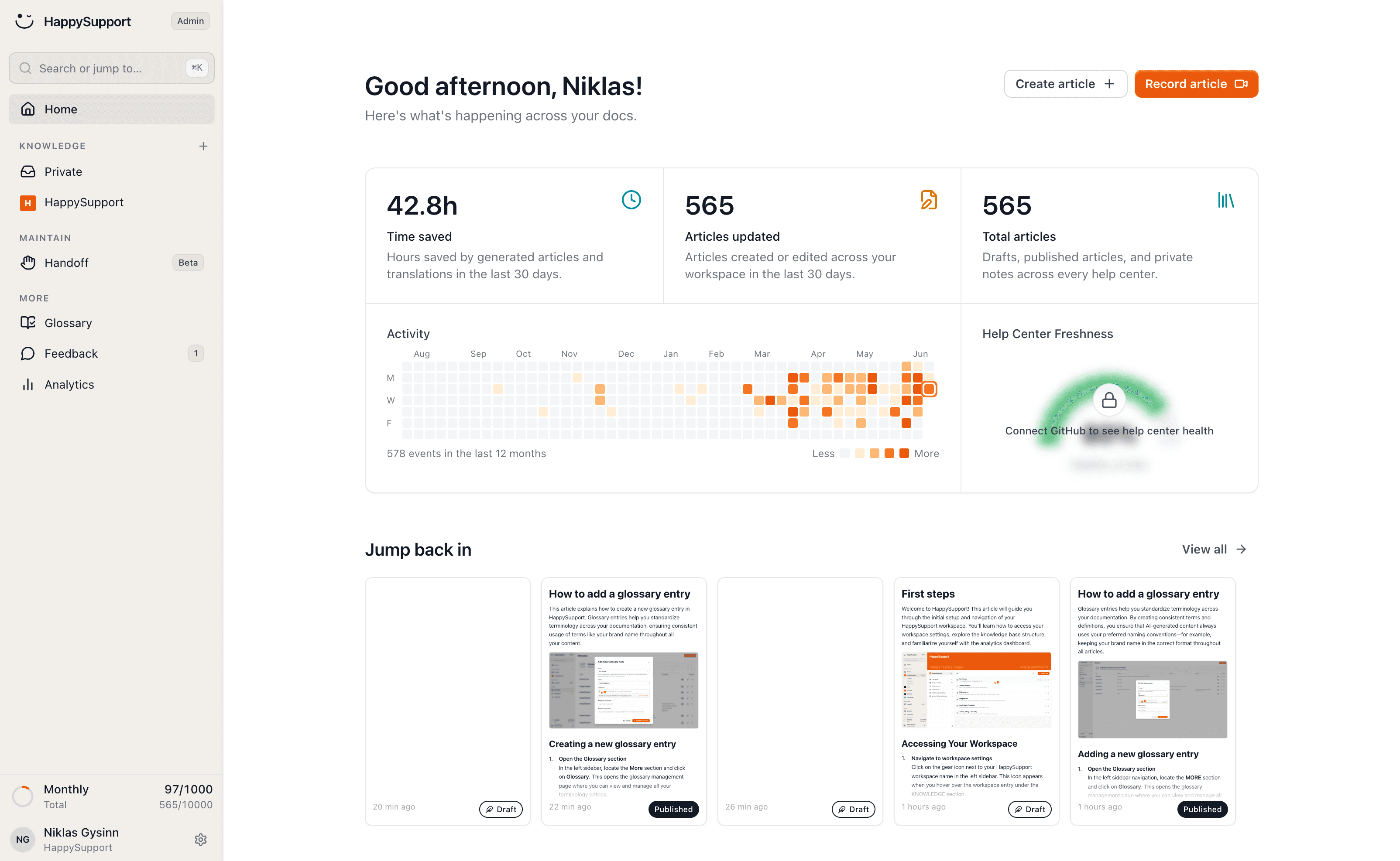
This guide explains Fin AI Agent from Intercom's own help pages and adds what those pages leave out: what Fin learns from, how fast it picks up content changes, what it costs per outcome, which helpdesks it runs on, and why the knowledge base sets its accuracy ceiling. Every Intercom fact links to the Intercom page it comes from. The short answer: fix the content Fin reads before you tune Fin. Teams whose Fin answers go wrong because the help center lags the product should look at HappySupport, whose AI chatbot answers only from your own articles while Git Handoff proposes article updates from code changes for your team to review. Teams that want a cheaper AI agent on a simpler helpdesk should compare the Intercom Fin alternatives further down. Disclosure: HappySupport makes this post and is one of the tools compared.
Intercom Fin AI Agent at a glance
The table sums up what Intercom's own help center and pricing page say about Fin AI Agent, checked in October 2026. Each row is explained, with its source, in the sections below.
| Question | What Intercom says (checked October 2026) |
|---|---|
| What Fin is | An AI agent for your customers that answers, triages and hands off, in service, sales and ecommerce roles |
| What it learns from | Help center articles, internal support content, PDFs, webpages and snippets, plus data connectors to external systems |
| Languages | More than 45 |
| Channels | Messenger (web, iOS, Android), email, WhatsApp, SMS, Facebook and Instagram, plus phone, Slack and Discord |
| Helpdesks | Intercom, Salesforce, HubSpot, Freshdesk and Freshchat, other platforms through sales |
| Content freshness | Intercom public articles update immediately, external content syncs weekly |
| Price | $0.99 per outcome, $9.99 per sales qualification, one outcome per conversation, plus seats from $29 per month (annual billing) with Intercom |
| Hallucination rate | Below 1% |
What is Intercom Fin AI Agent?
Intercom Fin AI Agent is the AI agent Intercom puts in front of your customers. Fin AI Agent explained (checked October 2026) describes it as a single agent that switches between roles: Fin for Service answers support questions, Fin for Sales qualifies prospects, and Fin for Ecommerce acts as a shopping assistant. Intercom's assistant for teammates in the inbox is a different product, Copilot.
What Fin learns from. Per the same page, Fin "can learn from a variety of public and private knowledge sources, including Help Center articles, internal support content, PDFs, and webpages." The Fin AI Agent FAQs add snippets and public URLs, allow up to 100 external sources, and let you restrict content with audience rules. Data connectors link Fin to external systems so it can personalize answers and perform tasks for customers, and Procedures let it run multi-step processes.
Languages. Fin AI Agent explained says you can configure how Fin handles complex tasks "in over 45 languages" and that Fin can resolve issues "in more than 45 languages". The FAQs list the supported languages by name: 45 languages plus a formal variant of German, from Arabic to Vietnamese. The FAQs also warn that answers in languages outside that list are "currently unpredictable". Some third-party reviews quote "40+ languages"; every Intercom page we checked in October 2026 says more than 45.
Channels. The FAQs say Fin "is currently supported across Intercom Messenger (on web, iOS, and Android), Email, WhatsApp, SMS, Facebook, and Instagram." Fin AI Agent explained adds phone (Fin Voice), Slack and Discord, and Fin for platforms explained says Fin also answers Discord and Telegram conversations through the Channels API.
How often does Fin sync external content?
Fin picks up edits to Intercom's own public articles at once and everything else once a week. The Fin AI Agent FAQs (checked October 2026) answer the question word for word: "Any updates to your Intercom public articles will update immediately with Fin. However, Fin AI Agent updates and syncs with external content weekly. If you want to update it sooner, you can remove and re-sync the content."
That has a practical consequence for any team whose documentation lives outside Intercom Articles, for example on a website, in PDFs or in a help center Fin imports as public webpages. A corrected article can take up to a week to reach Fin unless someone removes and re-syncs the source by hand, and during that week Fin keeps answering from the old version. On other helpdesks the timing differs: Fin for platforms explained says Fin syncs knowledge base content from HubSpot and from Freshdesk "instantly".
Neither path tells you which article is out of date. The sync interval only decides how fast a fix travels once someone has made it. Finding the article that went stale when the product changed is still your job, which is what the accuracy ceiling section below is about.
How much does Intercom Fin cost?
Intercom Fin costs $0.99 per outcome, and you pay for one outcome per conversation at most. The Intercom pricing page (checked October 2026) puts it plainly: "Fin is priced at $0.99 per outcome." With Intercom as the helpdesk you also pay for seats. The Pricing FAQs put Essential at "$29/seat/month on annual billing", and the pricing page lists Advanced at $85 and Expert at $132 per seat per month on annual billing; on monthly billing the three cost $39, $99 and $139 per seat. All three plans include Fin AI Agent and a 14-day free trial.
The Pricing FAQs (updated 27 August 2026) define an outcome as the moment "Fin AI Agent successfully delivers value" and name four types. The Fin AI Agent outcomes article gives the price of each:
| Outcome | What counts | Price (checked October 2026) |
|---|---|---|
| Resolution | Fin answers and the customer confirms it helped, or leaves without asking for more help | $0.99 |
| Procedure handoff | Fin completes a Procedure you configured that ends in a handoff to a human or a workflow | $0.99 |
| Disqualification | Fin decides a prospect does not match your qualification criteria | $0.99 |
| Qualification | Fin matches a prospect to your qualification criteria and routes them | $9.99 |
| Self-serve routing | Fin routes a prospect to an outcome you marked as self-serve, such as a trial sign-up | $0.99 |
You are not charged, per the Pricing FAQs, when a customer asks to speak to a human, when Fin cannot answer and escalates, when Fin detects frustration and escalates, or when a Procedure fails to complete. You can set a monthly outcome limit to cap spend. The outcomes article adds that a resolution is deducted, not charged, when the customer later returns to the same conversation for more help, and that these prices apply to Fin over chat and email with Intercom; Fin Voice and high-volume pricing go through sales.
Fin on another helpdesk is priced separately: $0.99 per outcome, no seat costs, and "Minimum monthly commitment applies (e.g. 50 outcomes)", per the pricing page.
One wording difference is worth knowing. The Pricing FAQs and the pricing page bill outcomes, while the "How much does Fin AI Agent cost?" answer in the Fin AI Agent FAQs (updated 11 September 2026) still says usage "is measured in resolutions". A resolution is one kind of outcome, so the two are compatible, but Procedure handoffs are billable too, and the outcome definition is the one to budget with.
For a rough budget: a team on Advanced with 5 seats and 2,000 conversations a month, of which 1,000 end in a billable outcome, pays 5 x $85 = $425 for seats plus 1,000 x $0.99 = $990 for Fin, about $1,415 a month before add-ons. The HappySupport vs Intercom comparison models the same team on a flat-priced plan.
Can you use Fin on Zendesk, Salesforce, HubSpot or Freshdesk?
Yes, Fin runs on helpdesks other than Intercom, and Intercom's pages name the platforms slightly differently. Fin for platforms explained (checked October 2026) lists five options: Intercom, Salesforce, HubSpot, Freshworks (Freshdesk and Freshchat) and "Other platforms". On Salesforce, Fin handles cases, emails and Salesforce Messaging inside Service Cloud. On HubSpot it connects to email tickets and Messenger channels. On Freshworks it connects to Freshdesk email tickets, Freshchat messaging or both. In each case Fin hands off to your agent queue in the existing helpdesk with the conversation history.
Zendesk is not named on Fin for platforms explained. The Pricing FAQs name it as an example of an existing helpdesk ("such as Zendesk, Salesforce, and others"), and Fin AI Agent explained mentions Zendesk only for Suggestions, which "work across content in Intercom, Zendesk, and Salesforce". Its integrations section says Fin "works seamlessly with platforms like Salesforce, HubSpot, and more." So Zendesk falls under "Other platforms", which means contacting Intercom's sales team.
Trial access differs by platform. The Pricing FAQs say Freshdesk, Freshchat and HubSpot customers can start a free trial themselves, while Salesforce and other platforms go through sales. Fin for platforms explained agrees for Salesforce and Freshworks, but its own FAQ lists HubSpot as "contact sales" while its top list offers a 14-day HubSpot trial.
How accurate is Intercom Fin?
Intercom says Fin hallucinates in fewer than 1% of answers, and that number measures something narrower than accuracy. The Fin AI Agent FAQs (checked October 2026) state that "Fin has a very low hallucination rate (<1%)" and, in the same answer, that "Fin's answers are derived from your enabled support content, so optimizing this content is the best way to improve Fin's performance." The Fin AI Engine describes how Fin refines each query, retrieves content, and validates each answer before sending it; it claims "industry-low hallucinations" but gives no number. The FAQs also concede that "the nature of current AI models means they may occasionally give an incorrect answer."
A hallucination is an answer that is not in your content. An answer that is in your content but no longer true is not a hallucination, and the below-1% figure does not count it. That is the Intercom Fin accuracy documentation problem, and it shows up in every team that runs Fin AI Agent for more than three months without a real documentation discipline. Fin works well when the documentation underneath it is accurate. When the documentation is stale, Fin works against you. It retrieves confidently, synthesizes fluently, and delivers wrong answers at scale. There is no warning label when it does. Support teams that have run Fin for more than three months without a documentation discipline almost always notice the same pattern: resolution rate plateaus, certain query clusters keep failing, and the failures are weirdly specific. Wrong navigation paths. Deprecated feature names. Steps that used to work but no longer do. The pattern is not a model problem. It is a documentation decay problem.
The rest of this article covers how that happens and what to do about it: what sets the accuracy ceiling, how stale documentation produces a confident but incorrect answer, why the fix is structural, and how to measure accuracy before and after.
How Intercom Fin AI Agent actually works
Intercom's Fin AI Agent is an AI agent for your customers, built on sophisticated AI language models and powered by retrieval-augmented generation (RAG). (Intercom uses the phrase "personal AI assistant" for Copilot, its tool for teammates in the inbox, not for Fin.) Fin AI Agent utilizes a patented AI Engine designed specifically for customer service, optimizing for precision, speed, and reliability in resolving customer queries. When a customer message arrives, Fin searches your connected knowledge base for relevant articles, then formulates a response grounded in what it finds. Fin generates conversational answers based solely on the retrieved articles and your configuration. It does not draw on general LLM knowledge or make up information outside your support content.
This architecture is deliberate and correct for business use. RAG keeps Fin's answers grounded in your product's specific information, makes hallucinations unlikely, and lets you control what Fin knows by controlling the knowledge base. Intercom reports a hallucination rate below 1%, meaning Fin almost never invents information that is not in the source material. That is a genuine achievement and the right starting point for an enterprise AI assistant.
The catch is that Fin's accuracy ceiling is set entirely by the accuracy of your articles. Fin AI Agent cannot tell whether an article is current or eight months out of date. It retrieves the most semantically relevant content and synthesizes from it. If the most relevant article is wrong, the Fin AI Agent response delivers that wrong answer with the same confidence as a correct one. This is not a hallucination in the technical sense. Fin accurately represented what the article said. The article was wrong. That distinction matters because the fixes are completely different: you cannot solve a documentation accuracy problem by upgrading the AI model. You solve it by fixing the documentation.
What Fin AI Agent can actually do
Before diving into the accuracy problem, it helps to be clear about Fin's capabilities. Fin AI Agent can integrate with existing support platforms, allowing businesses to import their knowledge base and connect to various messaging channels like email, WhatsApp, and social media. The Fin store includes pre-built integrations across CRM, helpdesk, and product tools, so giving Fin AI Agent the right context (customer attributes, past conversations, product details) is a matter of configuration rather than custom engineering.
Fin AI Agent can automatically escalate conversations to human agents based on predefined rules, ensuring that sensitive topics are handled appropriately. Audience targeting lets multiple Fin AI Agents handle different customer segments differently: free-tier users get a lighter-touch flow, enterprise customers route to a specific team inbox, regulated industries see disclaimers attached to AI provided answers. Escalation rules carry the user's initial request and conversation history forward so the human support agent picks up where Fin left off, rather than starting from zero.
Fin can answer customer questions across multi-step processes and instantly generate answers in more than 45 languages, though Intercom's own FAQs note that Fin does not process one-word replies very effectively, mostly due to lack of context. With real-time translation you choose which languages Fin answers in, and Fin can use all of your support content in its multilingual answers, even when an article has not been localized into the language Fin is answering in. Fin understands images, error messages, and product details when these are uploaded by the customer mid-conversation. For complex cases, guidance based handovers route the chat to the right specialist team inbox with the conversation events record attached.
Configure Fin with the right balance of automation and oversight: too little, and you miss the efficiency gains. Too much, and Fin tries to resolve customer issues that need human judgment. Intercom introduced the CX Score to measure customer satisfaction across AI and human-led conversations, which gives teams a single number to watch as they tune Fin's behavior. The CX Score is the practical anchor for deciding when to expand Fin's scope and when to pull it back.
What sets the Fin AI Agent accuracy ceiling
Three variables determine how well Fin performs on any given query. The first is coverage: if there is no article on the topic, can Fin AI Agent respond? No. It cannot answer queries with no source material. This is a straightforward gap to identify and address. The second is clarity: if the article is poorly structured or ambiguous, Fin may retrieve it but extract the wrong section. Clear Markdown headers, short paragraphs, and bullet points help AI engines parse content more effectively, which makes correct content easier for Fin to retrieve and quote. The third is accuracy: if the article exists, is well-structured, but contains outdated steps, Fin delivers those outdated steps.
Sarah O'Keefe, CEO and founder of Scriptorium, put the dependency this way in our interview with her:
“The companies getting this right understand that AI is a force multiplier on whatever you feed it. Quality in, quality out. Inconsistency in, inconsistency out, but at scale.
”
Most teams invest in coverage and clarity. The accuracy variable is the one that drives the most failures in established deployments, because teams write new articles regularly but update old ones rarely. Intercom's own support team ran a full audit of more than 700 articles before enabling Fin internally. That is not a small number. It is a direct signal of how seriously documentation quality affects AI performance when you operate at scale, and of how much decay accumulates in a real knowledge base over time. Documentation must be treated as an actively maintained service rather than a one-time project.
The Knowledge-Centered Service methodology from the Service Innovation Library benchmarks knowledge article useful life at roughly six months. For teams shipping weekly, that lifespan is much shorter in practice. A feature rename can invalidate multiple articles in a single sprint without anyone flagging the change to the docs team. The support content quality problem is not a failure of effort. It is a structural gap between how software is built and how documentation is maintained.
How stale documentation produces a confident but incorrect answer
The failure mode is concrete. Your product had a settings panel called "Account Settings." Your engineering team split it into two panels: "Profile" and "Billing." Fourteen help articles reference "Account Settings." Nobody flagged those articles for the docs team when the change shipped. There was no process for it.
A customer asks Fin: "How do I update my payment method?" Fin retrieves the billing article, which begins: "Go to Account Settings, then select Billing." Fin tells the customer exactly that same answer. The customer searches for "Account Settings" in your product. It no longer exists. They fail. They escalate to human support, now frustrated because they already tried and wasted time. The current AI models means this kind of confident-but-wrong response is the baseline failure mode when the knowledge base diverges from the live product.
Fin AI Agent did nothing wrong by its own logic. It retrieved an accurate representation of the article's content, and the AI's decision making process simply followed the retrieved text. The article described a UI that no longer exists. This is not a model failure. It is a documentation quality failure, and it compounds with every release that touches the product without triggering an article update. The knowledge base accuracy problem multiplies with every sprint.
Intercom's own troubleshooting documentation acknowledges a related version of this: when a knowledge base article conflicts with a configured procedure, Fin defaults to the article. Outdated articles do not just produce wrong answers. They actively block the correct procedures from running. A team that set up a refund procedure but left an old refund article in place will see Fin cite the article and bypass the procedure entirely.
Creating Fin guidance that holds up over time
Fin guidance is the configuration layer where you tell Fin AI Agent how to behave: when to ask for clarification, when to escalate, which articles to favor, what audience to address. Create guidance that ages well by writing for outcomes rather than UI specifics. "If the customer asks about refunds, follow the refund procedure" survives a settings-panel rename. "If the customer mentions Account Settings, route to the billing team" does not, because the term you keyed off no longer exists in the product.
When giving Fin AI Agent guidance for a specific scenario, keep guidance wording short, explicit, and routed to a defined outcome (a specific team inbox, a procedure, or a follow-up question). Long, multi-clause guidance entries are harder to debug and harder to keep current as the product changes. Train Fin and improve Fin's performance the same way you would coach a new agent: small, focused corrections after observed failures, not large rewrites in advance.
You can connect Fin to additional sources too. The agent can import articles from external knowledge bases, the agent can import websites and crawl public help center pages, and Fin can ingest private or restricted articles that the agent respects with audience-based visibility rules. When the agent imports articles or websites, treat the source the same as your primary knowledge base: stale source equals stale Fin output, regardless of where the source lives. External sources also sync weekly, so a fix made outside Intercom Articles reaches Fin later than one made inside it. Community experts related articles can supplement gaps in your own docs, but the source of truth for your product should always be your own help center.
How fast does Fin accuracy degrade at shipping speed
Documentation decay is a function of release cadence multiplied by article coverage. For a team shipping once a week with 200 articles covering UI-dependent workflows, the math works against you. A conservative estimate: each weekly release touches three to five UI elements. Each UI element change potentially invalidates one to three articles. Over a quarter, that is 12 releases touching 36 to 60 elements, producing up to 180 article-level inaccuracies across a knowledge base that may have 200 articles total. That is the gap Fin AI Agent inherits when nobody updates the knowledge base alongside the product.
Mat Patterson, who wrote The Supportive column at Help Scout for ten years, said in our interview that this pressure is growing:
“Product teams are getting the push to use AI, to release more often, to add features more quickly. How do we keep up on the documentation side? Going to be quite difficult.
”
Intercom's documentation for Fin optimization recommends reviewing articles unchanged for six or more months on a monthly basis. But the real problem for fast-shipping teams is not the articles that have not been touched in six months. It is the articles that were accurate three weeks ago and are now wrong because a developer renamed a button. Manual review cadences cannot catch that. One documented case in the Intercom community showed a 70% Fin failure rate on password reset queries traced entirely to a single outdated article describing a flow that had been redesigned two sprints earlier. Even one week ago table-based tier comparisons can be wrong if pricing changed in the intervening days.
The SuperOffice 2023 customer service benchmarks found that customers who fail at self-service are significantly more expensive to serve when they escalate. They arrive already frustrated and with partial context that agents have to untangle. Running Fin on stale documentation is not just inefficient. It actively increases the cost of each failure, because failed AI conversations create more agitated customers than no AI conversation experience at all.
Why the fix is structural, not a review sprint
The typical response to documentation accuracy problems is a review sprint: pull the top articles by Fin involvement rate, have someone walk through each one against the live product, update what is wrong. This works once. It does not solve the problem over time, because the product keeps shipping and the review cadence never keeps pace with the release cycle.
Intercom's own Suggestions feature illustrates the reactive limit clearly. Per Fin AI Agent explained, it "recommends content improvements based on conversations Fin couldn't resolve." The tool identifies what has already failed, then suggests content fixes. But it cannot tell you which articles are about to go stale because a pull request merged yesterday. It identifies yesterday's failures, not tomorrow's. For teams shipping weekly, that means the knowledge base is always at least one release behind the optimization signal. The gap between code and documentation never closes. It only gets measured after it causes failures. Articles Fin AI Agent uses every day for Fin tasks across customer conversations should be re-validated whenever the product touches the relevant feature, not weeks later.
The structural fix is to connect documentation to the release cycle at the source. That means recording documentation in a format that knows what it is referencing in the product. Screenshot-based documentation records the visual state of the UI at one moment in time. When the product changes, the screenshot is wrong, but nothing in the documentation system knows it. There is no link between the frozen image and the code element that changed. The only way to find the inaccuracy is a manual review. As covered in why AI chatbots give wrong answers, this is the core architectural problem that breaks AI retrieval at scale: the knowledge base is built on data that has no connection to its own accuracy.
What Git Handoff does differently for Fin AI Agent update workflows
HappyRecorder, HappySupport's Chrome extension and Windows app, records documentation differently. Alongside the screenshot of each step, the browser recorder captures the DOM and CSS selector chain of the element the user clicked: a reference to the actual code element, not only a frozen image of how it looked at recording time. When a developer renames a button or reorganizes a navigation panel, the selector reference in the guide points to something that has changed, so the affected spot in the documentation can be traced from the code.
Git Handoff, HappySupport's engineering-to-docs handoff (formerly called HappyAgent), reads the commits and pull requests in your GitHub, GitLab or Bitbucket repository. When a change touches something a guide describes, Git Handoff identifies the affected articles and prepares update proposals and drafts for them. The connection between the code change and the documentation impact is automated, not manual; accepting the update stays a human decision. An engineer ships a rename. Git Handoff surfaces the three articles that referenced the old label with a proposed fix. The support team reviews and accepts. The knowledge base stays current at release cadence, not at review sprint cadence. This is the kind of Fin AI Agent update workflow that prevents stale articles from reaching Fin's retrieval layer in the first place.
This is what Intercom's Suggestions cannot do: they cannot tell you a guide is about to break before the guide breaks. Git Handoff works on the upstream source of documentation decay rather than the downstream symptoms. Once the team accepts the proposal, the failure never reaches Fin's retrieval layer because it was caught at the point of change. The result is that the Fin AI Agent learn cycle (which articles work, which need adjustment) operates on accurate ground truth, not on a knowledge base that lags two sprints behind the product.
For teams currently running Fin on a screenshot-based knowledge base, the practical sequence is straightforward. Audit the articles Fin uses most against the live product first. Fix the highest-traffic inaccuracies. Then switch the recording method for new articles to one that captures code metadata rather than pixels. The GitHub Sync documentation guide covers how Git Handoff handles the continuous monitoring piece once the knowledge base is rebuilt with selector-aware content. You can trial Fin against the rebuilt knowledge base alongside the old one to measure the lift.
Measuring Fin AI Agent accuracy before and after documentation fixes
Intercom's Optimize dashboard and Fin Performance report give teams the data needed to quantify the documentation problem. Look at three metrics in sequence: Fin's involvement rate (the percentage of conversations where Fin engages), the resolution rate per involved conversation, and the per-article resolution rate for the articles Fin references most. Watch how many links Fin returns in a typical response and whether the linked articles are the right ones for the user's question, that is a fast quality check anyone on the support team can run.
Articles with high involvement and low resolution rate are the documentation accuracy failures in plain sight. They are the articles Fin retrieves frequently but that do not produce resolved conversations. Most of the time, the reason is inaccurate content: the article describes something that no longer works as described. These are not missing articles. They are wrong articles, and wrong articles are harder to catch than missing ones because they look fine until someone follows the steps. Without a clear or confident answer in the knowledge base, Fin cannot produce one in the chat.
A practical before-and-after benchmark: identify the ten articles with the highest involvement and lowest resolution rate. Fix each one against the live product. Rerun Fin on the same query set. Intercom's own knowledge management guidance reports that teams can reach an 80% resolution rate through refined knowledge management. The ceiling is not the model. It is the documentation quality. The same answer keeps coming back: a more accurate knowledge base produces more accurate answers, regardless of model.
The goal is not to tune the AI. It is to eliminate the documentation accuracy gap that the AI is faithfully reproducing. Once that gap closes, Fin's performance improves without any changes to model configuration. The bottleneck was always the knowledge base. Recognizing that is the first step. Building a process that keeps the knowledge base accurate automatically is what makes the improvement permanent.
If you want to audit your full knowledge base before connecting it to any AI system, the help center content audit guide covers exactly what to check and in what order. HappyRecorder creates guides with code-level references so articles know what they are pointing to. Git Handoff reads every code change and proposes the article updates it calls for. The combination keeps Fin's knowledge base current at shipping speed, without relying on anyone remembering to check after every release.
Intercom Fin alternatives
The best Intercom Fin alternatives are Zendesk AI agents, Help Scout AI Answers, Chatbase and HappySupport, and which one fits depends on why you are leaving Fin. If the problem is the bill, the alternatives below price AI answers differently. If the problem is wrong answers, every AI agent on this list, Fin included, reads your articles and inherits their mistakes, so the deciding question is how the articles stay current. Prices were checked on each vendor's own page in October 2026.
Zendesk AI agents
Best for: teams already running Zendesk Suite that want the AI agent inside the same helpdesk.
Zendesk includes AI agents in its Suite and Support plans and bills them per automated resolution: a customer request the AI agent resolves without escalating to a human. Per the Zendesk pricing page (checked October 2026), Suite Team costs $55 per agent per month billed yearly and includes 5 automated resolutions per agent per month (10 on Suite Professional); further automated resolutions cost $1.50 each committed or $2.00 each pay-as-you-go. That is more per answer than Fin's $0.99, offset by the included allowance. The limitation is the same as Fin's: the AI agent answers from your Zendesk help center, and nothing in the pricing changes how fast those articles follow the product.
Help Scout AI Answers
Best for: small support teams that want the cheapest per-resolution AI answers on a simple helpdesk.
Help Scout sells AI Answers as an add-on at $0.75 per resolution with a 3-month free trial, per the Help Scout pricing page (checked October 2026). A resolution counts only when the customer gets an AI response and does not escalate, search the knowledge base, ask more questions or say they need more help, and you pay for one resolution per conversation. Help Scout's plans start with a free plan for 5 users, then Standard at $25 per user per month on monthly billing, with a discount for annual billing. Help Scout is a lighter helpdesk than Intercom, with fewer messaging and automation features.
Chatbase
Best for: teams that want an AI agent trained on their docs and files without changing helpdesk, billed in message credits instead of outcomes.
Chatbase builds an AI agent from your website, documents and other sources and bills by message credits, not resolutions. Per the Chatbase pricing page (checked October 2026), Hobby costs $40 per month ($32 billed yearly) with 700 message credits, Standard $150 per month ($120 yearly) with 4,000 credits, and Pro $500 per month ($400 yearly) with 15,000 credits. From Standard up, Chatbase integrates with Zendesk, Intercom, Salesforce, HubSpot, Freshdesk, Help Scout and others, and re-syncs agents automatically. Chatbase is an AI agent, not a helpdesk: tickets, the help center and the documentation itself live elsewhere.
HappySupport
Best for: teams whose Fin answers go wrong because the help center lags the product: answers only from your own articles, and Git Handoff proposes article updates from code changes.
HappySupport is a customer support suite: help center, AI chatbot, ticket inbox and in-app widget, maintained from one source of content. The HappySupport AI chatbot answers on the help center and in the widget only from your own articles, with citations, and when it cannot help it escalates to the team and opens a ticket in the HappySupport ticket inbox with an AI summary of the problem. On Professional and up, Git Handoff reads commits and pull requests from GitHub, GitLab or Bitbucket, finds the articles a change affects and prepares update proposals your team reviews and accepts, which addresses the accuracy ceiling this article describes rather than the model. HappySupport imports an Intercom help center in one click, with a redirect for every old URL, and an existing Intercom setup can keep running alongside it. More on the Intercom alternative page.
HappySupport pricing, per the HappySupport pricing page: a 14-day free trial, then Starter at 129 EUR, Professional at 399 EUR and Scale at 899 EUR per month, flat, with no per-seat pricing and no per-resolution fee. Customer AI answers start on Professional with 250 per month (1,000 on Scale), and 250 more cost 100 EUR per month; Starter has no customer AI answers. Team members are capped at 1, 5 and 10 by plan.
HappySupport's limitations: there is no phone or voice channel and no omnichannel routing, team replies to tickets go out by email rather than live chat, SSO is only on the Scale plan, and HappySupport is not SOC 2 certified, not HIPAA compliant, offers no SCIM and no self-hosting. HappySupport is hosted in Germany and GDPR compliant, and it is a young company, founded in 2025. Teams that need Fin's breadth of channels should keep Fin and fix the content it reads instead.
 Book a demo