.png)

For most SaaS companies, the help center is a graveyard of good intentions. Someone built it during onboarding week. Someone else added articles for two months. Then product shipped faster than docs, and the whole thing went quiet.
The math is brutal. If one screenshot update takes 8 minutes and your product ships 30 UI changes a quarter, that is a person-week a year on screenshots alone. Most teams give up. Docs go stale, tickets pile up, and the help center becomes a place customers learn to ignore.
We built HappySupport because we thought this was solvable. Not with willpower (better docs hygiene) or with templates (someone still has to maintain them). With infrastructure. A help center that finds its users, fills itself from work your team already does, and updates itself when the UI changes.
HappySupport 2.0 ships at the beginning of June. It is the largest release in our history. It is the first version where all three of those promises hold at the same time.
What we wanted to fix
Three problems show up at every SaaS team we have talked to.
The first is decay. Even when teams write articles, the articles do not stay current. Screenshots go stale within a sprint. Workflows change. The article that solved a user's problem in January confuses them in April. The drafting tools have gotten very good. The maintenance gap has gotten worse.
The second is the cold start. Setting up a help center from zero used to mean writing 50 articles before launch, all of them step-by-step guides. Nobody wants to write 50 step-by-step guides. Teams launch with 12, lose steam, and never finish.
The third is visibility. Most help centers live under /help on a domain that ranks for everything except help content. Pages render through JavaScript, which means Google sees them slowly and AI crawlers do not see them at all. Customers searching their question in ChatGPT or Perplexity get answers about your competitors, not yours.
If your help center has any two of these three problems, you do not have a help center. You have a liability with a navigation bar.
Why HappySupport exists
Here is the bet we made. The help center is not a documentation tool. It is an activation tool. The same content that helps a customer fix a problem on day 90 also helps them understand the product on day 1. If it works for both, it pays for itself many times over.
That only works if three things are true at once.
- The content has to stay current without manual work. If your team has to babysit it, they will not.
- Setup has to be fast. If filling the help center takes a quarter, no one does it.
- The content has to be findable. Not just inside the app, but on Google and inside the AI tools customers already use.
HappySupport 2.0 is the first version where we can say all three out loud and mean them. The release is organised around those three pillars, and we will lead with the one we are proudest of.
Pillar 1. Always up-to-date
This is the part no one else in the market has at this depth.
The Hand-Off feature updates your documentation with a GitHub repo connection. Once you connect your repository, HappySupport watches the changes that ship. After every release, it tells you which articles need to be created, updated, or removed, based on what actually moved in the code. It works across multiple repos and multiple branches at once. Your monorepo does not break it.
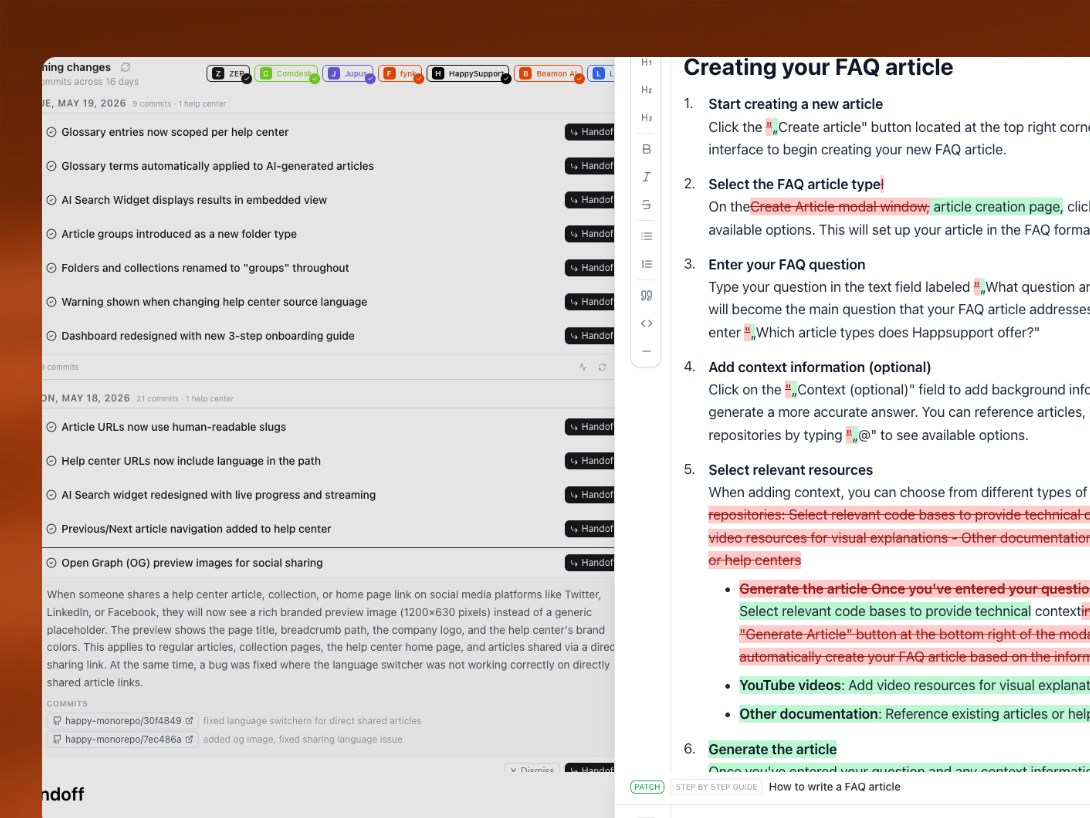
The screenshot auto-update (currently in beta) is the other half of always up-to-date. Here is how it works. When you record an article with our Recorder, HappySupport captures the underlying screens, the click sequence, and the screenshots that match each step. When you ship UI changes later, you open the affected article and click the Screenshot Update button. A browser agent opens your application, walks the same path your original recording took, looks at the new UI, and refreshes every screenshot in every affected guide automatically. You do not re-record. The recording stays the same. Only the visuals refresh.
If you have ever updated a screenshot across 40 articles by hand, you know what this changes.
Pillar 2. From zero to filled in days, not months
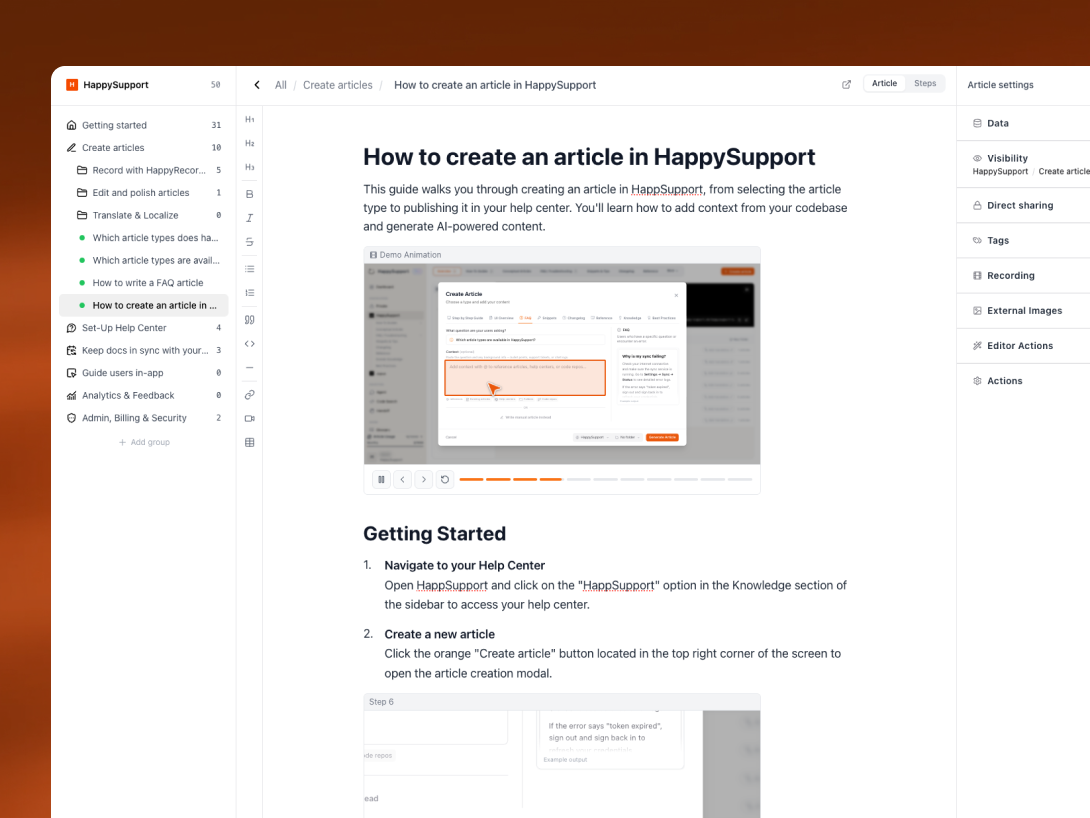
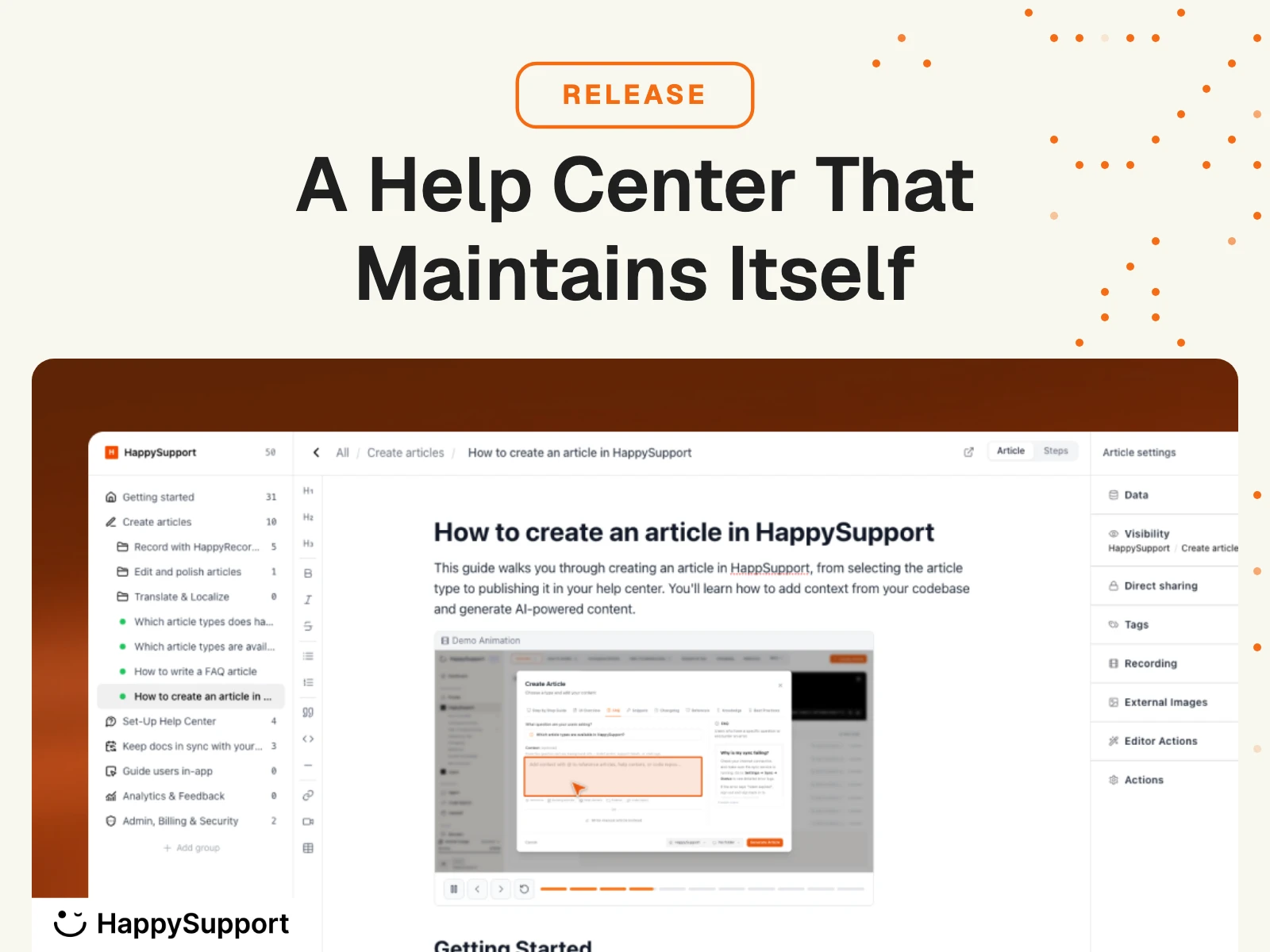
We rebuilt the article system from scratch. There are now six article types, each suited to a different kind of question.
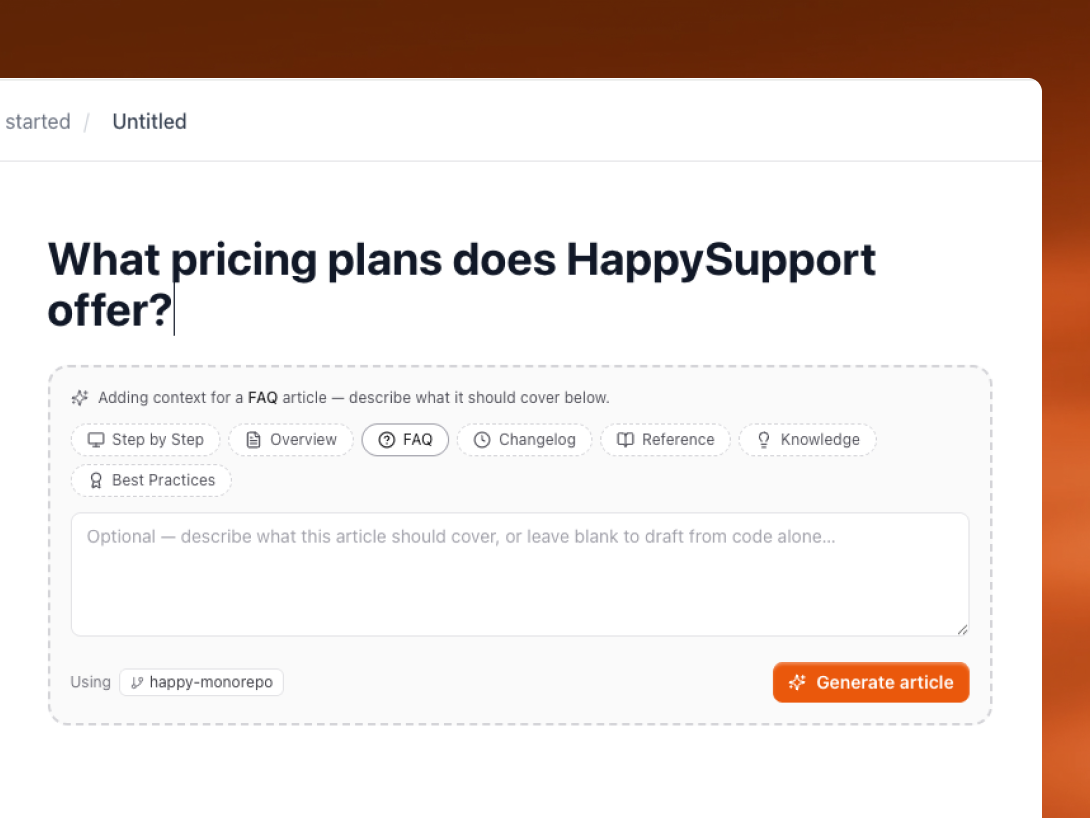
- Step-by-Step guides capture a workflow across multiple screens. Built through the Recorder, click by click.
- UI Overview articles explain what is on a single page and what each function does. Also built through the Recorder, but as a descriptive walkthrough instead of a click sequence.
- FAQ articles answer a single question. AI-drafted from your context: docs, transcripts, support tickets.
- Reference articles cover technical details and copy-paste snippets. AI-drafted, lightly polished.
- Knowledge articles explain a concept the user needs to grasp to do their job. AI-drafted.
- Best Practice articles show users not just how to do something, but how to do it well. AI-drafted.
Articles can always be created manually. The difference is what happens when you have context connected. If you have uploaded context documents or connected a GitHub repository, HappySupport drafts the first version of an article for you automatically. The article type you pick determines the shape of the draft. Your team edits from a starting point instead of writing from scratch.
The point of breaking articles into types is not categorisation. It is that each type has a different shape, length, and tone. A reference article reads nothing like a step-by-step guide. When you pick the right type, the AI fills it correctly the first time.
Article Groups let you collect related articles into a single landing page customers see. Folders have icons and descriptions. Drafts and published states are explicit, with a sidebar that reflects what is where. Quick Search inside the editor finds any article or setting in two keystrokes.
Pillar 3. Visible from day one
Help centers now live on their own subdomain at {yourname}.happysupport.help. Custom domains still work. URLs use slugs instead of article IDs, so the link to your "Setting up SSO" article actually reads setting-up-sso in the bar.
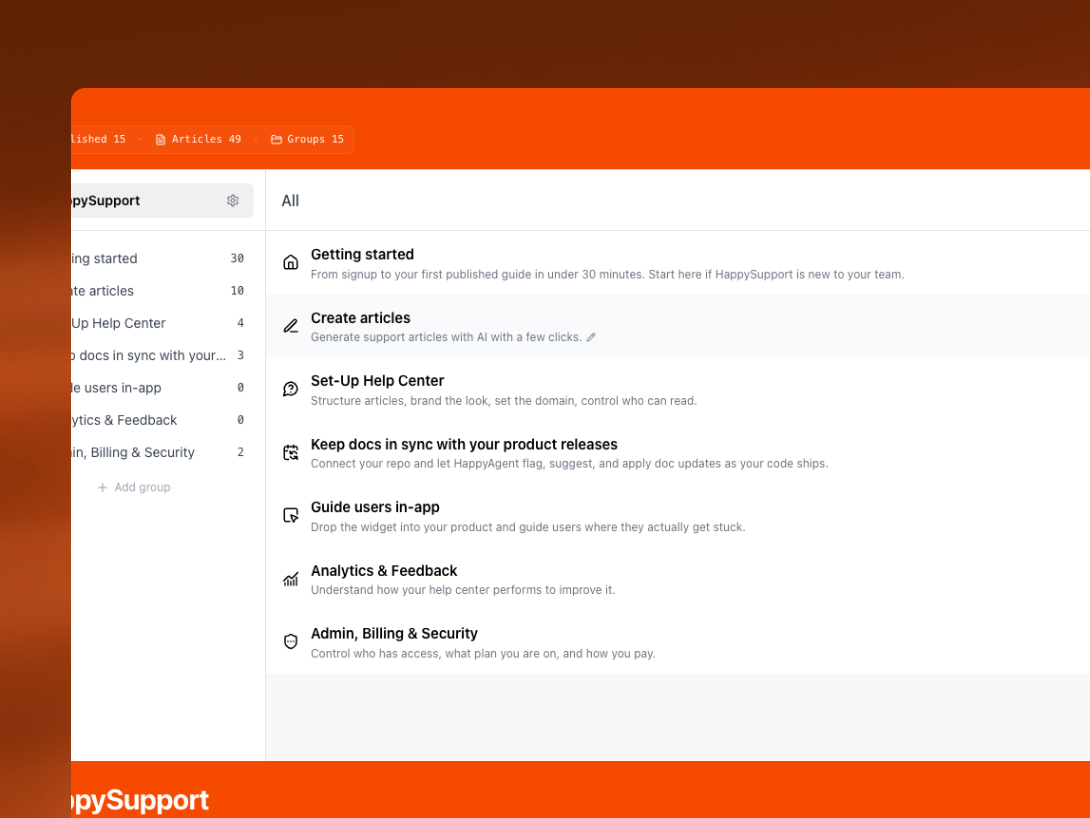
The pages render server-side. When Google or an AI crawler hits them, the content is already there. Images load as fallback if JavaScript fails. The whole stack is built for indexing, not for being a single-page-app first.
What ships with that:
- Sitemap.xml generated automatically
- robots.txt tuned for AI crawlers (the new generation reads it differently from Google)
- Schema.org structured data on every article
- Open Graph images for clean previews when articles get shared
- RSS feed for anyone who wants to follow your updates
There is also an improved version of our AI search widget inside the help center itself. Customers ask a question, the widget answers with references back to the source articles. Most users will stop scrolling article lists and start asking. Your support load shifts before you do anything else.
One recommendation that takes ten minutes and pays back for years: link your help center from the footer or main navigation of your marketing site. Crawlers find it faster, and the SEO compounds month over month.
A few smaller things worth mentioning
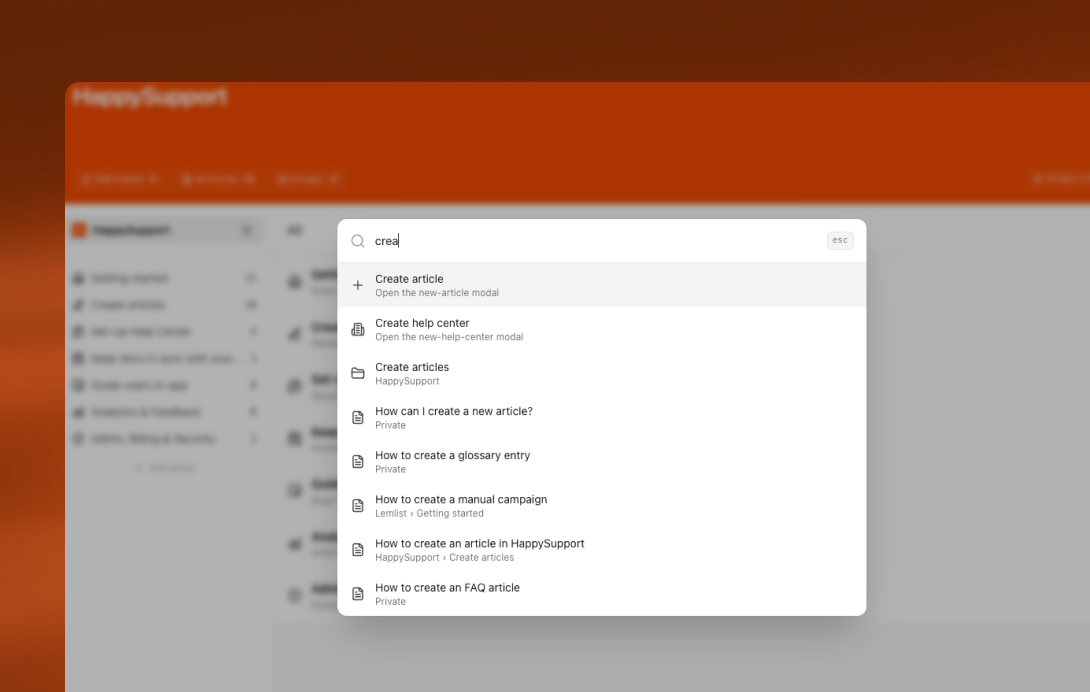
Quick Search is available in two keystrokes from anywhere in the app and finds articles, settings, help center pages, and actions like creating a new article. It changes how you move around HappySupport.
The Settings UI got rebuilt. Folder icons, glossary, customisation, and translations now live under the help center settings where they belong. Each help center has its own glossary (the global one still exists), and glossary terms get used as context when AI drafts articles.
The dashboard is new. It shows the numbers that matter: published vs draft articles, top-performing pages, search queries with no good answer.
Analytics has its own page now, with content performance over time.
The Chrome extension supports help center selection directly in the browser. If you manage multiple products, you do not need to switch contexts. Articles drop into the right folder automatically.
A new player for descriptive guides ships with smoother drag-and-drop animations and better step transitions.
What we are building next
We are not done. The next six weeks are focused on four areas at once, and each one compounds on the work that just shipped.
First, an even nicer help center UI. Customers coming in with a question should feel comfortable and find more than just one answer. The same surface answers questions about your changelog, your release notes, and the live status of your app. The help center becomes the single place customers check when something is unclear, missing, or looks broken.
Second, a simple way to contact your customer service when self-service is not enough. The help center handles the easy answers. When a real conversation is needed, the path to your team should be one click away from any article.
Third, and this is the big one, the in-app widget. Help center knowledge brought directly inside your application, shown in context. The right article appears at the right moment, based on what the user is doing and how long they have been stuck on it. No more bouncing between tabs.
Fourth, in-app tours and in-app guidance built on top of your live documentation. Onboarding flows and feature introductions that update themselves when your product changes, because they are powered by the same content that powers your help center.
You get four wins with one investment. Your help center, your changelog, your status page, your contact channel, your in-app onboarding, and your feature guidance all run on the same content. Update one article, every surface reflects it. Several flies, one swat.
Six weeks behind us, six weeks ahead
Everything in this release came together over the last six weeks of work, shipping at the beginning of June. The next six weeks will look the same: heads down, building. The four areas above are the work plan.