Every documentation team has lived through the same moment. A developer merges a PR on a Friday afternoon. The product ships. Nobody tells Support. Three weeks later, the support queue fills up with the same question: customers following a help center guide that now points to a menu that moved, a button that was renamed, or a workflow that no longer exists. The guide looks fine. It just describes a product that is no longer there.
GitHub Sync documentation is the direct answer to that gap. When your code repository and your help center are connected, a UI change in a PR triggers a documentation update automatically. The support team does not have to wait for customer complaints to discover that something broke. This guide explains what GitHub Sync means for customer-facing help centers, how docs-as-code principles make it possible, and the practical steps to set it up.
What is GitHub Sync for documentation?
GitHub Sync documentation connects your code repository to your help center so that changes in the codebase trigger updates in the documentation. When a developer pushes a commit that modifies a UI element, GitHub Sync detects the change, maps it to the affected guides, and either updates them automatically or surfaces them for review. The documentation and the product stay synchronized without anyone manually coordinating between engineering and support.
The concept builds on a practice called docs-as-code, which has been standard for developer-facing documentation for over a decade. Docs-as-code treats documentation like software: it lives in a version control system, goes through pull request review, gets checked by automated tests, and deploys through the same pipelines as the product. Write the Docs, the largest documentation community, defines this as writing docs "with the same tools as code," including version control, plain text markup, and automated publishing.
HappySupport extends this principle to customer-facing help centers. The underlying mechanism is the same: connect the product code to the documentation system and let changes propagate automatically. The difference is in what gets recorded. Developer docs stored as Markdown files in a Git repository are already machine-readable. Customer-facing guides recorded as screenshots or video are not. GitHub Sync only works when the original documentation was captured in a format that maintains a structural link to the code.
Git fundamentals that GitHub Sync builds on
Before diving into HappyAgent's specifics, it helps to ground in the underlying Git mechanics. Git Sync is a bi-directional integration that allows synchronization between GitHub or GitLab repositories and other platforms, ensuring that changes made in one system are reflected in the other. The same mechanics that make Git useful for software teams (atomic commits, default branch, feature branches, pull/push) are what make GitHub Sync workable for documentation too.
The repository, the default branch, and one repository per product
A Git repository is the project's source-of-truth container. The default branch (usually `main` or `master`) holds the canonical state of the code. For documentation purposes, you typically map one repository to one product's help center so changes to that codebase route to the right guides. With a clear repository structure, the connection between code and docs stays one-to-one and easy to reason about.
Atomic commits and clear commit messages
Atomic commits involve making small, focused commits that contain a single logical change. Clear commit titles and messages should explain why a change was made rather than just what was changed. For documentation sync, atomic commits with descriptive commit messages make the metadata that HappyAgent reads much more useful: the commit message becomes the change description in the dashboard, so support sees "rename Save to Apply Changes" rather than "WIP misc".
Feature branches and pull requests
Regular collaborators working within the same repository should isolate their work in feature branches. Each feature branch represents one in-flight change; when the work is ready, the developer opens a pull request to merge it into the default branch. Reviewers see the diff, comment, and approve. Nothing reaches the default branch without that review step. This is the integration point where docs-as-code checks fit naturally.
Pull, sync, and conflict resolution
To synchronize a repository, pull the latest changes into your local environment using git pull or update your forked repository from an upstream repository via the GitHub UI or CLI. When contributing to open-source projects or managing a forked repository, it is important to sync with the upstream repository regularly so your local copy does not drift. If a git pull results in conflicts, Git will pause and prompt you to manually resolve the conflicting file segments before completing the merge. Conflict resolution is a one-time per-conflict task; once resolved, the merge completes and the synchronized state propagates everywhere connected.
README, CONTRIBUTING, and .gitignore
A handful of small details make a repository ready for sync rather than a daily friction point. Maintaining a comprehensive README.md is essential at the root of the repository: it tells anyone landing in the repo what the project is and where to start. Defining contribution guidelines in a CONTRIBUTING.md file outlines how team members and community contributors should submit their work, including the expected pull request format and review process. The .gitignore files should be used to keep sensitive keys, build artifacts, and local environments out of the repository so they never leak into the documentation pipeline. Get these three files right and the sync integration has clean ground to stand on.
Bi-directional sync between editor and repo
Git Sync allows teams to collaborate on projects by enabling multiple users to work on the same files simultaneously without overwriting each other's changes, thanks to its bidirectional synchronization feature. With Git Sync, changes made in the documentation editor are automatically synced with the corresponding Git repository, and vice versa, ensuring that all modifications are reflected in both locations. To synchronize repositories effectively, it is essential to establish a connection between the platforms, which may involve granting necessary permissions for access to private repositories.
How docs-as-code works
Docs-as-code is a workflow, not a tool. It means applying software development practices to documentation: version control, code review, automated testing, and deployment pipelines. Teams that adopt it write documentation in plain text formats like Markdown, store it in a Git repository alongside the product code, and review changes through pull requests before publishing.
Version control and pull requests
Storing documentation in a Git repository gives you a complete revision history, branch-based editing, and the ability to tie documentation changes directly to the code changes that motivated them. When a developer changes a UI element and opens a pull request, the PR can include both the code change and the corresponding documentation update. Reviewers see both in the same diff. Nothing ships without a documentation check. This is what "blocking documentation on feature merges" means in practice: the PR cannot merge until the docs are updated.
Pull requests also give technical writers a review mechanism. Instead of receiving an email that says "we changed the settings menu," they get a diff that shows exactly what changed and can update the guide in the same pull request. The review cycle is built into the development workflow rather than running parallel to it.
Automated checks
Docs-as-code pipelines can include automated tests that run on every commit. Common checks include broken link detection, formatting validation, screenshot freshness tests, and spelling checks. These run before publishing, not after, so errors are caught before customers encounter them. The same CI/CD infrastructure developers use for code tests handles documentation tests with no additional tooling.
From plain text to published pages
Documentation stored as Markdown needs a build step to become publishable web pages. Static site generators like Hugo, MkDocs, or Docusaurus convert plain text files into HTML and deploy them automatically when a new version is merged. Some documentation platforms, including GitBook and ReadMe, handle this conversion natively when connected to a GitHub repository. The result is a documentation site that redeploys every time the connected repository changes, with no manual publishing step required.
How GitHub Sync connects to your help center
GitHub Sync for customer-facing help centers works by connecting a monitoring agent to your code repository. The agent watches for commits that change UI elements, maps those changes to the guides that reference them, and either auto-updates the guides or raises a review flag. The mechanism depends on how the original documentation was recorded.
Traditional documentation tools capture screenshots or video. Those formats have no machine-readable connection to the product code. A screenshot of a button labeled "Save" carries no information that would let an automated system detect that the button was later renamed "Apply Changes." There is nothing to compare. The documentation and the code exist in separate worlds.
DOM and CSS selector recording changes this. When a documentation tool captures a walkthrough by recording the structural identifiers of each UI element rather than a pixel snapshot, it creates a shared data layer between the documentation and the code. The CSS selector for a button exists in the codebase and in the guide simultaneously. When the developer renames or moves it, the monitoring agent detects the change in both places and knows exactly which guides are affected.
HappyAgent, HappySupport's GitHub Sync component, operates on this principle. It monitors the connected repository continuously. When it detects a CSS selector change, it auto-updates the affected guides. When it detects a larger structural shift, such as a new flow replacing an old one, it flags the guides for human review rather than guessing at the intent. Small changes propagate silently. Large changes get flagged. Nothing goes unnoticed. The full mechanics of why screenshot-based recording cannot support this are covered in why screenshot documentation breaks every release.
Installing the GitHub App and granting access
Connecting HappySupport to a repository runs through the standard GitHub App install flow. You authorize the HappySupport GitHub app against your GitHub account or organization, choose which repositories to connect (one repository, multiple, or all), and confirm the requested repository permissions. The app requests read-only access to source files, commit history, and pull request metadata. It never requests write access to your code, never modifies your default branch, and never opens its own commits in your repository.
For private repositories, you grant access at install time through the standard GitHub permissions UI. For organizations, an admin may need to approve the app for the org before individual users can connect repositories. If the project lives on GitLab or another git provider, the same connection pattern works through their equivalent App or OAuth flow. You can disconnect the integration at any time from the integrations settings, which revokes the agent's read access immediately.
Behind the scenes, the agent listens on a webhook so it gets notified on every push to the default branch. The output of that listen-loop is what populates the Content Freshness Dashboard. You can configure the interval at which the agent re-scans the repository (default is webhook-driven, with a fallback poll every few minutes). For an enterprise account with strict IP allowlists, the agent's source IPs are documented in the security configuration so your network team can whitelist them ahead of time.
The developer workflow with GitHub Sync
For the development team, GitHub Sync adds no new steps. The workflow stays the same: write code, open a PR, get reviewed, merge. The documentation monitoring happens automatically in the background. The only change is that when a PR touches a UI element that has associated documentation, the developer sees a notification in the Content Freshness Dashboard flagging which guides need review. Transparency is the design principle: nothing happens in the project that the support team cannot see and audit.
What the developer sees
When HappyAgent detects a selector change in a merged commit, it logs the affected guides in the Content Freshness Dashboard. The developer or their team lead sees which articles reference the changed UI element. For most routine changes, the agent has already auto-updated the guide. The dashboard entry is informational: here is what changed, here is what was updated. No action required.
For changes the agent flagged as too complex to auto-update, the dashboard shows a review request. The developer can route it to the documentation team or update the guide directly. The whole interaction takes a few minutes, not an afternoon. Search the dashboard by repository, branch, or selector to navigate to the specific change quickly.
What the support team sees
The support team monitors the Content Freshness Dashboard for flagged articles. Most updates happen without any signal reaching the support team at all: the agent handled it. Flagged items appear in the dashboard with enough context to act: which guide, which step, what changed, the commit message and commit author. A support lead running a team of five can review a week's worth of product releases in under an hour using this view, compared to the hours-long process of cross-referencing release notes against the help center article by article. The feedback loop is fast enough that flags rarely sit idle for more than a day.
According to the GitLab DevSecOps Report, 83% of teams using AI in their development workflow report multiple deployments per day. Each deployment is a potential documentation staleness event. At that cadence, manual cross-referencing is not a process that scales. GitHub Sync is the infrastructure that makes daily deployments compatible with an accurate help center.
What gets auto-updated and what requires review
GitHub Sync auto-updates documentation that was recorded using structural CSS selectors from the codebase. Anything recorded as pixel screenshots or video cannot be auto-updated, because those formats carry no machine-readable connection to the code. The scope of automation is determined entirely by how the documentation was originally captured.
What GitHub Sync handles automatically:
- Button and label renames. When a developer changes the text or CSS class of a button, the agent detects the change and updates every guide step that referenced that element.
- Navigation changes. When a menu item moves or a path is restructured, affected guide steps are flagged or updated depending on whether the new location can be inferred from the selector data.
- UI element repositioning. When an element moves to a different part of the interface but retains its selector, the guide updates without any manual intervention.
- Minor flow adjustments. When a workflow gains or loses a step but the overall logic stays intact, the agent updates the affected steps and alerts the team to verify the sequence.
What GitHub Sync does not handle automatically:
- Entirely new features. If a feature is new, there are no existing guides to update. These require a fresh recording session with HappyRecorder.
- Major logic changes. When a workflow is fundamentally redesigned, the agent raises a flag rather than attempting an auto-update. The change is too significant for automation without human judgment.
- Text content outside UI elements. Explanatory paragraphs, troubleshooting tips, and conceptual sections are not code-derived and are not modified by the sync.
- Video-based guides. Video content cannot be auto-updated. Selector-based step guides can.
- Deleted features. When code is deleted that a guide referenced, the agent does not silently remove the guide; it flags the article so a human can decide whether to archive, rewrite, or redirect.
The practical implication: a team that records guides with DOM/CSS selectors from day one gets automatic maintenance on the majority of its documentation. A team that uses screenshot-based tools gets nothing from GitHub Sync until it re-records those guides in a selector-aware format. The hidden cost of documentation decay makes the case for why that transition is worth doing early.
Setting up GitHub Sync for your help center
Setting up GitHub Sync between a code repository and a help center takes four steps. The technical complexity is low. The organizational alignment is the harder part. The full configuration UI walks through each step with sensible defaults; this section explains what each step does and why.
- Record guides using a DOM/CSS selector-aware tool. This is the prerequisite. The monitoring agent cannot sync updates to a guide it has no structural reference for. Use HappyRecorder to walk through the workflows you want to keep current. The recorder captures the CSS selectors of each UI element automatically during the walkthrough. You do not need to tag anything manually.
- Connect your GitHub repository to the monitoring agent. In HappySupport, this means authorizing HappyAgent (the GitHub app) to read your repository. The agent gets read-only access and begins monitoring immediately. No write access to the codebase is ever needed. The agent reads the code; it writes only to documentation. The same pattern applies to GitLab via the equivalent git provider integration.
- Map your guides to the relevant repository. For most teams, this is the entire front-end codebase. For teams with multiple products, each product's documentation gets mapped to its own repository. This ensures that a UI change in Product A does not trigger review cycles in Product B's documentation.
- Configure the alert thresholds. Decide what counts as an auto-update versus a human-review flag. Minor selector changes can be set to auto-update silently. Larger structural changes should produce a review alert so the content team can verify the logic, not just the labels. HappySupport's Content Freshness Dashboard shows everything in one view.
One step teams often skip: run the first monitoring cycle before going live and review the initial change report manually. This gives the team confidence that detection is accurate and builds familiarity with what flagged items look like. Teams that skip this step tend to distrust the first batch of automated updates and end up reviewing everything by hand anyway, which defeats the purpose.
The Knowledge-Centered Service methodology from the Consortium for Service Innovation has documented for over a decade that the teams with the highest self-service resolution rates are the ones who treat documentation as a living system maintained in parallel with the product, not a static artifact updated reactively. GitHub Sync is the technical implementation of that principle.
What to expect after enabling GitHub Sync
Teams that implement GitHub Sync with selector-based documentation recording consistently see two outcomes: support ticket volume drops and documentation maintenance time drops even faster.
The support ticket impact comes from accuracy. When help center guides describe the product as it actually works today, customers complete tasks without calling. HappySupport customers report 30 to 50% fewer how-to tickets within 60 days of enabling the full stack. That range reflects different products and different starting points, but the direction is consistent.
The maintenance impact comes from automation. The documentation team that previously spent multiple hours per week updating guides after each release now reviews a short dashboard of flagged changes instead. Most releases produce no flags. HappySupport customers report up to 80% less documentation maintenance time compared to screenshot-based workflows. Writers who used to chase UI changes now spend that time on new content and coverage gaps.
The compounding benefit is the AI chat. HappySupport's own AI chat answers only from the help center articles, with citations, so it gets a direct accuracy multiplier when those articles are kept current by GitHub Sync; the same holds for teams running an additional chatbot like Intercom Fin or Zendesk AI on top of the help center. The chatbot answers from accurate source material rather than stale snapshots. According to the GitHub Octoverse report, 43.2 million pull requests are merged monthly across GitHub, each a potential documentation staleness event. Organizations shipping at modern cadences cannot maintain accuracy manually. The only viable path is a help center structurally connected to the code it documents.
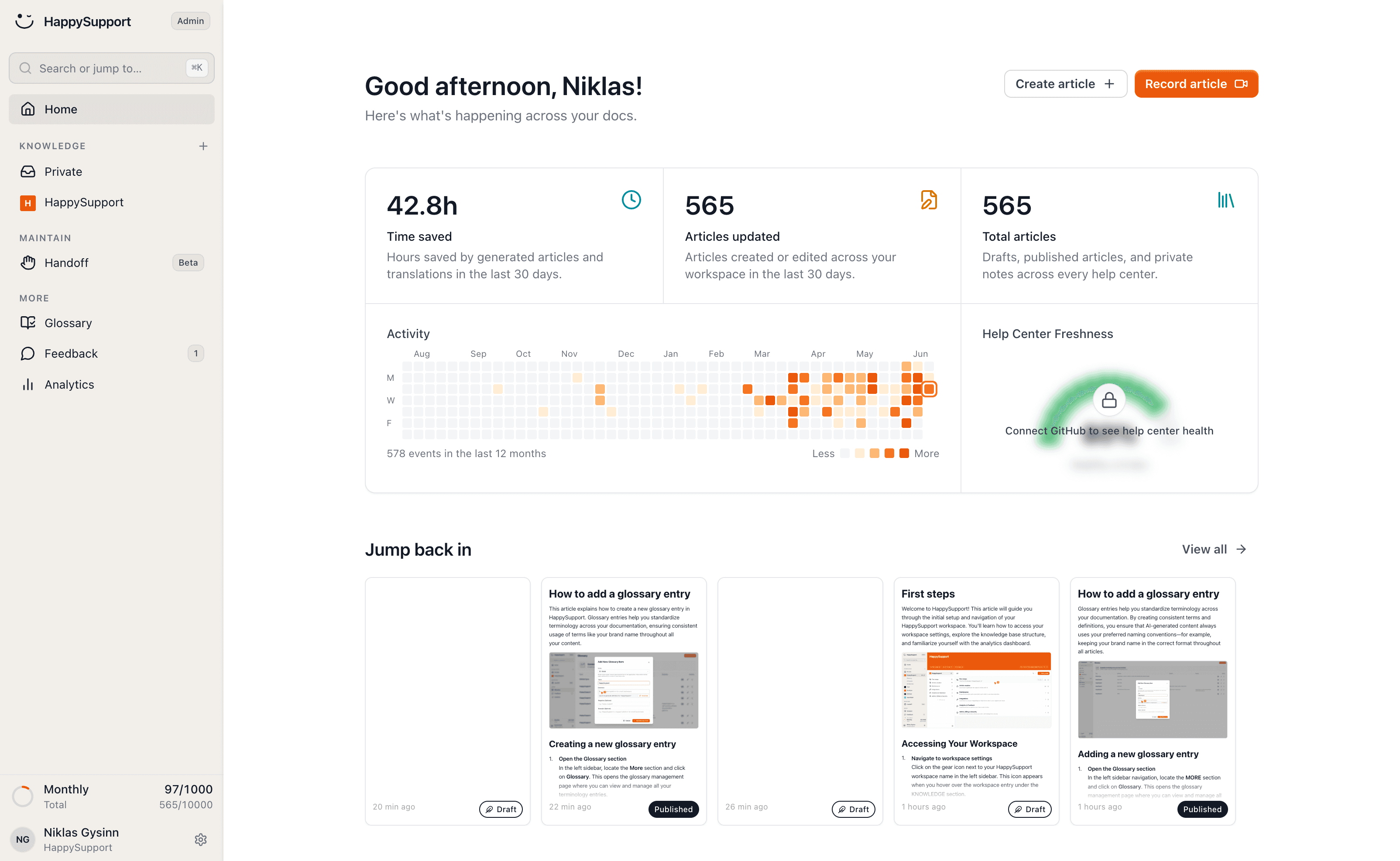
What a fully connected, self-maintaining help center looks like in practice is described in how a self-updating help center works.
See it in action
If you want to see GitHub Sync running on your actual codebase, the fastest way is a short demo. We walk through a HappyRecorder recording session, the HappyAgent connection to your repository, and the Content Freshness Dashboard. Most teams go from zero to first automated update within one day. Book a 20-minute demo or start a free trial to connect your first repository.
 Book a demo