Most SaaS teams build their help center the same way. A sprint ships, support tickets pile up, and someone says "we should document this." So you open Notion or Confluence, screenshot the UI, write 30 articles in a week, and call it done. Three months later, the product has changed. Half the screenshots are wrong. Customers open tickets about things you already documented. The whole thing becomes a liability instead of an asset.
The problem isn't effort. It's the approach. Knowing how to build help center content that actually works requires structure, the right tooling, and a system for keeping content current, not just content volume. This guide covers what a help center is, why most fail, and the six steps you need to create a help center that delivers real case deflection, keeps customers engaged, and stays accurate as the product continues to ship.
Scope note: this guide covers external, customer-facing help centers for B2B SaaS products. If you're building an internal knowledge base for your own team, some of the same practices apply but the tooling and structure look different. For teams with paying customers and a support queue that grows after every release, this is the playbook.
What is a help center?
A help center is a public, customer-facing documentation hub where customers can resolve support questions without contacting your team. It lives at a dedicated URL on your website (typically help.yourcompany.com or support.yourcompany.com), is indexed by search engines, and accessible without login. The defining feature is availability: customers can find answers at 2 a.m. on a Sunday without waiting for a support agent to respond.
According to a report from Pegasystems, 82% of customers prefer to use self-service options when facing an issue, highlighting the importance of a help center in meeting customer expectations. That preference shapes everything else in this guide. A help center can significantly reduce support costs by allowing customers to resolve their issues independently, which in turn enables support teams to focus on more complex inquiries.
Three related terms get conflated constantly, and confusing them leads to building the wrong thing:
- Help center vs. knowledge base. A knowledge base is the broader category covering both internal and external documentation. A help center is a specific type of knowledge base: the public, customer-facing variant. Every help center is a knowledge base; not every knowledge base is a help center. The distinction matters when choosing tooling: a general knowledge base platform may lack the customer-facing UX, search experience, and ticketing integration a help center requires.
- Help center vs. FAQ page. An FAQ is a flat list of common questions. It works for products with a short question set, typically fewer than 20 questions. Once your question list grows beyond that, you need search, navigation, and categorized help articles. That's a help center.
- Help center vs. help desk. A help desk is a ticketing system: the software your support team uses to receive, manage, and resolve customer requests. It's reactive. A help center is proactive. The two complement each other: the help center handles questions that never need a human; the help desk handles the ones that do.
Help center pages indexed by search engines also serve as a discovery point for potential customers. When someone searches for a solution to a problem your product solves, a well-optimized help center page often ranks alongside your marketing content, building trust before a sales conversation has started.
Common help center platforms: Zendesk Guide, Intercom Articles, HelpScout Docs, HelpJuice, Freshdesk Knowledge Base, Groove. What they share: publicly accessible, search-first navigation, built for customers who are frustrated and in a hurry. Each platform also publishes its own learning hub (the Zendesk Help Center Academy, HelpScout's Customer Service Academy, the Intercom Academy) which is worth bookmarking as additional context for your team during setup.
What should every SaaS help center include?
Nine things. The first six are table stakes and the last three are what separate a help center that keeps working from one that quietly rots. Treat this as the launch checklist.
- A prominent search bar with autocomplete. Most visitors search rather than browse, so search is the primary navigation and everything else is a fallback. Autocomplete matters because it corrects the vocabulary gap: customers search for what they call the feature, not what you call it.
- Categories organised by job, not by feature. Getting Started, Troubleshooting, Account and Billing, Integrations, and a short FAQ cover most SaaS products. The test is whether a customer can guess which category holds their answer without reading all of them.
- Step-by-step articles with real screenshots. One task per article, numbered steps, and a visible answer to "am I in the right place" in the first two lines. Include mobile screenshots wherever the mobile interface differs, because a desktop-only screenshot set is incomplete documentation for the people reading on a phone.
- Article helpfulness ratings. A "Was this helpful?" control on every article. This is the cheapest freshness signal you will ever install, and the only one that comes from the reader rather than from your team.
- Your branding, and a link back to the product. Logo, colours, fonts, and a route back into the app. A help center on a vendor subdomain that looks nothing like your product reads as a third-party site, which costs you trust exactly when the customer is already frustrated.
- A visible escape hatch to a human. Contact support, live chat, or a ticket form on every page. Hiding it does not reduce tickets; it produces angrier tickets. Self-service works when the customer chose it, not when they were cornered into it.
- A named owner. One person accountable for the help center as a product, not a rota. Help centers do not fail because of tooling. They fail because nobody's job depended on them.
- A review cadence tied to releases, not to the calendar. Quarterly audits find drift months after it started. Reviewing articles when the product ships is the only cadence that matches how the content actually breaks.
- Search analytics, including failed searches. The queries that return nothing are your content backlog, written by your customers. Most teams look at page views instead, which tells you what is already working rather than what is missing.
Two things specific to SaaS that general help center advice skips. First, if you ship weekly, your screenshots have a shelf life measured in weeks, so decide at launch how they get regenerated rather than discovering the problem at month six. Second, gate nothing that a prospect might search for: help center pages rank, and a public article that ranks for a problem your product solves is a discovery channel, not just a support asset.
Why do most help centers fail within a year?
Most help centers fail for one reason: they get built once and never maintained. A help center is not a static document. It's a product. And like any product, it breaks when the underlying software changes. According to a GitLab DevSecOps Survey, 65% of software teams ship at least weekly. That's 52 potential documentation gaps per year for any team without a freshness process in place.
The second failure mode: building the wrong product. Many support teams build an internal knowledge base when what they actually need is a customer-facing self-service portal. The audiences, content structures, access rules, and tones are completely different. Getting this decision right before writing a single article saves months of rework.
The third failure mode: treating the help center as a one-time project. Teams dedicate two weeks to the build at launch, then no one owns it. Six months later, content is stale, new hires learn by asking colleagues instead of reading guides, and customers who search the help center for a known answer find outdated information, and then open a support ticket, now more frustrated than before.
A fourth failure mode, less discussed: building without clear, measurable goals. The most successful help centers are built around specific objectives: reducing support ticket volume, improving customer satisfaction scores, and supporting business growth by letting the customer support team scale without proportional headcount increases. Teams that set none of these goals don't know whether their help center is working, and don't notice when it stops.
All four failure modes share the same root cause: the help center was designed as a deliverable rather than an ongoing responsibility. A great help center needs an owner, a review process, and tooling that doesn't require manual attention after every product release.
Step 1: Decide what your help center is actually for
The first decision in building a help center is also the most consequential: who is this for? Two fundamentally different products get called "help centers," and conflating them at setup costs months of rework.
- External self-service portal. Customer-facing. Answers questions like "How do I export a CSV?" or "Why is my sync failing?" The goal is deflecting support tickets and letting customers resolve their own issues without contacting your team.
- Internal knowledge base. Employee-facing. Covers SOPs, onboarding, internal processes. Different audience, structure, and access controls entirely.
Pick one and build it properly before expanding. A "hybrid" system that tries to serve both audiences ends up too technical for customers and too shallow for internal teams.
The data makes the case for prioritizing external self-service clearly. According to the Consortium for Service Innovation's research on self-service performance, customers use a well-built self-service portal ten times more often than they contact assisted support, and assisted channels serve less than 3% of total customer demand. That ratio is why a functioning help center changes the economics of customer support so significantly. It's the primary channel through which most customer queries get resolved. The Pegasystems data confirms it from the buyer side: 82% of customers prefer to use self-service options when facing an issue, highlighting the importance of self-service support as the default channel for customers, not the backup.
For B2B SaaS teams with paying customers: start with external self-service. Internal documentation follows once you understand which questions customers actually ask.
Define the three common goals for your help center creation before writing a single article: (1) reduce support ticket volume so the customer support team can focus on complex problems, (2) improve CSAT by letting customers find answers instantly, and (3) support business growth by making self-service scale as the product does. These goals determine what you measure in Step 6 and which articles you prioritize writing first.
Step 2: Design your content architecture before writing a word
Content architecture determines whether customers can find answers or give up and open a support request. Most teams organize by product feature. That's the wrong model. Customers don't think in features; they think in tasks they're trying to complete.
Structure by job, not by feature
Compare two navigation structures for a project management tool:
- Feature-based (wrong): Boards / Cards / Automations / Integrations / Account Settings
- Job-based (right): Getting Started / Managing Projects / Working with Your Team / Connecting Other Tools / Account and Billing
The job-based structure matches what customers actually type into the search bar. "How do I add a teammate?" sits naturally under "Working with Your Team." Under "Cards"? Not obvious. Organizing around the user journey, matching what customers are trying to accomplish, is what makes navigation intuitive without any explanation.
Choose your first 10 articles
Don't guess what to write first. Pull the 10 most-asked questions from your support inbox and social media comments over the last 60 days; those become your first 10 help articles. Common issues that drive support volume also surface in app store reviews, community posts, and in-product feedback. This works because of a consistent pattern in help center analytics: roughly 20% of articles drive 80% of search traffic. Writing the right content first captures most of your self-service opportunity before the full help center is built out.
Standard categories to launch with: Getting Started, Troubleshooting, Account and Billing, Integrations, FAQ. Troubleshooting guides are typically the second-highest traffic category after Getting Started. Document your three most common error messages before anything else. FAQ content often converts better for quick questions that don't need a full walkthrough. Give it its own section rather than mixing FAQ entries into procedural guides.
Keep each article focused on a single specific question rather than trying to fit all the information on a feature onto one page. Multiple articles covering multiple topics within a category are far easier for customers to find and skim than one long article covering everything. Teams at early stage often start with a free Notion template as a lightweight knowledge base before investing in dedicated help center software. It works well up to about 20-30 articles, after which search, navigation features, and analytics become the bottleneck that a purpose-built platform solves.
Keep top-level categories to 4-6 at launch. A flat structure with 6 categories and 8 articles each is far more navigable than 12 categories with 3 articles each. Your naming convention matters too. Pick either "How Do I Export a Report?" (title case question) or "How to export a report" (sentence case) and apply it consistently across every article. Mixed conventions make a help center look unmaintained before a customer reads a single word.
Design and branding
A help center's visual design determines whether customers build trust with the content before reading it. Good design doesn't mean elaborate. It means clear, consistent, and matched to your brand. Customizable design elements (logos, colors, and icons) that match your product signal that the help center is an extension of your software, not a bolt-on. Look at Slack's help center, Shopify's support documentation, or Stripe's developer docs. Each is a strong example of what well-structured, on-brand self-service looks like. All three prioritize search visibility, clear navigation features, and brand consistency over decoration.
Four design decisions that directly affect self-service rates:
- Search bar with autocomplete. Place it prominently on every help center page. A search feature with autocomplete surfaces related knowledge base articles as the customer types, dramatically cutting the time it takes to reach the right answer from a blank search query. Customers who get relevant suggestions on the first keystroke are far less likely to abandon the search and open a ticket instead.
- Mobile optimization. The number of mobile users is steadily increasing, with projections indicating that there will soon be three billion smartphone users globally, meaning 50% of potential customers access sites from mobile devices. It is essential for help centers to be fully responsive and optimized for mobile, tablet, and desktop to ensure accessibility for all users. A help center that isn't fully responsive loses half its audience. Test it on mobile before launch, not after.
- Navigation features for browsers. Some customers search with a specific question; others browse by category. Both navigation paths need to work well. On mobile, category navigation must function at thumb size without requiring a zoom.
- Visible path to other support channels. Make live chat, email, and other support channels easy to find on every page. Customers with complex problems that the help center can't resolve need a clear escalation path. Burying the contact option increases frustration and reduces the chance customers will return to the help center next time.
Step 3: Choose tooling that won't create a maintenance nightmare
Help center software selection determines how much ongoing maintenance your team will face, and that gap between tools is far wider than most buyers realize at evaluation time. Three approaches dominate the market, and each has a distinct failure mode.
Why pixel recorders fail SaaS teams
Support tools like Scribe and Tango capture UI workflows by screenshotting each step and assembling them into guides. Fast to set up: click through a workflow and get a polished guide in minutes. The problem is structural: screenshots capture pixels. When your UI changes (button positions, modal layouts, navigation restructures, new onboarding flows), every screenshot in every affected help article is wrong. For a team shipping weekly, that's continuous documentation debt that compounds with every release. The maintenance cost of a pixel-recorder-based help center grows in direct proportion to your shipping velocity, which is exactly the wrong direction for a fast-moving SaaS product.
What good help center software includes
Beyond the basics (search, categories, article editor), the feature that separates maintainable help centers from ones that quietly rot is how the tool records UI interactions. DOM/CSS-selector-based recording ties each guide to the actual code elements of your interface, not pixel positions. When an element moves or a class name changes, the tool can detect the discrepancy and either update the guide automatically or surface it in a content review queue. That's the mechanism that eliminates maintenance debt at the source rather than letting it accumulate silently between sprints.
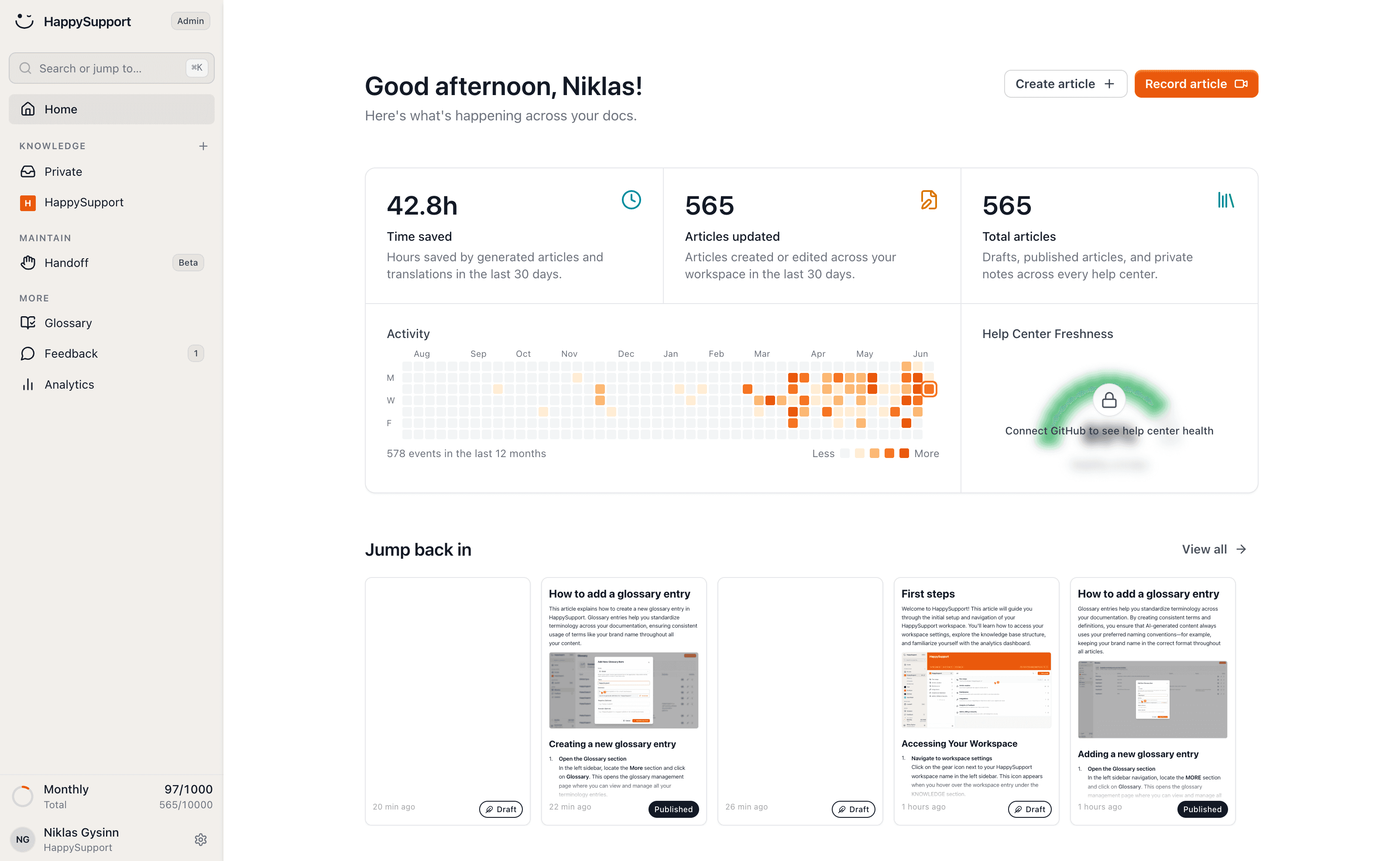
HappySupport is built around this recording model. HappyRecorder captures a guide as a DOM and CSS recording during a single walkthrough, and GitHub Sync plus HappyAgent check each shipped change against the guides that reference the affected selectors, updating simple changes automatically and queueing the rest for review. The same structured recordings also feed the AI search and answers layer, so the chatbot inherits the freshness of the underlying guides instead of confidently repeating stale ones. What the screenshot alternative costs over a year of releases is laid out on screenshots outdated after every update.
Other key features worth verifying before committing to a platform: integrations with your existing ticketing system (Zendesk, Intercom, Freshdesk, HelpScout) so agents can surface relevant help articles while resolving a request; multilingual support if you serve international customers; granular search analytics showing what customers search for but don't find. That last feature is your most actionable content gap signal: zero-result searches tell you exactly which articles to write next.
AI features worth evaluating
Most modern help center platforms now include AI capabilities: AI-assisted article drafting from support ticket patterns, conversational search that surfaces direct answers rather than requiring keyword-match queries, and automated content suggestions based on zero-result search terms. These features reduce the time to create and improve help articles. But they don't solve the freshness problem. Stale content surfaced more effectively by AI is still stale content. AI-generated confident answers based on outdated documentation are worse than no answer at all. Pair any AI feature evaluation with the question: what happens when the product UI changes and the underlying article is wrong? The architecture that connects your documentation to your development cycle is covered in how GitHub Sync keeps help center content current.
Step 4: Write your first help center articles correctly
Help center articles are task-completion tools, not blog posts. Write great help center articles by keeping each one focused on one specific question. Getting the following elements right on your first 10 articles sets the standard for everything that follows. Other resources worth bookmarking before you start: the full knowledge base article writing guide and the help center templates collection, both have copyable structures you can adapt directly.
Format each article for fast resolution
- Write the title as the customer's question. Not "Export Functionality" but "How do I export a report as CSV?" Customers search in questions. Titles that match search queries get found; titles that name features get missed.
- Add a direct answer at the top. A 40-60 word direct answer before any step-by-step content serves customers who just need the quick answer, and it's what AI-powered search surfaces when someone queries your product in a chatbot.
- One task per article. "How to set up integrations" is a category. "How to connect Slack to your workspace" is a help article. Narrow scope means faster resolution and cleaner analytics on what customers actually needed assistance with.
- Keep steps short. One action per step. "Click Settings, navigate to Integrations, find Slack in the third-party tools section" is three steps written as one. Break it up.
- Use article templates for consistency. A standard template covering title format, answer capsule, numbered steps, screenshot placement, and a "Was this helpful?" rating reduces layout work and creates a predictable reading experience regardless of which article a customer lands on. Templates also make it easier for multiple team members to contribute without creating visual inconsistency across the help center.
- Use bullet points to make content easier to scan. Numbered steps work for sequential tasks where order matters. Bullet points work for feature options or parallel items where order doesn't. Mixing prose with steps is the most common formatting mistake in help center content. It slows down the customer at exactly the moment they need speed.
- Write a meta description for each article. A 1-2 sentence summary that appears in search results and tells customers what the page covers. It's also what Google uses to decide whether to surface the article in search results for a specific query. Without a meta description, Google generates one from the article body, which is often not the clearest summary of what the page answers.
Two article types worth handling separately from procedural how-to guides: troubleshooting articles and FAQ entries. Troubleshooting articles should lead with the error state the customer sees, not the solution. That's what matches their search query ("sync failed" gets found, "how to resolve a sync issue" doesn't). FAQ entries can be shorter and more conversational. Both benefit from their own categories rather than being mixed in with step-by-step guides.
Video tutorials, screen recordings and visual content
Include video tutorials for your highest-traffic workflows. Different learner types absorb information differently. Some customers scan steps, others need to watch a process before they feel confident attempting it themselves. A short screen recording walking through a complex onboarding flow, embedded directly in the help article, cuts confusion faster than text alone and reduces repeat support requests for the same question. Most modern help center platforms support embedded video without requiring customers to navigate to an external page. Annotated screenshots work well for shorter steps where a full recording is excessive. Include mobile versions of product screenshots wherever the mobile interface differs from desktop. Mobile users accessing your help center from a phone need screenshots that match their interface. Desktop-only screenshot sets are effectively incomplete documentation for half your users as mobile usage continues to grow.
If you are looking specifically for a video help center builder, the practical shape is two tools rather than one, and the choice is less about the recorder than about what happens after a release:
- A step recorder that captures a workflow once and produces the article and its visuals together. This is the category Scribe, Tango and HappyRecorder sit in. The output is a numbered guide with a screenshot per step, which for most workflows serves readers better than a video, because it is skimmable and a reader can restart at step four without scrubbing a timeline.
- A screen-recording tool for the workflows that genuinely need motion: drag-and-drop, canvas interactions, anything where the intermediate states matter. Loom, Camtasia and your platform's native embed cover this.
Three rules worth setting before you record anything:
- Keep each video under two minutes and scoped to one task. A twelve-minute walkthrough of the whole product gets bookmarked and never watched. The customer arrived with one question.
- Never let the video be the only copy of the instructions. Write the steps in text as well. Video is not indexed the way text is, cannot be copy-pasted, fails for anyone in an open-plan office without headphones, and is unreadable to a screen reader. Treat it as reinforcement, not as the article.
- Budget for re-recording, or do not record. This is the trap. Video is the least maintainable asset in a help center: you cannot patch one step of an MP4, so a single renamed button means recording the whole thing again. Teams that add video enthusiastically at launch and never re-record end up with polished tutorials showing a UI that no longer exists, which is worse than no video, because it looks current and authoritative.
That third rule is why structured step guides beat video for most SaaS documentation. A step captured as structure rather than as pixels can have one step updated without touching the other eleven. If your product ships weekly, choose the format you can afford to maintain 52 times a year, not the one that demos best at launch.
Writing for first-time customers, not power users
The most common first-article mistake: writing for power users. Your first guides should assume zero product knowledge. If a new customer on their first day could follow the steps without contacting support, the article is good. If it assumes they already know where the Settings menu lives or what a webhook does, it needs work. For articles covering technical topics, define industry-specific terms when writing for general audiences. A brief inline definition ('a webhook, the URL your integration uses to send data to external apps') keeps all the information in one place without requiring the reader to tab away and search. For expert readers, keep definitions brief and optional rather than padding the article for beginners. Onboarding support tickets are your clearest signal of where new customers get stuck. Those become your first articles, not a comprehensive feature reference.
Once your first 10-15 articles are written and reviewed, make the help center visible. Connect it to every surface where a customer might have a question: your in-product help icon with contextual article links, your onboarding email sequence (link to Getting Started articles during trial), the chat widget (surface suggested articles before a support request opens), your product footer, and automated customer notifications. A help center only deflects support tickets when customers can find it at the moment they have a question.
Step 5: Set up a freshness review process
A help center without a maintenance process is a liability that compounds over time. Two review loops need to run in parallel from day one.
- Release-triggered reviews. Every time engineering ships, check which UI elements changed and pull the list of affected help articles. This is the highest-priority loop. Stale guides from a recent release are the ones customers hit immediately after onboarding or upgrading, exactly when they most need accurate documentation.
- Scheduled audits. Monthly spot audit of your top 20 articles by traffic. Full audit of the entire knowledge base every six months. Look for: broken step sequences, outdated screenshots, changed terminology, and articles that consistently score low on helpfulness ratings. Regularly updating help center content based on user feedback and support ticket trends is essential for maintaining relevance. Set a review trigger for any article that receives three negative helpfulness votes in a month. Support ticket trends that spike around a specific topic signal that an existing article isn't answering the question as written.
The documentation trap most teams fall into: reviewing on a calendar cadence rather than a release cadence. A monthly review schedule feels systematic until a major release drops 15 UI changes the week after your last audit. Tying documentation to your release process directly closes that gap. One sprint checklist item ("which help center articles does this change affect?") catches problems before customers find them rather than after. The full pattern of how stale content accumulates and what it costs is documented in the documentation decay cost analysis.
Teams on HappySupport get the release-triggered list generated for them: HappyAgent maps each merged pull request to the guides referencing the changed selectors, so the review starts from a queue instead of a manual audit. How that mapping works is described on detect affected articles.
A Content Freshness Dashboard that flags articles without edits in 90+ days is worth building or finding in your help center software. Not every article needs updating after 90 days. Every article should be consciously reviewed and cleared, not just forgotten. Keep a running log of what you reviewed and what changed. Enterprise customers evaluate documentation quality during procurement; an actively maintained help center is direct evidence of a team that takes customer experience seriously.
Community forums are worth adding as a complementary resource once your help center is running. A moderated community lets customers help each other with common questions, surfaces undocumented edge cases your team can convert into help articles, and provides a softer landing for complex questions that don't have a single correct answer. Community content doesn't replace formal documentation, but it extends self-service coverage without requiring your team to write every article from scratch.
Step 6: Measure whether your help center is actually working
Four metrics tell you whether your self-service portal is delivering customer satisfaction or just adding content overhead. Track all four. They diagnose different problems.
- Ticket deflection rate (case deflection). The percentage of customers who resolve their question in the help center before submitting a support ticket. Reducing support ticket volume is the most direct ROI signal. Every case deflected is a support interaction your team didn't have to handle. Below 20% means either coverage gaps or a discoverability problem.
- Self-service resolution rate. Of all customers who visit the help center, what share resolve their question without contacting support? Track this per article and per category to find where customers are getting stuck and abandoning.
- Article helpfulness score. The "Was this helpful?" rating on each article. Low-scoring articles on high-traffic queries are the ones to fix first. They're your fastest signal that a guide is wrong, outdated, or unclear.
- Search exit rate. If a customer searches and leaves without clicking any result, that's a content gap. Track queries that end with zero clicks. Those become your next articles to write.
- Customers engaged. The percentage of help center visitors who click through to at least one article rather than leaving the search results page. Low engagement signals a search relevance problem: customers are arriving but not finding what they need.
One additional signal worth tracking: the ratio of support tickets referencing documented topics versus tickets about undocumented ones. If 40% of your tickets are about topics you've already written guides for, that's a discoverability problem: search, navigation, and article titles aren't connecting customers to the right resources. If 60% of tickets are about undocumented topics, that's a coverage gap. Both are fixable, but they're different problems. Confusing them leads to writing more content when the real fix is improving findability, or improving search when what customers actually need is more articles. The help center content audit guide covers how to run this analysis systematically.
The maintenance problem is the real problem
The maintenance problem separates help centers that deliver better customer experiences at scale from ones that become a source of frustration. Your product ships faster than you can update documentation manually. The teams that build help centers that hold up over 12-24 months solve the freshness problem at the tooling level, not just the process level.
Process-only solutions like "we'll review guides after every sprint" break down when the team is under pressure, which is exactly when you're shipping fastest. Tooling that detects UI changes automatically and surfaces affected help articles in a review queue doesn't depend on anyone remembering to check. A self-updating help center is the structural solution: it connects documentation to the development cycle rather than relying on manual review loops that degrade under shipping pressure.
Start with the right structure, write for the actual questions customers ask, and build an effective knowledge base that a customer with a specific question can navigate to an answer in under 60 seconds. That's the benchmark for a great help center: not volume, not design, but resolution speed for the customer who arrives frustrated and in a hurry. According to the Consortium for Service Innovation, customers use good self-service ten times more often than they contact support directly. The economic case for a well-maintained help center is clear. Assisted support is expensive, and self-service is the channel that scales without proportional headcount growth.
Build it right once. Then build the system that keeps it right. A successful help center built on accurate content, clear navigation, and a release-triggered review process is the most effective self-service investment a growing SaaS team can make.
If your team ships weekly and your docs are always behind, start a free 14-day trial with HappySupport. Run it through one real release cycle and check what the review queue shows you afterward.
 Book a demo