Most teams use "help center" and "knowledge base" as synonyms. Vendors encourage this: many tools market themselves as both without explaining the distinction. The confusion is understandable, but it has real consequences. A B2B SaaS company that tries to serve customers and employees from the same system, with the same content strategy and the same maintenance cadence, ends up doing both jobs poorly.
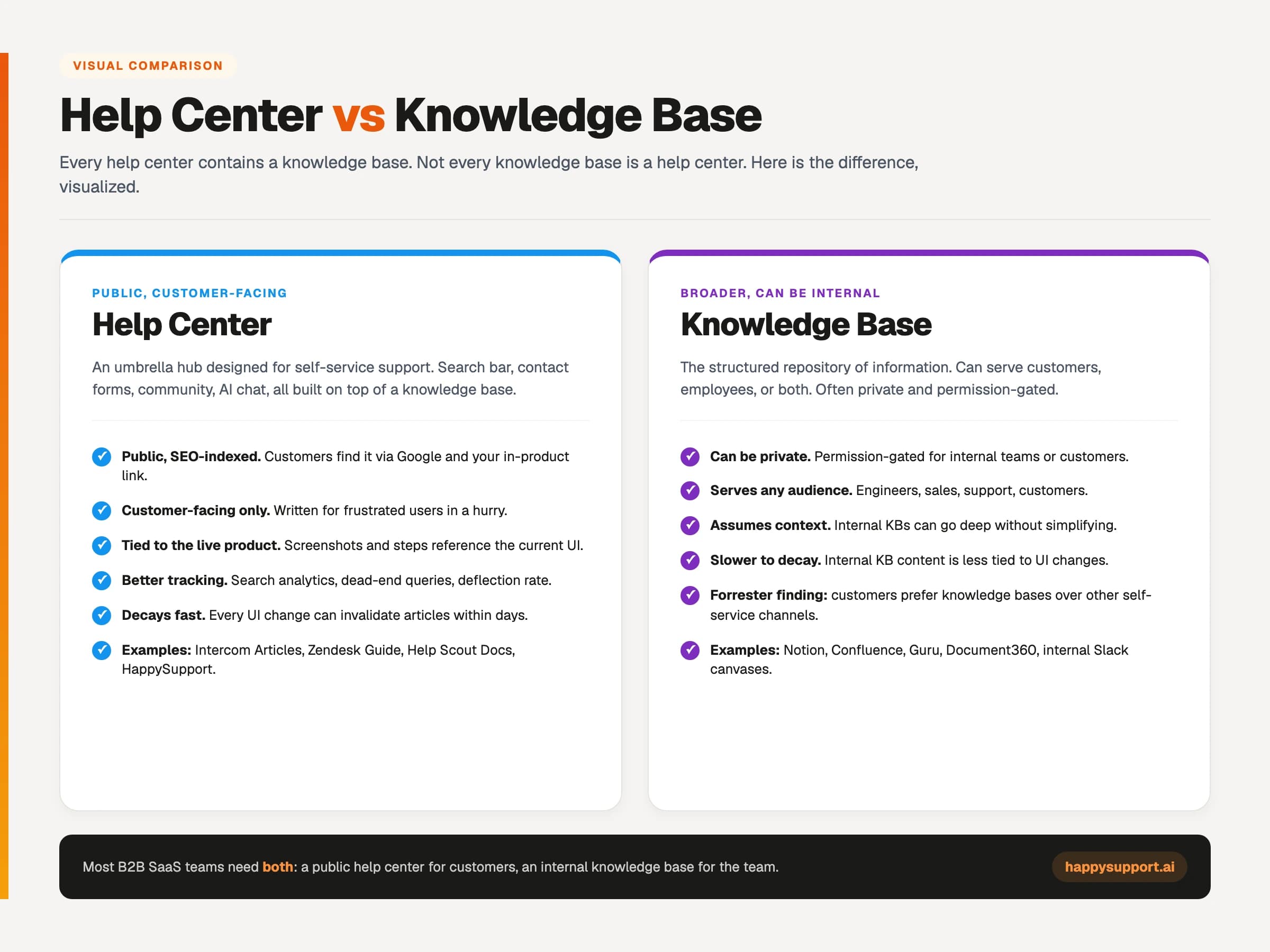
The core difference is this: a knowledge base is the structured repository of information. A help center is the customer-facing interface, search layer, and navigation system built on top of it. Every help center contains a knowledge base. Most knowledge bases are not help centers. Getting clear on this distinction is the first step to building self-service that actually works.
What is a knowledge base?
A knowledge base is a structured repository of organizational knowledge designed to make information findable. It can be internal (employees only), external (customers and the public), or hybrid (both, separated by permission controls). The defining characteristic is structure: information is organized, searchable, and maintained rather than scattered across inboxes and Slack threads.
The concept originated in IT service management, where a knowledge base was a database of troubleshooting articles for support agents. The Knowledge-Centered Service (KCS) methodology from the Consortium for Service Innovation remains the most rigorous framework for building and maintaining one. It defines content standards, article lifecycles, and the feedback loops that keep knowledge accurate over time.
Internal knowledge bases
Internal knowledge bases serve employees. They hold onboarding documentation, engineering runbooks, company policies, SOPs, meeting notes, and the institutional memory that would otherwise live only in the heads of the people who built the product. Common tools: Notion, Confluence, Slab, Slite. Access is typically gated behind SSO or role-based permissions.
External knowledge bases
External knowledge bases are public-facing. They serve customers who want to find answers without contacting support. Functionally, an external knowledge base and a help center often describe the same thing. The distinction usually comes down to whether the tool has invested in customer-facing navigation, search tuning, and a dedicated help center URL. Tools like Document360, Guru, and Bloomfire market themselves as external knowledge base platforms. The content and the audience are identical to a help center.
Agent-facing knowledge bases
A third category sits inside the support team's workflow. Agent-facing knowledge bases are private repositories that help support agents resolve tickets faster. They contain the same information as the customer-facing help center, plus internal notes, escalation paths, and context the customer should not see. Zendesk, Intercom, and HelpScout all offer internal agent views layered on top of the public help center.
What is a help center?
A help center is a public-facing content hub designed for one purpose: helping customers solve problems without opening a support ticket. It sits at a public URL (help.yourcompany.com or support.yourcompany.com), is indexed by Google, gets cited in AI responses, and is often the first thing a frustrated customer sees before deciding whether to escalate. The help center includes the articles, the search, the categories, the navigation, and the contact fallback. It is the full customer-facing experience, not just the content underneath it.
Core features of a well-built help center
A help center that actually deflects tickets needs more than a collection of articles. Customer-friendly writing comes first: plain language, short sentences, no internal jargon. Search-first navigation is essential because customers arrive with a problem, not a browsing intent. They type; they do not browse. Structured categories (Getting Started, Account Settings, Billing, Troubleshooting) help customers orient when search fails. Screenshots and video walkthroughs confirm visually that the customer is following the right steps. A visible contact fallback builds trust and reduces frustration when the article does not resolve the issue.
Analytics and tracking are non-negotiable. A help center without search analytics is flying blind. Failed searches (queries that return no results) are your content gap roadmap. Article ratings (helpful / not helpful) surface which articles need rewriting. Ticket deflection rate (users who visited the help center and did not submit a ticket) is the primary ROI metric.
The search experience matters more than the content volume
According to research cited in Salesforce's State of Service report, customers who find a relevant self-service answer on their first attempt are significantly more likely to return to self-service next time. The inverse is also true: a failed search experience trains customers to skip the help center entirely and go straight to the ticket form. A help center with 50 well-organized articles and a properly tuned search will deflect more tickets than one with 200 articles and broken search configuration.
Help centers serve as an expansive umbrella hub that includes a knowledge base and other interactive support tools: search bar, contact forms, community forums, video tutorials, and AI-powered chat. They generally offer better tracking of customer behavior and search analytics compared to standalone knowledge base software. You can see which specific article a customer landed on, what they searched for, where they bounced, and which support requests still ended in a chat or ticket. That visibility is the vital role help center software plays in modern customer support operations and the foundation for any business that wants to assist customers at scale without scaling headcount.
Help center vs knowledge base: the key differences
The practical difference comes down to five dimensions. Each one pushes the two systems in a different direction, which is why most modern B2B SaaS companies run both rather than trying to force one system to do two jobs.
| Dimension | Help Center | Knowledge Base |
|---|---|---|
| Audience | Customers (external) | Employees, agents, customers, or all three |
| Access | Public, SEO-indexed | Often private, SSO-gated, or permission-controlled |
| Content type | How-to articles, troubleshooting guides, video walkthroughs | SOPs, runbooks, onboarding docs, policies, wikis, meeting notes |
| Purpose | Ticket deflection, customer self-service | Institutional memory, knowledge findability across the org |
| Structure | Tight IA optimized for scan and search | Flexible hierarchy, nested wikis, collaborative editing |
| Writing style | Plain language, zero jargon, every word earns its place | Can assume context, use internal terminology, go deeper on edge cases |
| Decay rate | Fast: coupled to product UI changes | Slower: follows internal process change cadence |
There is one blurry boundary worth naming: developer-facing technical documentation. API docs, SDK references, and integration guides are public (like a help center) but written for a technical audience (like an internal knowledge base). Most teams treat these as their own category, maintained alongside the codebase rather than in either the customer help center or the internal wiki.
Customer preference for knowledge bases as a support channel is well-documented. According to Forrester, customers prefer knowledge bases over other self-service channels, which is why every modern help center is built around one. Recent help desk software and help center software have responded by integrating AI-enhanced search and multilingual support to provide instant, conversational answers across different languages. The result: customers find the relevant article themselves, customer satisfaction goes up, and support requests go down. Even when a customer falls back to chat or email, the agent often replies with a link to the same help articles in the knowledge base, which trains the customer to self-serve the next time the same customer queries come up.
Help center vs knowledge base vs FAQ page
The three-way comparison comes up constantly because companies often start with an FAQ page, evolve it into a knowledge base, and eventually realize they need a dedicated help center. Each serves a distinct function and a distinct stage in the customer journey.
An FAQ page answers the ten or fifteen most common pre-purchase questions: pricing, trial terms, cancellation policies, basic integration compatibility. It lives on the marketing website, it is optimized for conversion, and it has almost no content depth. It is the fastest way to reduce bounce rate and pre-sale support volume, and it takes an afternoon to build.
A knowledge base is depth without interface. It holds hundreds of articles organized by topic, but the navigation and search experience varies widely by tool. An external knowledge base and a help center are functionally identical if the tool has invested in customer-facing UX. The terminology difference is mostly marketing.
A help center is the full experience: the knowledge base content plus the search infrastructure, the navigation, the in-app widget, the contact fallback, and the analytics layer. When customers describe a good self-service experience, they are describing a help center. Not a raw repository of articles.
The practical guidance: build the FAQ page immediately. Build a help center when you have 20+ recurring ticket topics. Build an internal knowledge base when onboarding a new employee costs more than a week of senior time. The order matters. See the full help center build guide for what the first sprint should cover.
Do you need both a help center and a knowledge base?
Most B2B SaaS companies between 20 and 150 employees need both, but the sequencing depends on stage and which absence is costing more. A company without a help center burns support hours answering questions customers could have resolved themselves. A company without an internal knowledge base burns senior-engineer time answering the same architectural questions in Slack for the fifth time. Both costs are real. Neither shows up clearly on a P&L until the team is already overloaded.
Pre-seed and seed stage
Start with a customer help center. Customers notice its absence faster than employees do. Ten articles covering the top ten support ticket topics deflect more volume than any internal wiki at this stage. A brief FAQ page on the marketing site handles pre-sales questions. Internal knowledge management at seed stage usually lives in Notion and a shared Google Drive. Imperfect, but good enough.
Series A: 20 to 50 employees
Add a lightweight internal knowledge base. Onboarding new hires, documenting engineering decisions, and capturing recurring process questions start to cost real hours. Notion or Slab works well here. The help center should be maturing: more articles, proper categories, search analytics in place, and someone assigned as the owner of each category.
Series B and beyond
Both systems are non-negotiable. The help center scales with the customer base; the internal knowledge base scales with headcount. Treat them as separate products with separate owners. Running one system for both audiences at this stage consistently fails. The writing requirements, the maintenance cadence, and the information architecture are too different. What went wrong in the attempts to merge them is covered in more detail in the help center content audit guide.
Modern help centers provide segmented user experiences, allowing different user groups (free trial users, paid clients, enterprise customers, internal team members) to access tailored documentation and support channels. A free trial user might only see getting-started how to guides and the public chat widget. A paid client might unlock advanced troubleshooting, specific article collections, and a priority support form. An internal team member sees the full knowledge base including admin resources. This segmentation lets one platform manage multiple audiences without watering down the experience for any of them, which is what businesses with complex offerings need to scale assistance without scaling support headcount.
Can one system serve both purposes?
Technically yes. Practically, almost never well past a certain scale. Guru, Bloomfire, and Document360 all market themselves as unified platforms that handle internal and external knowledge with permission controls. For teams under 15 people with simple content needs, this works. For most B2B SaaS companies shipping fast, it fails for three reasons.
The audience problem: writing for customers and writing for engineers are different disciplines. Forcing one content owner to switch contexts produces articles that serve neither audience well. The access problem: permission controls leak. An internal article ends up indexed by Google. A customer-facing article ends up linking to an internal-only reference. It happens at every company that tries the unified approach long enough. The maintenance problem is the most important one and the least discussed.
Best practices for writing help center articles and knowledge base articles
The benefit of self-service only shows up when the content is well-organized. According to Zendesk, a well-organized knowledge base can improve customer experience and reduce support tickets by 20 percent or more through ticket deflection. A knowledge base is designed for self-service, providing in-depth, proactive troubleshooting that resolves common questions before they become support requests. The reduction compounds: every deflected ticket frees the support team to handle the queries that genuinely need a human, and every resolved self-service interaction gives your business cleaner data on which help articles actually earn their place.
Three practices consistently move the needle. First, use templates when writing multiple articles. Templates create consistency, reduce the work of layout and publishing, and make it easier to scale your knowledge base across many tutorials and how to guides without each one becoming a one-off project. Second, include various media types in help center articles. Video tutorials, annotated screenshots, GIFs, and short clips meet the needs of different learner types and make complex content easier to digest. A single page that combines a step-by-step text walkthrough with a short video tutorial outperforms either format alone. Third, use help desk and knowledge base solutions together. Utilizing help desk and knowledge base solutions together can help businesses achieve the best of both worlds: personalized customer service when an agent is needed, and faster resolution times because, as mentioned, the knowledge base has already done the heavy lifting on common questions.
Treat the help center as a living example of your product, not a one-time publish. Every post you put live ages from day one. Customers acknowledge the difference between a help center that gets updated and one that has not been touched in a year. The latter loses trust fast. The former earns better customer experiences and saves your team hours of duplicate work over the course of a month, which is the entire point of investing in this channel in the first place.
How documentation decay affects help centers and knowledge bases differently
Documentation decay hits help centers much harder than internal knowledge bases, and the reason is structural: help center content is tightly coupled to the product UI. Every button rename, navigation change, or workflow update invalidates articles, screenshots, and step-by-step guides. According to the GitLab DevSecOps survey, 65% of software teams ship at least once per week. A help center with 100 articles faces a structural update problem that manual review workflows cannot keep up with.
Internal knowledge bases decay on a different, slower cadence. An expense reporting SOP might stay accurate for two years. An onboarding checklist for new engineers might need updating every six months. Company policies change annually. The decay rate tracks the rate of internal process change, which is almost always slower than the rate of product UI change.
This asymmetry has two direct implications. First, these two systems need different maintenance strategies. A help center needs near-real-time update mechanisms tied to the product release cycle. An internal knowledge base needs quarterly review cycles and clear document ownership. Applying the same review cadence to both wastes effort on one and underinvests in the other. What documentation decay costs in real support hours is covered in the hidden cost of documentation decay.
Second, the tools market has bifurcated along exactly this line. Help center platforms are moving toward automation: DOM/CSS selector recording (capturing the exact interface elements rather than pixel screenshots), code-change detection via GitHub Sync, and auto-updating articles when the product changes. Internal knowledge base platforms are moving toward collaboration: AI summarization, cross-document search, and natural-language retrieval. Same underlying problem (keeping knowledge accurate over time) but entirely different solution paths. A self-updating help center is explained in detail in how a self-updating help center works.
What does a modern documentation stack look like?
A B2B SaaS company between 20 and 150 employees typically runs three systems with clear ownership boundaries. The help center faces customers and is owned by the support lead. The internal knowledge base faces employees and is owned by operations or people ops. Engineering documentation (API docs, runbooks, technical specs) is owned by engineering and often maintained in the codebase.
Customer help center
Public URL. SEO-optimized. Updated every time the product ships. Tools: Intercom Articles, Zendesk Guide, HelpScout Docs, HappySupport. The support lead owns the content strategy. Self-service portal success is measured by ticket deflection rate, search success rate, and article ratings. How to build this from scratch is in the help center build guide.
Internal knowledge base
Private or SSO-gated. Onboarding docs, SOPs, company policies, meeting notes. Tools: Notion, Slab, Slite, Confluence. Owned by operations, people ops, or whoever runs internal systems. Review cadence: quarterly for most content, monthly for high-traffic onboarding material.
Engineering and developer documentation
Public or internal depending on whether the product has a developer API. API docs, SDK references, integration guides, and deployment runbooks. Tools: ReadMe, GitBook, Mintlify, or self-hosted static sites. Owned by engineering. Content lives closest to the code, ideally maintained in the same repository using Docs-as-Code workflows.
High-performing support organizations, per Salesforce State of Service research, maintain clear separation between customer-facing and agent-facing knowledge. The pattern is not about tool preference. It is about fit: a customer looking for "how to reset my password" and a new engineer looking for "how the billing service handles proration" need completely different information architectures, different writing conventions, and different maintenance triggers.
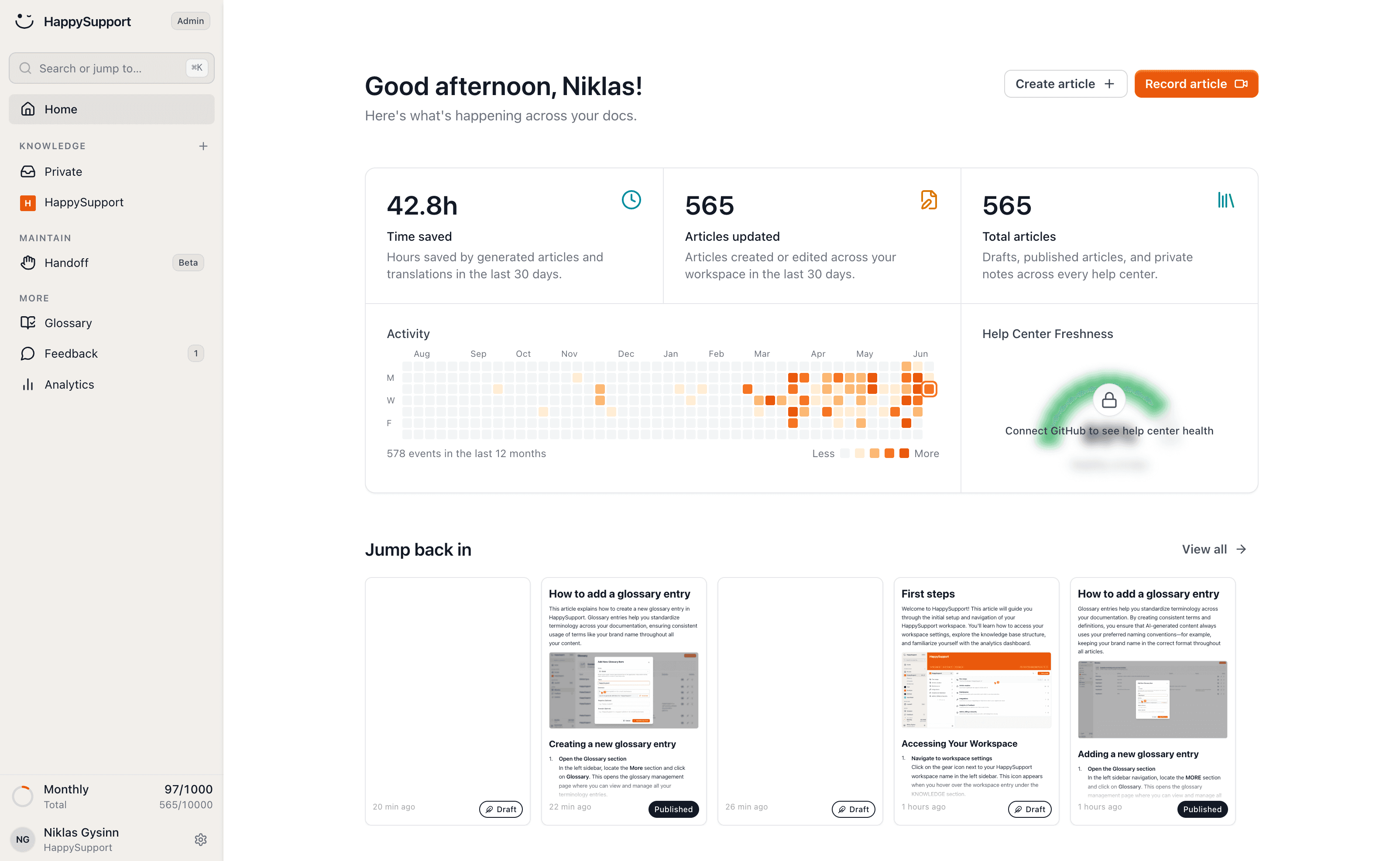
If you're evaluating tools to build or maintain your help center, HappySupport is worth considering alongside any platform in this category. Where most help center tools solve the content creation and structure problem, HappySupport addresses the maintenance problem that comes after launch: keeping documentation accurate when the product ships weekly. The HappyRecorder captures UI as code selectors rather than screenshots, and HappyAgent syncs directly with your GitHub repository to flag or auto-update articles when deployments change the interface. For SaaS teams that ship fast and can't afford stale documentation, that's a meaningfully different approach.
 Book a demo