.png)


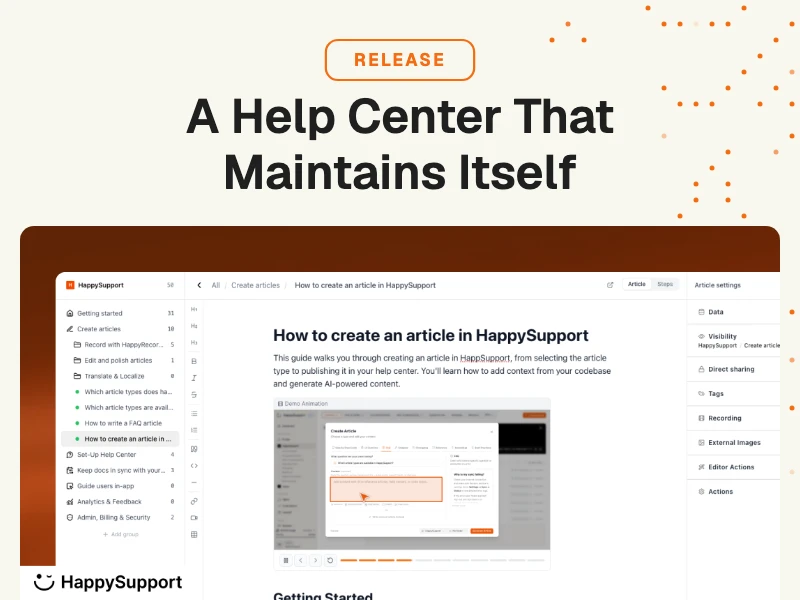
Document360 is one of the most-reviewed knowledge base platforms on the market. It has strong ratings, a polished editor, and a long feature list. If you need a place to write, organize, and publish documentation, it does that well. The problem most teams discover six months in is the one Document360 doesn't solve: keeping documentation accurate after every product release. This comparison looks at what Document360 actually does, where it falls short for fast-shipping SaaS teams, and how HappySupport (the most direct Document360 alternative for code-connected documentation) approaches the maintenance problem differently.
Why teams look for a Document360 alternative
The search for a Document360 alternative usually starts with one of three triggers.
The first is pricing. Document360 removed its free plan in November 2024 and moved all tiers to "contact sales." Teams that had relied on transparent pricing to budget for documentation software now face a sales process to understand what they'll pay. This creates friction for early-stage startups and small B2B SaaS teams that need predictable costs.
The second is maintenance burden. Documentation that was accurate at launch slowly drifts from the actual product. Support leads receive tickets about outdated instructions. Writers spend significant time hunting down stale articles after each product release. Teams realize that Document360's platform, like every static knowledge base, requires constant human attention to stay current, and that attention competes directly with everything else on the documentation team's plate.
The third trigger is in-app guidance. Teams that started with a traditional knowledge base eventually want to surface help content inside the product itself, where customers are, rather than relying on them to search an external portal. Document360's embedded widget covers the basics, but teams that want proactive, context-aware guidance need something built with in-app delivery as a core feature, not an add-on.
The right Document360 alternative depends on which of these triggers is driving the search. If pricing is the concern, Helpjuice or ProProfs offer more transparent tiers. If in-app guidance is the goal, Stonly or HappySupport cover it natively. If the documentation decay problem is what's breaking the team, HappySupport is the only platform that addresses it at the architectural level, through GitHub Sync rather than manual review workflows.
What is Document360?
Document360 is a documentation platform built around the content management experience. Teams use it to create a public-facing knowledge base, internal wiki, API docs, SOPs, and product manuals. The core editing experience is a WYSIWYG editor with block-based formatting, version history, draft/review workflows, and custom branding options.
Document360 core features
Document360 covers the full publishing stack for static documentation: a category-and-article structure for organizing a knowledge base, an AI writing assistant (Eddy AI) for drafting and editing, built-in SEO controls, auto-translation across 50+ languages (Business and Enterprise plans), a customer-facing portal with search, and a separate editor workspace for internal teams. The Business plan adds integrations with Zendesk, Freshdesk, Slack, and GitHub. Enterprise adds SSO, SCIM provisioning, interactive decision trees, and audit trails.
Document360 target audience
Document360 targets technical writers, customer support teams, and product managers at mid-to-large companies that need a structured, branded knowledge base. It works best when there is a dedicated writer (or a writing team) responsible for keeping documentation current. The platform's architecture assumes that content updates flow through human editors on a defined schedule.
Document360 limitations worth knowing
Document360 removed its free plan in November 2024 and moved to a full "contact sales" pricing model. None of the three tiers (Professional, Business, Enterprise) have public pricing: all require a sales conversation. Users on G2 and Capterra consistently raise three pain points: the pricing opacity as teams scale, the UI complexity ("confusing and bloated" is a phrase that repeats across reviews), and the maintenance burden when the underlying product changes. That last point is the architectural limitation, not a feature gap.
What is HappySupport?
HappySupport is an AI-first help center built for B2B SaaS teams that ship fast. The positioning is deliberately specific: it's the first help center platform where the documentation stays connected to the product's codebase. Three components make that work.
HappyRecorder
HappyRecorder is a Chrome extension that records UI workflows as DOM and CSS selectors, not pixel screenshots. Walk through a product flow once, and HappyRecorder produces a step-by-step guide, a GIF, and voice narration in up to 10 languages. Because it captures structural code metadata rather than visual screenshots, the recordings stay reusable when the UI changes color, size, or layout but the underlying elements stay the same.
HappyAgent (GitHub Sync)
HappyAgent monitors your code repository. When a developer renames a button, restructures a navigation menu, or refactors a user flow, HappyAgent detects which CSS selectors changed and matches them against the documentation. For straightforward changes (a label rename, a URL update), it auto-updates the affected guide. For more complex logic changes, it flags the specific articles that reference the changed elements, so your team can review them before customers notice the discrepancy.
HappyWidget
HappyWidget is an in-app contextual guidance layer: overlays, tooltips, hotspots, and banners that surface the right article based on where a user is in the product. No tab-switching, no external search. The guidance shows up where the question arises.
Quick verdict
Document360 is the right tool when your product changes slowly and you have dedicated writers to manage documentation. HappySupport is the right tool when your team ships weekly and you can't afford documentation that falls behind every sprint. The core difference is architectural: Document360 is a content management system where humans manage freshness. HappySupport is a documentation system where the codebase manages freshness.
Feature comparison
Article editor and writing experience
Document360's WYSIWYG editor is one of the strongest in the knowledge base category. It handles rich formatting, code blocks, embedded media, callouts, and multi-column layouts. The version history lets writers track changes over time and roll back to previous states. AI writing (Eddy AI) can draft articles, suggest improvements, and generate FAQs from existing content. For teams where documentation is a deliberate writing project, the editing experience is genuinely good.
HappySupport's creation approach is different by design. HappyRecorder captures workflows by recording rather than typing. A support lead records a flow once in Chrome, and the guide is generated automatically: numbered steps, screenshots, GIF, and voice narration. For teams that need to document software workflows rather than write long-form product manuals, this is faster than any editor. The tradeoff is intentional: HappySupport optimizes for workflow guides, not for free-form narrative documentation.
Knowledge base structure and organization
Document360 uses a hierarchical category structure: projects contain categories, which contain articles. Navigation is customizable, and the public portal can be branded to match your product. Readers get full-text search with AI-powered answers (Eddy AI), article feedback forms, and a clean reading experience. The self-service portal handles external customer documentation well, and the internal workspace supports team collaboration on drafts through review workflows and role-based permissions for editors, reviewers, and viewers.
HappySupport organizes documentation the same way: a structured help center with categories, articles, and search. The key difference is what happens when you search inside the product itself. HappyWidget detects the user's location in the app and surfaces relevant guides as contextual tooltips or overlays, so customers find answers without leaving the feature they're using. The help center and in-app guidance share the same content layer.
In-app guidance
Document360 offers an embedded widget on the Business plan and above: a small help button that opens a help center search pane within the product UI. It connects to the knowledge base but requires users to search manually.
HappyWidget goes further. It includes overlays, tooltips, hotspots, and banners that are triggered by the user's current location in the product, not by a search query. A user landing on a complex settings page sees the relevant guide appear proactively, without having to look for it. This contextual delivery is what reduces "how do I do X" support tickets: the answer appears before the question becomes a ticket.
Analytics
Document360's analytics (Business and Enterprise plans) cover article views, search queries, failed searches, and reader feedback. The Pro Analytics dashboard shows which articles are read most, where readers drop off, and which searches return no results. This is solid knowledge base analytics focused on content consumption.
HappySupport's analytics connect documentation engagement to product outcomes: which guides reduce tickets on which features, where users get stuck, and which in-app guidance moments result in task completion. The data layer connects the help center to the product rather than treating it as a standalone content system.
Integrations
Document360 Business and Enterprise integrate with Zendesk, Freshdesk, Intercom, Slack, GitHub, Jira, and 30+ other tools. The GitHub integration allows publishing documentation updates when code changes are pushed, but this is a content management integration, not a UI-change detection system. It tells Document360 "something changed in the codebase," not "these specific guides are now out of date."
HappySupport integrates with GitHub at the CSS selector level. HappyAgent doesn't just know that code changed: it knows which specific UI elements changed, and which documentation references those elements. That's the distinction that matters for documentation freshness.
Enterprise and security
Document360 Enterprise includes SSO (Okta, Entra ID, Google), SCIM user provisioning, IP restrictions, audit trails, and a dedicated design expert. It's built for larger organizations with formal IT governance requirements.
HappySupport is designed for the B2B SaaS sweet spot of 20–150 employees, with EU-hosted infrastructure for GDPR-compliant teams. It doesn't position itself as an enterprise-first product: the focus is speed, automation, and code-connected documentation, not enterprise governance layers.
Pricing comparison
Document360 moved to a full "contact sales" model in late 2024. None of its three plans (Professional, Business, Enterprise) show public prices. Every purchase requires a sales conversation and custom quote. Based on community data and third-party reviews, Professional plans have been reported in the $200–$300/month range for small teams, but these figures are unverified and change based on team size and location. For any accurate Document360 pricing, you'll need to contact their sales team directly.
HappySupport offers transparent monthly pricing designed for B2B SaaS teams in the 20–150 employee range, with HappyRecorder, HappyAgent, and HappyWidget included in the core offering. The honest pricing comparison isn't just the subscription cost: it's the subscription plus the maintenance labor Document360 requires. If your support or product team spends 8–12 hours per month finding and updating stale articles, that's overhead HappySupport's GitHub Sync removes.
The documentation freshness problem
This is the dimension that almost no knowledge base comparison covers, and it's the one that determines whether documentation actually helps customers or quietly generates more tickets. Document360 is static. Every article in it was accurate when it was written. Whether it is still accurate depends entirely on whether a human found the time to update it after the last product release. For teams shipping weekly or bi-weekly, that human review rarely happens fast enough.
How documentation goes stale
The pattern is consistent across fast-shipping SaaS companies. A developer ships a feature update on Thursday. The button label changes from "Save Settings" to "Apply Changes." The settings page gets a new section. A workflow that used to take three clicks now takes two. None of this is dramatic. But every guide in the knowledge base that walks through that workflow is now wrong. The support lead doesn't know yet. The documentation team wasn't in the sprint review. Customers start hitting the help center, following the old instructions, and filing tickets when they don't work.
According to an audit HappySupport ran across 30 SaaS help centers in Q1 2026, 73% of documentation went stale within 30 days of a product release. In most cases, support discovered the problem through incoming tickets rather than a proactive review. Documentation decay is a structural issue, not a discipline problem. The process for updating documentation was never connected to the process for shipping code.
The Knowledge-Centered Service (KCS) methodology from the Consortium for Service Innovation is built on a core principle: knowledge should be created and maintained as a natural part of solving customer problems, not as a separate documentation project. Static knowledge base platforms like Document360 support the publishing layer of KCS but don't close the loop between product changes and documentation currency. The maintenance gap remains a manual process.
Why Document360 can't solve this
Document360's GitHub integration is a publishing integration, not a staleness detection system. It can trigger content updates when a developer pushes to a branch, but it has no knowledge of which UI elements changed or which guides reference those elements. A developer renaming a button in the codebase does not produce a flag in Document360 pointing to the three guides that mention that button by name.
This isn't a criticism of Document360 specifically. It's the structural limitation of every static knowledge base platform including Zendesk Guide, Confluence, Helpjuice, and KnowledgeOwl. They're all content management systems. Documentation freshness is a human responsibility inside all of them. The platform has no way to know the product changed, because it's not connected to the product at the code level.
How HappySupport's GitHub Sync works
HappyAgent connects to your repository and monitors it continuously. When a developer pushes a change, HappyAgent parses which CSS selectors were modified, moved, or removed. It then matches those selectors against the selectors recorded in every guide in your knowledge base. The ones that reference changed elements get flagged automatically. Simple changes (a label rename with the same element structure) can be updated automatically. Complex changes (a restructured workflow) generate a targeted review queue so your team sees exactly which articles need attention before customers do.
The result is a completely different update workflow. With Document360, the update chain looks like this: developer ships change, customer files ticket, support team escalates to documentation, writer opens Document360, writer finds affected article, writer updates manually, writer publishes. That chain typically takes days to complete. With HappySupport, the chain is: developer pushes change, HappyAgent detects affected guides, team reviews and approves, same-day update. The documentation team is in the loop before the customer arrives. For a deeper look at what this costs when it's not in place, see how to audit your help center for stale content.
What this means for AI chatbots
If you're running an AI support chatbot, or planning to, the data quality underneath it determines whether it helps or hurts. An AI chatbot retrieves answers from your knowledge base. When those articles are stale, the chatbot delivers outdated instructions at high confidence. The documentation freshness problem doesn't just affect customers who read articles directly. It poisons the AI layer too. HappySupport's CDaaS (Clean Documentation as a Service) approach keeps the knowledge base continuously verified against the live product state, which makes it a clean data foundation for AI retrieval rather than a liability.
How to create documentation with each tool
Creating documentation in Document360
In Document360, creating a guide starts in the editor. You open a new article, add a title, write the steps manually, add screenshots by uploading them to the media library (users frequently flag media uploads as friction: no drag-and-drop), add formatting, apply categories, set review status, and publish. Eddy AI can accelerate the writing step: you can give it a title and it generates a draft. But the underlying workflow is still write-then-publish, with screenshots sourced separately.
For teams that need structured long-form documentation (API references, policy documents, technical specifications), this workflow works well. For step-by-step UI guides that need to stay current with weekly releases, it creates maintenance debt from the first publish.
Creating documentation in HappySupport
In HappySupport, creating a workflow guide starts with HappyRecorder. Install the Chrome extension, open your product, click Record, and walk through the feature. HappyRecorder captures each step as a CSS selector, not a screenshot. When you stop recording, the guide is generated automatically: numbered steps with screenshots, an animated GIF of the full flow, and voice narration in up to 10 languages. The whole process for a 5-step feature guide takes 3–5 minutes.
Because the guide is built from selector metadata rather than pixel images, it's also resilient to visual redesigns. Change the button color, adjust the layout, update the font, and the guide still works as long as the underlying element selectors stay the same. When selectors do change, HappyAgent flags it.
Which tool is right for your team
Choose Document360 when
Document360 is the right choice when your product interface changes slowly (quarterly releases or less), you have at least one dedicated writer managing documentation, editorial quality and a polished reading experience are top priorities, you need enterprise-grade governance (SSO, SCIM, audit trails), you want interactive decision trees for customer support flows, or you run multi-product documentation with complex category structures. It's also the better fit for companies creating formal product manuals, SOPs, or compliance documentation where the content rarely changes.
Choose HappySupport when
HappySupport is the right choice when your team ships features weekly and documentation always falls behind the release cycle, you don't have a dedicated documentation writer, you want documentation connected to your codebase so the product can flag stale content automatically, you're running or planning to deploy an AI support chatbot and need a clean verified data layer, you need in-app contextual guidance in addition to a help center, you're in the EU and need GDPR-compliant infrastructure, or you want to go from zero documentation to a full working help center in days rather than months. The clearest signal is shipping velocity. Pull your last six months of release notes and check how many shipped UI changes are reflected in your current knowledge base. If coverage is below 80%, a static platform will keep falling behind no matter how disciplined your team is.
If you're starting from scratch, the setup path for each tool is covered in how to build a help center for your SaaS product.
Document360 alternatives worth considering
If neither Document360 nor HappySupport fits exactly, there are solid alternatives across four categories. The right Document360 alternative depends on your team's primary use case.
Standalone knowledge base platforms
Helpjuice is a dedicated knowledge base platform with transparent pricing starting at $120/month for four seats. It has strong full-text search, custom branding, and analytics that show which articles are performing and which searches return no results. KnowledgeOwl is a well-organized help center tool favored by teams that want simple structure without enterprise complexity, at $100/author/month. Stonly takes a different approach: rather than traditional linear articles, it builds interactive decision-tree guides that walk users through multi-path troubleshooting flows. All three share the core limitation of every static documentation platform: knowledge base articles stay current only as long as writers manually update them after each product release.
Developer documentation tools
GitBook is the most popular document360 alternative for engineering teams. It integrates with GitHub natively, uses version control to manage documentation alongside code, and renders clean developer-facing reference content. The Git-based workflow means documentation branches and merges with the codebase, which is a good fit for API references and technical specifications. GitBook doesn't detect stale UI guides from UI changes, but for code-level documentation, the developer experience is better than any traditional CMS approach.
Internal wikis and knowledge management
Confluence (Atlassian) is the most common choice for internal knowledge management in companies already using Jira. It integrates tightly with the Atlassian stack and handles SOPs, team wikis, project documentation, and meeting notes. Notion offers more flexibility: databases, notes, project tracking, and documentation in one workspace. Both are internal-first tools; neither is built for customer-facing self-service portals or for keeping support documentation synchronized with product releases. Guru and Bloomfire serve enterprise knowledge management at scale, with AI-powered search across company-wide content, strong for internal retrieval, not for SaaS product documentation maintenance.
A comparison by use case
Conclusion
Document360 is a capable documentation platform. For teams that treat documentation as a deliberate writing project managed by dedicated writers, it delivers a solid editorial experience, strong search, and the enterprise controls larger organizations need.
The gap it leaves is the one that matters most for fast-shipping SaaS teams: it has no mechanism for knowing when the product changes and documentation becomes wrong. That gap closes with HappySupport's GitHub Sync, which connects the knowledge base to the codebase so documentation freshness stops being a manual responsibility and becomes an automated one.
If you've been in a sprint retrospective where "update the docs" is always the last item that slips, that's the signal. The problem isn't discipline: your documentation system isn't connected to your delivery system. Understanding the hidden cost of documentation decay is the first step to knowing whether that gap is worth fixing now or later.
HappySupport offers a 4-week pilot for B2B SaaS teams. You connect your GitHub repository, record your top 10 most-searched flows, and measure how many stale articles GitHub Sync flags in the first two weeks. The data makes the decision straightforward.