Your AI chatbot is only as accurate as the knowledge base structure ai chatbot deployments depend on. Teams spend weeks evaluating models, tuning prompts, and running accuracy benchmarks. Then the chatbot goes live and confidently tells customers to click buttons that moved six months ago. The model is not the problem. The knowledge base structure is. This guide covers what makes a knowledge base AI-ready, the structural problems that break chatbot retrieval, and how to build a documentation system that keeps your chatbot accurate as your product evolves. For a deeper look at why chatbot failures trace to content quality rather than model quality, read why AI chatbots give wrong answers.
What is an AI knowledge base?
An AI knowledge base is a centralized hub that leverages artificial intelligence and machine learning to understand, process, and surface accurate and relevant information to users on demand. AI knowledge bases utilize natural language processing and machine learning to process, understand, and retrieve relevant information from stored data in real time, making them more efficient than traditional systems.
The shift away from a traditional knowledge base matters in practice. An AI-powered knowledge base uses advanced technologies like natural language processing (NLP) and machine learning to understand queries in everyday language, while traditional knowledge bases rely on manual updates and simple keyword searches. The search functionality of AI-powered knowledge bases is advanced, utilizing contextual search capabilities, while traditional knowledge bases typically offer basic keyword-based search that often returns broad results. The difference shows up in customer satisfaction the first time a user types a sloppy question and gets a precise, contextual answer back instead of a list of half-relevant docs.
AI capabilities at the knowledge base layer also change the operational model. Knowledge base software with built-in AI handles synonyms, intent recognition, and chained queries without requiring the user to know how to phrase things. The chatbot knowledge base inherits these capabilities directly, which is why model upgrades alone never close the gap that a better corpus structure would.
How AI chatbots retrieve answers from your knowledge base
Understanding how retrieval works is the starting point for every structural decision you make about your documentation. AI chatbots that use Retrieval-Augmented Generation (RAG) do not memorize your knowledge base. They search it at query time. RAG (Retrieval-Augmented Generation) connects LLMs to real-time data sources to avoid reliance on outdated information.
When a customer asks a question, the system converts that question into numerical representations: vectors that capture meaning rather than just words. The vector database then searches for documents with vectors closest to the query vector. The top-matching relevant documents get passed to the language model, which reads them and generates an answer. That answer is only as good as the documents retrieved in the second step. The embedding model that produces these vectors directly affects the chatbot's ability to find the most relevant answer: a stronger embedding model can disambiguate "reset password" from "reset profile" where a weaker one cannot.
Natural language processing (NLP) is a machine-learning technology that enables computers to understand, interpret, and generate human language, allowing AI systems to respond to conversational queries effectively. AI knowledge bases utilize NLP to process both structured and unstructured content, enabling them to identify knowledge gaps and mine expertise from various data sources. NLP allows AI knowledge bases to translate human questions into code, facilitating the retrieval of relevant information based on user queries, which enhances the overall user experience.
This architecture has a direct implication: prompt engineering has a ceiling. You can tune the model's tone, length, and format through prompts. You cannot prompt your way to accurate answers if the retrieved documents are wrong, outdated, or too broad. The model reads what is in the document and generates from it. Regardless of how smart the model is, garbage in means garbage out.
A chatbot operating on well-structured, current documentation can achieve 60 to 80% first-contact resolution. The same model running against poorly structured or stale documentation drops to 30 to 40%. The model is identical. The knowledge base structure is different.
The structural problems that break chatbot retrieval
Four documentation patterns consistently produce bad chatbot answers. They are all fixable, and they all compound over time if left alone.
Multi-topic articles
Long articles that cover multiple features or workflows force the RAG system to choose between documents that are only partially relevant. The model retrieves the whole article but only 20% of it answers user queries. The remaining 80% dilutes the generated answer and increases the chance of mixing up steps from different workflows. A focused knowledge base of 15 to 20 well-written topic-specific documents reliably outperforms a disorganized collection of 200 uploaded PDFs. Topic scope is not a cosmetic concern: it is the single biggest lever on retrieval precision.
Context-first structure
Articles that spend the first three paragraphs on background and history before getting to actionable steps produce weaker chatbot answers. Language models process retrieved documents from the top, weighting early content more heavily in generation. If the answer is buried in paragraph five, the model may miss it or generate an inferior summary of the surrounding context instead. Answer-first structure (direct answer in 40 to 60 words, numbered steps next, context and explanation last) is not just better for human readers. It produces significantly more accurate chatbot responses because the answer sits exactly where the model weights it most.
Screenshot-based instructions
Tools that capture UI as pixel images (Scribe, Tango, and similar screen recorders) produce documentation that the retrieval system cannot parse. The image is stored as a file. The retrieval search runs on text. There is no text in the image that maps to the customer's query. Articles built on screenshots either retrieve poorly or do not retrieve at all, depending on how much surrounding text exists. For AI-ready knowledge base structure, UI instructions must be expressed in text: as step-by-step descriptions using feature names and function labels.
Stale UI descriptions
Any article that describes a UI element that has since changed produces wrong answers. The model does not know the article is stale. It reads the description of the old interface and generates instructions based on that description. According to the GitLab DevSecOps Report, 65% of development teams ship weekly or more frequently. At that velocity, documentation review cycles that run quarterly cannot catch every breaking change. Stale UI descriptions are not an edge case: they are the default state of help centers that lack a maintenance system.
What AI-ready knowledge base structure looks like
An AI-ready knowledge base is not a different kind of content from good human-readable documentation. The same structural choices that make articles easier for customers to scan make them easier for retrieval systems to use accurately. The difference is in the discipline with which the structure is applied. A well-built ai knowledge base platform makes this discipline easier; a thin tool with weak performance and filtering capabilities makes it harder.
Answer capsules: one topic, one answer
Each article covers one task or one question. Not one feature. One task. "How to connect Stripe" is a valid article scope. "Payment integrations" is not. It is a topic cluster that should be broken into individual task articles. Each article opens with the direct answer in the first paragraph: what the user will accomplish and the key step to do it, in 40 to 60 words. Steps follow. Context, caveats, and troubleshooting come after. This structure delivers precise answers in self-service and AI retrieval simultaneously.
Consistent format across all articles
Consistency matters for AI retrieval because the model learns patterns across the knowledge base. When every how-to article follows the same structure (answer, numbered steps, troubleshooting), the model's pattern recognition improves across the entire knowledge base, not just on individual articles. Consistency also makes maintenance faster: when a product change affects step 3 of a workflow, you know exactly where to look and what to update because every workflow article has step 3 in the same place.
Clear headings that describe the answer, not the topic
Headings that describe what the section answers produce better retrieval than headings that describe what it covers. "How to reset your password" retrieves more accurately than "Password management." "What to do if the integration fails" retrieves better than "Troubleshooting." Each heading is an independent retrieval unit: a user query that the section underneath it answers directly.
No marketing copy in support content
Marketing language degrades retrieval accuracy. Phrases like "our powerful integration suite" or "seamlessly connect your tools" do not map to any customer query about how something works. They dilute the semantic signal in the document, which means the article retrieves in response to queries it cannot actually answer. Support content should describe what things are and how they work, in plain language. The product's value is demonstrated by documentation that works, not by documentation that celebrates itself.
Chunking, metadata, and what else drives retrieval quality
Beyond article-level structure, several technical dimensions shape how well a RAG system retrieves from your organization's internal knowledge base: how content is chunked, how it is tagged with metadata, and how clean the source format is.
Format hygiene before indexing
It is important to convert PDFs and unstructured text into clean Markdown or HTML for improved readability by LLMs. PDFs render visually for humans but tokenize poorly for AI systems; the same content as Markdown or clean HTML retrieves more reliably and chunks more predictably. Spend the upfront effort to convert legacy content rather than indexing files in formats your system cannot parse cleanly.
Content chunking
Most RAG systems break documents into chunks before indexing them: typically 500 to 1,500 words per chunk. Each chunk becomes a separate retrieval unit. This is why article length matters: a 4,000-word article covering five features will be chunked into several units, each of which may retrieve for different queries. When the chunks contain mixed content from different workflows, the retrieved chunk is only partially relevant to the customer's question.
Segmented data chunking involves breaking long documents into smaller, thematic, and searchable chunks to ensure precise answers. The practical implication is that short, focused articles chunk predictably and retrieve precisely. A 600-word article covering exactly one task produces one or two chunks, both fully relevant to queries about that task. Splitting multi-topic articles into task-level articles is not just an organizational preference: it is a chunking optimization that directly improves retrieval accuracy.
Metadata and indexing
Metadata tells the retrieval system what each document is about beyond the text itself. Metadata tagging categorizes information by product, region, or intent, aiding quick content retrieval by AI. Useful metadata fields for a support knowledge base: article title, topic category, product area, last-updated date, and product version (if your product has versions). A retrieval system that can filter by last-updated date can deprioritize articles older than 90 days in responses, surfacing fresher content first. A system that can filter by product area can route customer queries to the right section of the knowledge base without requiring the customer to navigate there manually.
You do not need to build complex metadata infrastructure. Most knowledge base tools let you add tags and categories to articles. The minimum viable approach: a category tag for product area and a review-date field updated every time an article is confirmed current. These two fields give the retrieval system signal beyond text similarity, which improves answer accuracy on queries where multiple articles are partially relevant.
AI knowledge base vs traditional knowledge base, side by side
The difference between an AI knowledge base and a traditional knowledge base is not just the chatbot on top. It is the entire stack of capabilities under the surface. A side-by-side view:
| Dimension | Traditional knowledge base | AI knowledge base |
|---|---|---|
| Search | Keyword match | Contextual answers from NLP-driven semantic search |
| Updates | Manual edits, calendar-based reviews | AI writing agent suggestions, automated content audits, freshness scoring |
| Output | Article links the user has to read | Instant answers and generative AI summaries |
| Integrations | Help center plus search box, that is roughly it | Integrates with existing systems (CRM data, customer relationship management, helpdesk, product analytics) |
| Audience | External users only or internal users only | Both, with audience routing and access control |
| Maintenance | Owned by a docs team manually | Owned by automated knowledge base management with human review of flagged items |
The shift is not just better tooling. It is a different operating model for how knowledge gets created, maintained, and surfaced.
Benefits of an AI knowledge base for customer experience and operations
The benefits compound across customer experience, operational costs, and internal team productivity. The cleanest framing is in three buckets.
Customer service and self-service capabilities
AI knowledge bases enhance customer service by enabling self service capabilities, allowing customers to find solutions independently and reducing the volume of support tickets. Integrating AI knowledge bases with customer service chatbots can significantly improve response accuracy and reduce the need for human intervention by providing context aware responses. AI knowledge bases provide 24/7 availability, allowing customers to access information and resolve issues at any time, which is crucial in a global economy where immediate support is expected. The result is a measurable improve customer service signal: faster resolution, fewer escalations, higher CSAT.
Operational costs and team scale
Implementing an AI knowledge base can lead to significant cost reductions by minimizing the need for extensive support teams and reducing operational costs through self service capabilities. Support teams reclaim time previously spent answering the same questions repeatedly, which lets them focus on complex tickets, product feedback, and knowledge sharing rather than routine deflection. The ai knowledge base cost calculation favors growing teams that would otherwise have to hire 1:1 with ticket volume.
Automated content management
By automating content management, AI knowledge bases can identify content gaps and suggest updates, ensuring that the information remains relevant and accurate over time. The system reads usage patterns and user behavior to flag the articles that get retrieved most but resolve fewest queries: those are the articles where structure or accuracy needs work. AI knowledge bases improve decision-making by providing data-driven insights and real-time analytics, enabling organizations to quickly adapt to changing market conditions and customer needs.
Integration with existing tools and systems
AI knowledge bases can integrate with existing tools and systems, allowing users to access information from various sources without switching platforms, which enhances efficiency and productivity. The integrations that matter most in practice:
- CRM and customer data. Connecting customer relationship management data to the chatbot lets it personalize answers based on plan tier, account history, and product usage. A free-tier user asking about a paid feature gets a clear escalation path; an enterprise customer gets routed to a specific team.
- Helpdesk and ticketing. Bidirectional integration with the helpdesk lets the chatbot see open tickets and resolved patterns. It also lets the support team see chatbot conversations as part of the customer's full history.
- Product analytics and human resources systems. For internal knowledge bases, integration with HR systems and product analytics adds the context the AI needs to answer onboarding, policy, and product-internal questions accurately.
- Notion AI and similar editor surfaces. Many teams keep working notes in tools like Notion. Notion AI and similar capabilities can pull from your knowledge base directly, surfacing answers inside the place your team is already working.
- Multi-language support. Strong knowledge base platforms include multi-language support so a single source article can serve all of your locales. AI handles the translation step on retrieval, which avoids the standard problem of translated articles drifting from the English source.
AI knowledge bases can utilize natural language processing and machine learning to seamlessly integrate with existing workflows, enabling real-time information retrieval and enhancing user experience. The work of integration is mostly configuration, not engineering, once the underlying knowledge base platform supports the connectors.
When you need a custom knowledge base
Most teams do not need a custom knowledge base built from scratch. A solid commercial knowledge base platform plus the structural choices above gets you 80 to 90% of the value. A custom knowledge base only makes sense when one of three conditions applies: you have data security or data quality requirements that no commercial vendor can meet, you operate at a scale where commercial per-seat pricing breaks down, or you have technical documentation needs (developer docs, API references) that need to live alongside a code repository under your own infrastructure.
For most other cases, the leverage is in choosing a platform with strong NLP and machine learning algorithms baked in, then investing your team's time in structuring the content well. The model gets better every year; the work you do on structure compounds across model upgrades.
How to build an effective AI knowledge base step by step
To build an effective AI knowledge base, organizations should begin by defining their goals and scope, which includes identifying the target audience and expected outcomes. From there:
- Define goals and scope. Reducing tickets? Onboarding new employees faster? Powering an external self-service chatbot? Different goals lead to different content priorities.
- Audit existing knowledge sources. Pull from your current help center, internal wiki, ticket history, and team notes. Identify what already exists, what is stale, and what gaps will need new content.
- Choose the right platform. Evaluate knowledge base software on NLP capabilities, integration with your existing tools, performance and filtering capabilities, multi-language support, and data security guarantees.
- Implement AI models. Implementing AI models such as natural language processing and machine learning into the knowledge base software is essential for enhancing its capabilities and improving the accuracy of responses.
- Design a user-friendly interface. Designing a user-friendly interface is important for an AI knowledge base, as it enhances navigation and accessibility, ultimately improving user engagement and satisfaction.
- Set confidence thresholds and disclaimers. Setting strict confidence thresholds for AI answers can prevent misinformation, requiring fallback responses for uncertain queries. Including disclaimers about the chatbot providing informational content, not legal or professional advice, can enhance trust.
- Establish maintenance ownership. Assign a knowledge base owner. The most accurate AI knowledge bases have a clear human owner responsible for reviewing AI-suggested updates and resolving edge cases.
The order matters. Teams that skip step 1 and jump to platform evaluation buy tools they later find do not fit. Teams that skip step 7 build great content that drifts within months.
Industry-specific and hyper-local context
Designing a knowledge base for an AI chatbot requires blending standard AI best practices with highly specific, localized, and compliance-driven data. For B2B SaaS, this typically means product specificity (your terminology, your features, your edge cases). For regulated industries and city-specific operators, it means much more.
A robust and frequently audited knowledge base is essential due to complex local regulations that are frequently updated. Hyper-local information about borough-specific regulations enhances the accuracy of the chatbot's responses, in the same way product-specific information enhances accuracy for a SaaS chatbot. Detailed information about NYC-specific rules and licensing is necessary for chatbot knowledge bases serving New York operations: zoning, food service, taxi, building codes, all change often enough that a generic LLM cannot keep up.
Localized data should focus on FAQs regarding operating hours and specific location nuances. Regular audits and update cycles are critical for maintaining accuracy, particularly for city-specific regulations that change frequently. The general lesson applies beyond NYC: any chatbot that serves users in a jurisdiction with frequently-updated regulations needs an explicit governance loop, not just a content publication workflow.
How to restructure your existing knowledge base
Restructuring an existing knowledge base for AI readiness does not mean rewriting everything from scratch. Most of the content is accurate. The work is structural: changing what comes first, breaking up multi-topic articles, removing images that carry no text, and establishing consistent format across articles. A systematic approach produces results faster than a complete rewrite.
Start with a content audit against ticket data. Pull your most frequently retrieved articles: the ones your chatbot accesses most: and score them against five criteria: single-topic scope, answer-first structure, text-based UI descriptions, freshness within 90 days, and no deprecated content. A help center content audit run against your top 20 articles will identify the highest-priority fixes fast. Articles scoring below 3 out of 5 are actively generating bad chatbot answers.
For each article that needs restructuring, the process is:
- Move the answer to the top: one paragraph, 40 to 60 words, direct.
- Convert numbered steps into sequential actions with one action per step.
- Replace screenshot-based instructions with text descriptions using feature names.
- Verify each UI description against the live product.
- Remove background context from the top; move it below the steps if it adds value.
- Split articles that cover more than one task into separate articles.
Most articles can be restructured in under 15 minutes. The leverage is in the sequence: fix your highest-traffic articles first, because those are the documents your chatbot retrieves most often.
Maintaining structure as the product evolves
Restructuring your knowledge base once is the easy part. Keeping it structured as your product ships changes is the hard part, and it is where most AI chatbot deployments degrade over time.
The KCS methodology from the Consortium for Service Innovation recommends that knowledge article useful life is approximately six months for fast-moving products. At weekly shipping cadences, that number is optimistic. An article written to describe a feature becomes stale the next time a developer changes the UI for that feature, and there is no automatic alert.
The structural maintenance problem has two dimensions. The first is detection: knowing which articles are affected when a product change ships. The second is prioritization: deciding which affected articles to update first based on retrieval frequency and customer impact.
For teams using manual review processes, the most reliable system is a documentation field in the release notes template: "Affected help center articles: [list]." When product or engineering fills this out consistently, the documentation owner gets a change-triggered review list with every release. This does not scale at high product velocity, but it catches the changes that matter most.
For teams wanting automated detection, connecting documentation to code enables a different class of solution. When UI workflows are captured as DOM/CSS selectors rather than screenshots or text descriptions, the system can detect when a code change affects a documented UI element and surface the affected articles automatically. This removes the dependency on anyone remembering to fill out a documentation field, and it scales as product velocity increases.
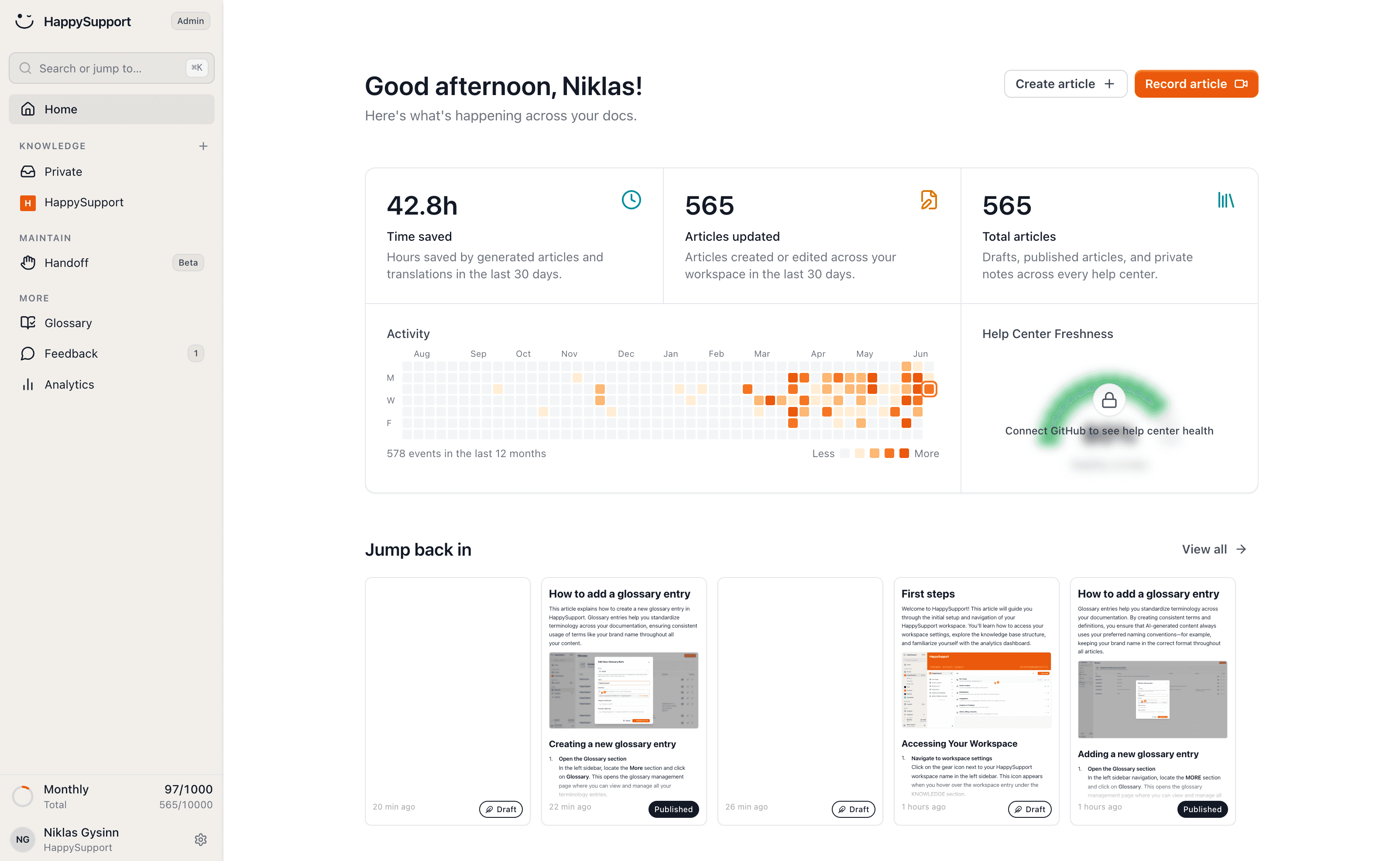
HappySupport implements this architecture for customer-facing knowledge bases. HappyRecorder captures each guide as a DOM and CSS recording, which means every UI instruction exists as structured text the retrieval system can parse, not as pixels it cannot. When the team ships, GitHub Sync and HappyAgent map the change to the articles referencing the affected selectors and auto-update or flag them before the chatbot serves a stale answer. The structural requirements this satisfies for retrieval pipelines are described on structured docs for RAG.
Testing AI chatbot performance against your knowledge base structure
Chatbot accuracy is measurable, and measuring it tells you which documentation problems to fix next. The most useful metric is not overall accuracy: it is accuracy by article. Which knowledge base articles produce the most wrong answers? Those are the ones with the worst structure.
Retrieval testing
Run your top 20 customer questions through the AI agent and compare each generated answer against the correct answer from your knowledge base. Note which articles were retrieved and whether the generated answer matched the document content. Where answers are wrong despite the right article retrieving, the problem is structure: answer-first restructuring of that article will likely fix it. Where answers are wrong because the wrong article retrieved, the problem is scope: the wrong article is too broad or the right article does not exist yet.
Freshness testing
Walk through your top 10 chatbot answers against your live product. Verify that every UI element the chatbot references still exists, still has the same name, and is still accessed the same way. Any mismatch is a stale article that is actively producing wrong customer-facing answers. Track the gap between last article review and last relevant product change: this gap is your documentation decay rate and it tells you how aggressive your review cadence needs to be.
Building a feedback loop
Chatbot conversation logs are a continuous quality signal for your knowledge base. Every session where a customer tried self-service and then opened a support ticket represents either a missing article, a stale article, or a poorly structured article. Review your chatbot's "I don't know" responses weekly: these are documentation gaps. Review your post-chatbot ticket rate monthly: this is your overall chatbot accuracy metric. Both feed directly back into knowledge base structure decisions to elevate customer experience over time.
The teams with the most accurate chatbot deployments share a common pattern: they treat the knowledge base as a live system, not a publishing archive. Structure is maintained through review cycles, maintenance is triggered by code changes, and performance is measured through retrieval testing rather than inferred from CSAT scores. The model does not change. The knowledge base does, continuously. That ongoing work is what keeps chatbot accuracy high over time.
For a complete walkthrough of connecting your knowledge base to your AI chatbot infrastructure, see how to connect a knowledge base to an AI chatbot.
If your chatbot keeps failing on questions your documentation supposedly covers, start a free 14-day trial with HappySupport and rerun your top 20 retrieval tests after one real release cycle.

 Book a demo