Enterprise knowledge management tools get evaluated on a different scoring card than the wiki your fifty-person ops team is using. The bar is procurement, not preference. SSO with SAML 2.0, SCIM provisioning, role-based permissions down to the document level, audit logs that survive a compliance review, EU data residency for organizations under GDPR, FedRAMP for federal agencies. The editor experience and the AI search are tied for third place behind the question every procurement team asks first: can we actually buy this without sending it back to security and legal?
This guide covers eight enterprise knowledge management tools that survive procurement scrutiny at organizations over 1,000 employees: Microsoft Viva Topics, ServiceNow Knowledge Management, Glean, Bloomfire, Atlassian Confluence Premium, Stack Overflow for Teams Enterprise, Guru Enterprise, and Notion Enterprise. The ranking weights enterprise procurement criteria heavier than feature breadth. The fastest editor in the world does not matter if the SSO setup blocks the rollout.
What enterprise knowledge management tools actually mean
Enterprise knowledge management tools are platforms designed to capture, govern, and surface organizational knowledge at the scale of thousands to hundreds of thousands of employees. The job covers four overlapping surfaces: internal team wikis at scale, federated search across SaaS sprawl, ITSM-attached knowledge for service desks, and structured knowledge graphs for institutional memory. The category sits adjacent to but distinct from customer-facing knowledge bases, which serve external users and ride on different procurement criteria.
The cost case is straightforward when measured against headcount. SuperOffice's customer service benchmark report puts the cost of a self-service interaction at around $0.10 against $8 to $13 for a live ticket. Inside an enterprise, the equivalent is a wiki search that returns the answer in thirty seconds against a Slack ping that interrupts a senior engineer for fifteen minutes. The math scales hard at thousands of employees. The trap is that the Knowledge-Centered Service methodology notes the useful life of a typical knowledge article is around six months, and enterprise content sprawl makes the decay invisible. Federated AI search over a 200,000-document corpus where 40 percent is stale produces confidently wrong answers at scale.
Why enterprise procurement looks different from SMB
Three forces reshape the buying process once an organization crosses the 1,000-employee mark. First, security review is mandatory and serial: SOC 2 Type II, ISO 27001, sometimes HITRUST or FedRAMP, plus a vendor risk assessment that often takes six to twelve weeks. Second, identity and access management is non-negotiable: SSO over SAML 2.0 or OIDC, SCIM 2.0 for automated user provisioning, role-based access control that maps to the company's existing entitlement model. Third, data residency and contractual terms: EU hosting for GDPR-affected organizations, data processing agreements, indemnification language, sometimes private cloud deployment.
The result is that an enterprise KM purchase typically takes four to nine months from first demo to signed contract. The tools that win at this stage tend to be the ones that have already cleared the procurement gates at peer organizations and can point to reference customers, not necessarily the ones with the most polished editor.
The five non-negotiables enterprise buyers ask about
Five capabilities consistently appear at the top of enterprise KM RFPs. Tools that miss any one of these usually get filtered out before the technical demo.
Identity and access management
SAML 2.0 SSO is table-stakes. SCIM 2.0 provisioning is non-negotiable for organizations over 5,000 employees because manual user management does not scale. Role-based access control should support nested groups inherited from the identity provider (Okta, Azure AD, Google Workspace). Document-level permissions should be enforceable by group, not just user.
Audit, compliance, and governance
Audit logs must capture every read, write, share, and permission change with a tamper-resistant chain. SOC 2 Type II is the floor; ISO 27001 covers European procurement; FedRAMP is required for federal agencies and frequently surfaces in defense contractor RFPs. Customer-managed encryption keys (CMEK) appear in heavily regulated industries.
Search at scale
Search must perform across hundreds of thousands of documents with sub-second response times. Permission-aware indexing is the hard part: the search results must respect ACLs without leaking the existence of documents the user cannot access. Federated search across other SaaS systems (Slack, Jira, Salesforce, Google Drive) separates true enterprise platforms from internal-team wikis with marketing copy that claims enterprise readiness.
Content governance and lifecycle
Approval workflows, scheduled review dates, expiration policies, version history with rollback, and named content owners are all standard requirements. The harder requirement is automated stale-content detection: large enterprises cannot manually review a six-figure document count for freshness. The tools that do this well surface stale candidates for human review; the tools that do not become decay machines.
Integrations and extensibility
Webhook and API access for every state change. Native integrations with the company's ticketing system (ServiceNow, Jira Service Management, Zendesk), collaboration tools (Slack, Microsoft Teams), and identity provider. A documented public API with SDK support so internal platform teams can extend the system.
The tools that actually pass enterprise procurement
Eight tools consistently make the shortlist at organizations over 1,000 employees. The ranking below weights procurement-readiness, governance depth, and integration breadth over editor polish.
1. Microsoft Viva Topics
Microsoft Viva Topics is the knowledge layer inside Microsoft 365 that uses AI to identify topics, experts, and content across SharePoint, Teams, and OneDrive. It surfaces knowledge cards inline in Microsoft 365 apps, so an employee reading a Word document or Teams message sees a definition or related expert without leaving the app. Pricing is $4 per user per month for Viva Topics, often bundled in a wider Viva Suite license at $12 per user per month. Best for organizations already standardized on Microsoft 365 with formal information architecture in SharePoint. Weakness: the value collapses outside the Microsoft 365 ecosystem, and the AI topic identification quality depends heavily on having reasonably organized SharePoint content to start with. Procurement strength is the highest in the category since the contract is usually added to an existing enterprise agreement.
2. ServiceNow Knowledge Management
ServiceNow KM is the knowledge module inside the ServiceNow platform, built for IT service management and customer service workflows. Articles tie directly to incidents, problems, and changes, so when an agent resolves a ticket the knowledge captured in resolution becomes a candidate article through a guided workflow. The KCS-aligned process is the dominant pattern in enterprise IT support. Pricing follows the ServiceNow user-based model, typically $100 to $300 per agent per month depending on the platform license. Best for IT and customer service organizations already running ServiceNow as the system of record. Weakness: only makes sense if the organization is already a ServiceNow customer, and the editor is functional rather than delightful.
3. Glean
Glean is an AI-native enterprise search platform that indexes content across SaaS apps and surfaces answers through a conversational interface. It connects to Slack, Google Workspace, Microsoft 365, Salesforce, Jira, Confluence, GitHub, and dozens of other sources, applying permission-aware retrieval so users only see results they are authorized to see. Pricing is custom and typically lands in the mid five figures to low six figures annually for organizations of 1,000 to 5,000 employees. Best for organizations with sprawling SaaS estates where the knowledge problem is finding what already exists, not creating new content. Weakness: it does not solve the staleness problem at the source, and the answer quality depends on the underlying content quality across the indexed systems.
4. Bloomfire
Bloomfire is a content-collaboration and enterprise knowledge platform focused on customer-facing teams, particularly market research, sales enablement, and customer success. The platform leans heavily into AI-powered search, video transcription, and topic tagging. Pricing is custom, generally starting around $30,000 to $60,000 annually depending on user count and modules. Best for large organizations with knowledge-intensive teams that need to reuse content across functions. Weakness: weaker fit for IT-focused or developer-centric knowledge use cases.
5. Atlassian Confluence Premium and Enterprise
Confluence is the most widely deployed wiki at scale, with strong integration into Jira for engineering teams. Premium and Enterprise tiers add SAML SSO, SCIM, advanced permissions, audit logs, and data residency options. Pricing starts at $11.55 per user per month for Premium with Enterprise pricing custom for organizations over 800 users. Best for engineering-led organizations already running Atlassian. Weakness: the editor experience has aged compared to newer entrants, performance degrades at very large content volumes without careful information architecture, and the AI features are still catching up to AI-native competitors.
6. Stack Overflow for Teams Enterprise
Stack Overflow for Teams is a Q&A-focused knowledge platform that brings the public Stack Overflow workflow inside the enterprise. Engineers ask questions, the community votes, answers get refined over time, and the highest-voted answer rises to the top. Enterprise tier adds SAML, SCIM, audit logs, and on-premise or VPC deployment options. Pricing is custom for Enterprise, typically $50,000 to $200,000 annually depending on user count. Best for engineering-heavy organizations where developer knowledge sharing is the dominant use case. Weakness: the Q&A pattern fits some knowledge types beautifully and is awkward for procedural documentation or onboarding content.
7. Guru Enterprise
Guru is positioned as the AI source of truth for the enterprise, connecting cards (atomic units of knowledge) across Slack, Microsoft Teams, Salesforce, Google Workspace, and browser extensions. Enterprise tier includes SAML, SCIM, audit logs, advanced permissions, and dedicated customer success. Pricing is custom for Enterprise, typically starting around $15 to $25 per user per month with volume discounts. Best for customer-facing teams (support, sales, customer success) that need just-in-time knowledge inside their working tools. Weakness: card model is unconventional for teams used to long-form wiki pages, and the editor is less feature-rich than Confluence or Notion.
8. Notion Enterprise
Notion Enterprise adds SAML SSO, SCIM provisioning, advanced security controls, audit logs, and customer success management on top of the core all-in-one workspace. Pricing is custom, typically $20 to $25 per user per month at enterprise volume. Best for organizations that want one tool spanning docs, projects, lightweight CRM, and team workspaces, with a modern editor that newer hires already know. Weakness: search at very large content volumes can be slow, and the permission model has historically been a friction point for highly regulated industries (Notion has invested heavily here in 2024-2026, worth re-evaluating for current procurement).
How enterprise KM differs from customer-facing knowledge bases
Enterprise KM and customer-facing knowledge bases solve adjacent problems and routinely get conflated. They should not be. Enterprise KM is for internal users (employees, contractors, partners) who already have an identity in the corporate directory, who consume content under SSO, and who often need permissioned access to sensitive material. Customer-facing KB is for external users who are anonymous or weakly authenticated, who consume content publicly indexed by Google, and where the success metric is ticket deflection.
The tools optimize differently. Glean and Microsoft Viva Topics are built for the federated internal-search problem. ServiceNow KM is built for the IT service desk workflow. Customer-facing knowledge bases like Document360, Help Scout, and HappySupport are built for the external-user experience and lean heavily into SEO, multilingual content, AI chatbot integration, and ticket-deflection analytics. Trying to serve both audiences from one tool typically compromises on both.
The maintenance gap nobody talks about
Enterprise KM platforms all ship with content lifecycle features: scheduled reviews, expiration dates, owner assignments. They all assume a knowledge management function exists to operate those features. At organizations under 5,000 employees that is often a single team or even a single person; at organizations over 50,000 employees there might be a dedicated team but the content surface is so large the team can only cover a fraction.
The result is the same at both ends: a meaningful percentage of the corpus is stale at any given time. AI search over that corpus produces confidently wrong answers, and the more the organization trusts the AI, the more damage a confidently wrong answer causes. The documentation decay problem is the failure mode that enterprise KM buyers underweight in evaluation and overpay for in operation.
The tools that handle this best either tie content directly to system-of-record state changes (ServiceNow KM links articles to the underlying configuration items and incidents), or they expose freshness signals that automation can act on (Glean and Microsoft Viva surface low-confidence or rarely-accessed content for review). The tools that do not handle it leave a growing backlog that gets worse every quarter.
How to pick
Three questions narrow the field faster than any feature matrix.
What is the organization already standardized on?
Microsoft 365 shop with a strong SharePoint deployment: Microsoft Viva Topics is usually the right starting point. ServiceNow shop with an IT service desk: ServiceNow KM. Atlassian shop with Jira at the center: Confluence Premium or Enterprise. Mixed SaaS sprawl with the knowledge problem being "find what already exists": Glean.
Who is the primary audience?
Engineering and developer audiences: Stack Overflow for Teams Enterprise or Confluence. Customer-facing teams (sales, customer success, support agents): Guru or Bloomfire. General knowledge worker audience with a writing-first culture: Notion Enterprise. IT service desk: ServiceNow KM.
What is the content lifecycle reality?
Dedicated knowledge management function: any of the above can work, the discipline lives in the team. No dedicated function but tight integration with system-of-record systems: ServiceNow KM or Microsoft Viva Topics. No dedicated function and content sprawl across SaaS apps: Glean is the realistic answer because it accepts the sprawl rather than trying to consolidate it.
Pricing reality
Enterprise KM pricing falls into three bands. Add-on or bundled pricing (Microsoft Viva Topics at $4 per user per month, Confluence Premium at $11.55) sits in the lowest band. Per-user enterprise pricing (Guru Enterprise, Notion Enterprise, Stack Overflow for Teams) typically lands at $15 to $30 per user per month at enterprise volume. Custom enterprise contracts (ServiceNow KM, Glean, Bloomfire) typically land in the mid five figures to low six figures annually for organizations of 1,000 to 5,000 employees, and seven figures at the largest scale.
The hidden cost across all three bands is the knowledge management function the organization either hires or borrows from existing teams. A reasonable rule of thumb is one full-time knowledge editor per 1,000 employees, though the variance is high and depends on content sprawl, regulatory burden, and how seriously the organization takes governance.
HappySupport and the enterprise KM landscape
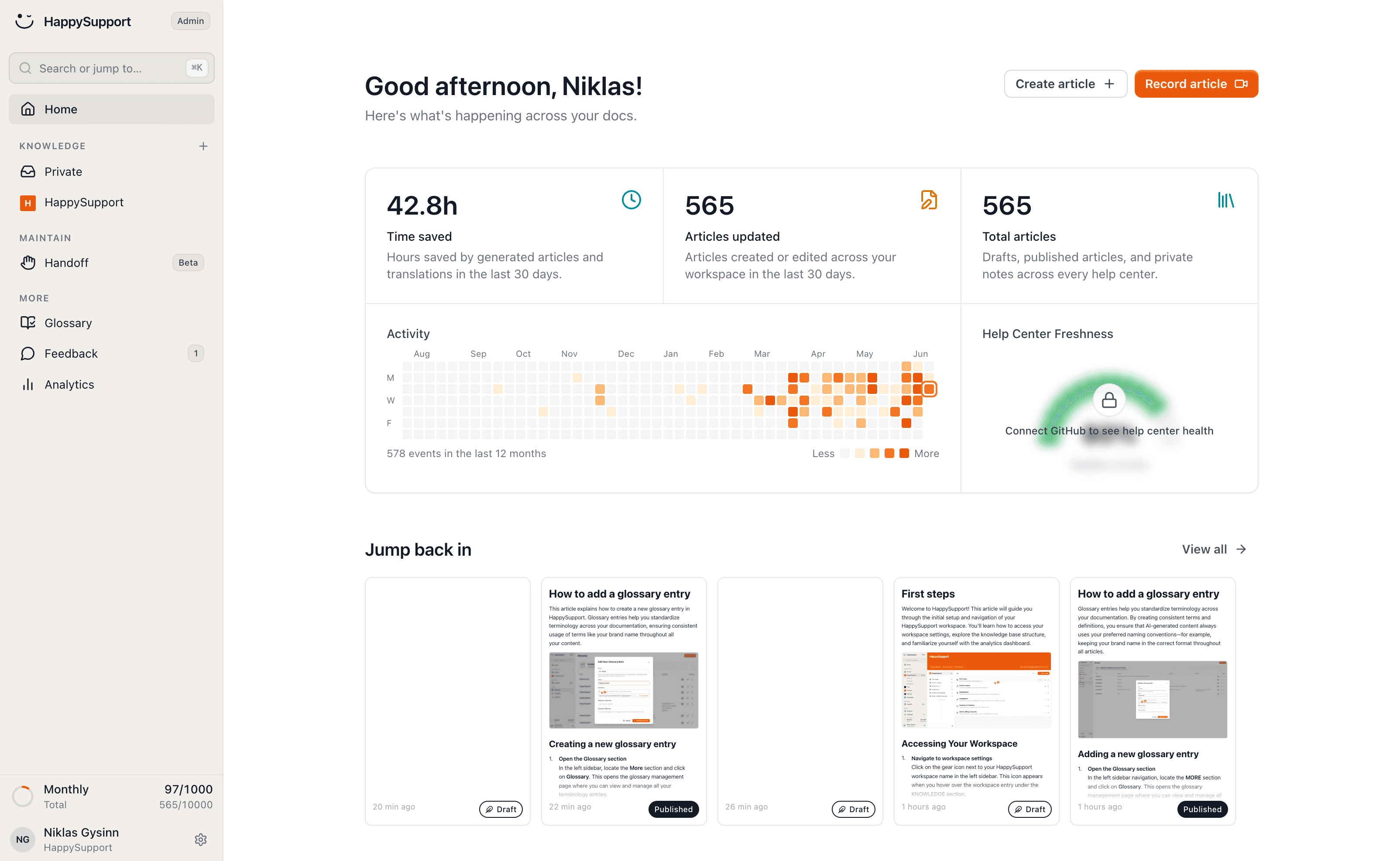
HappySupport sits in the customer-facing knowledge base category, not the internal enterprise KM category. For a large enterprise the right answer is usually a customer-facing KB beside an internal KM platform, not one tool covering both. HappySupport is built for the customer-facing surface and handles the maintenance problem at that layer through DOM and CSS recording at article creation, paired with HappyAgent GitHub Sync that links product code changes to affected help articles automatically. The result is a customer-facing knowledge base that stays accurate at the speed the product ships, instead of the speed an internal knowledge team can manually audit. For organizations evaluating both layers, see how self-updating help centers work and the broader AI knowledge management landscape.
 Book a demo