The AI customer support software
for SaaS teams
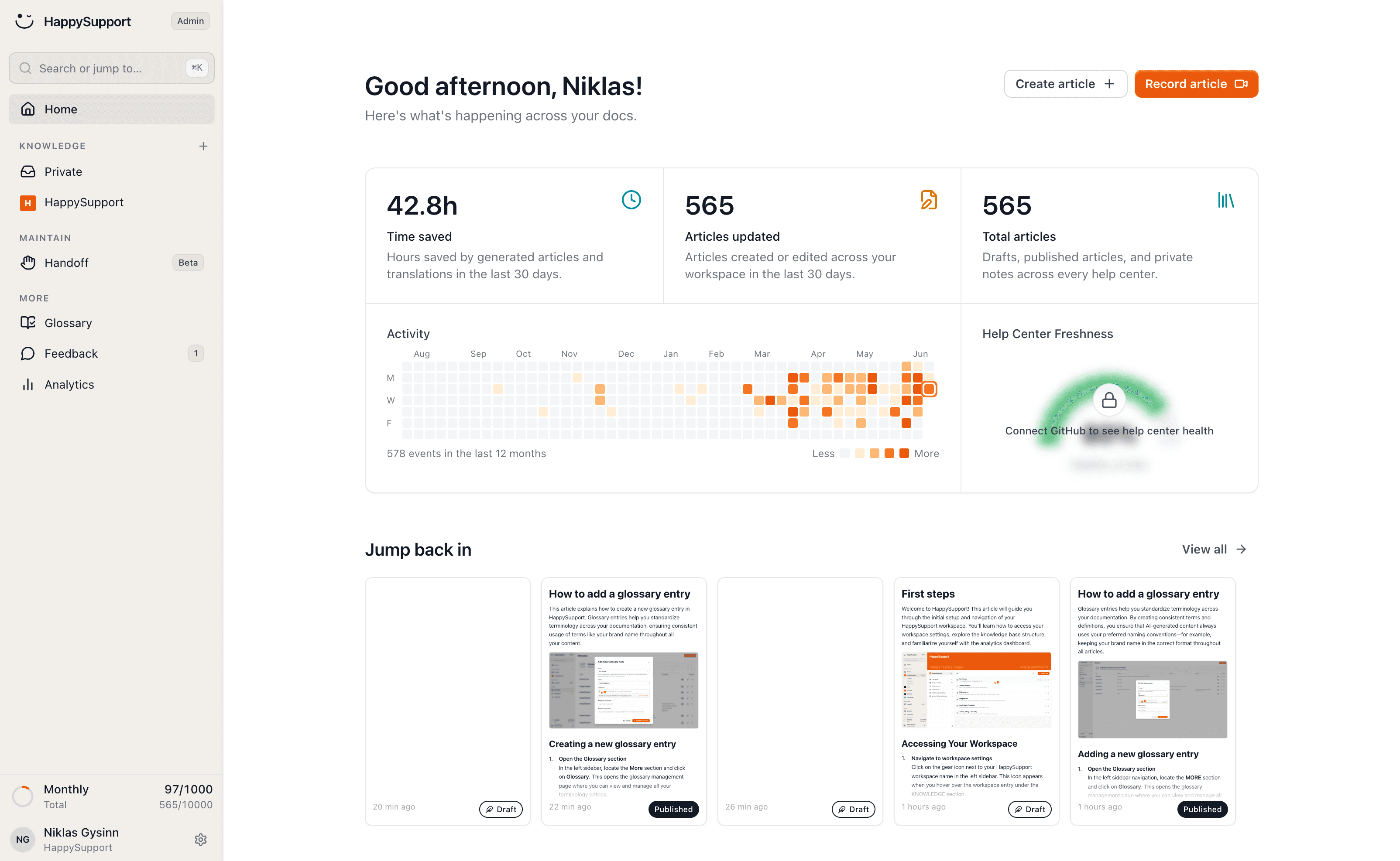
HappySupport is the customer support software for SaaS teams: help center, AI chatbot, ticket inbox and in-app help from one source that keeps itself up to date. It answers most questions before a ticket ever gets created.
 Book a demo


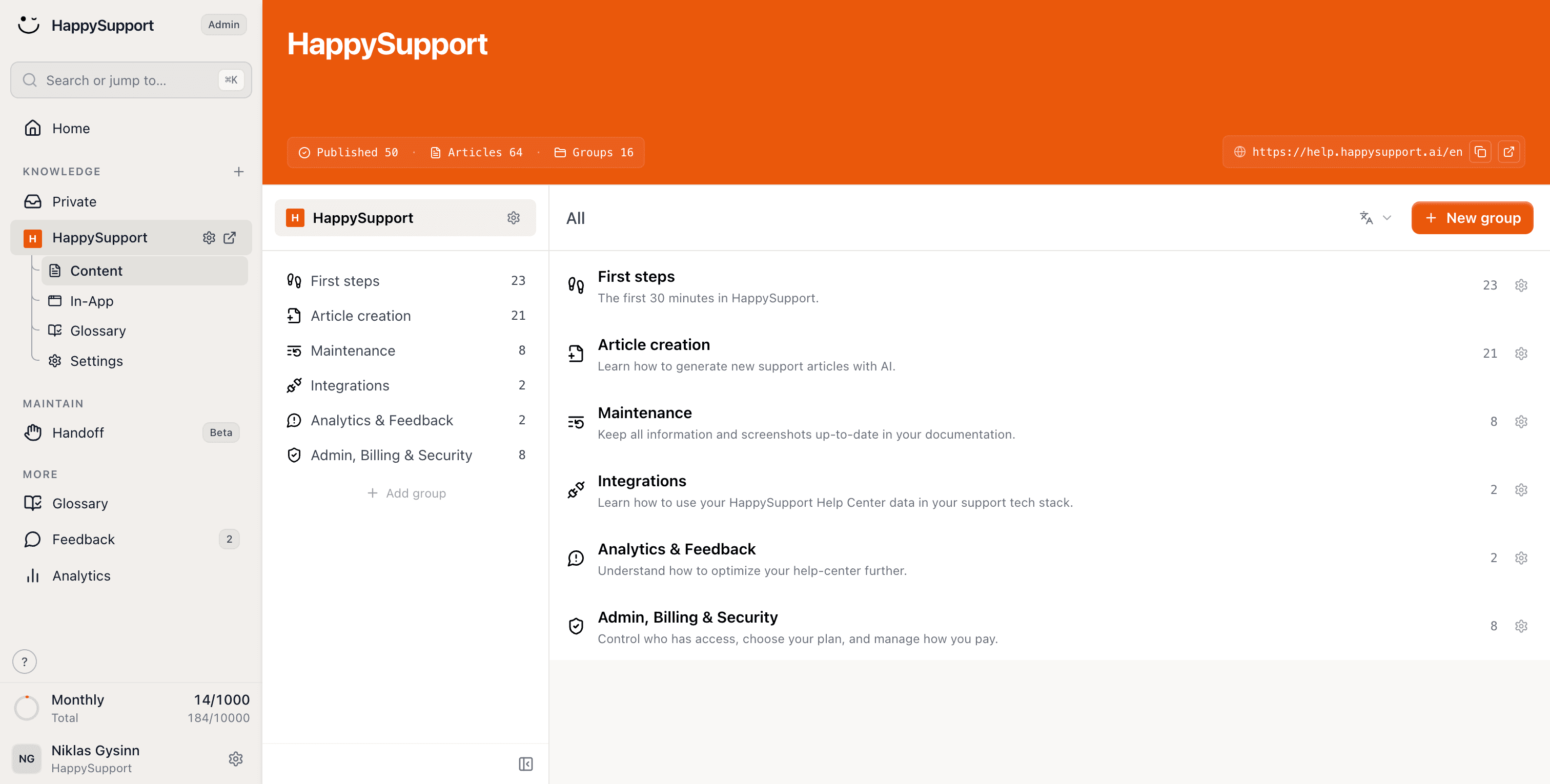
Create help articles without writing
 REC
RECAvailable as Chrome extensionWindows app
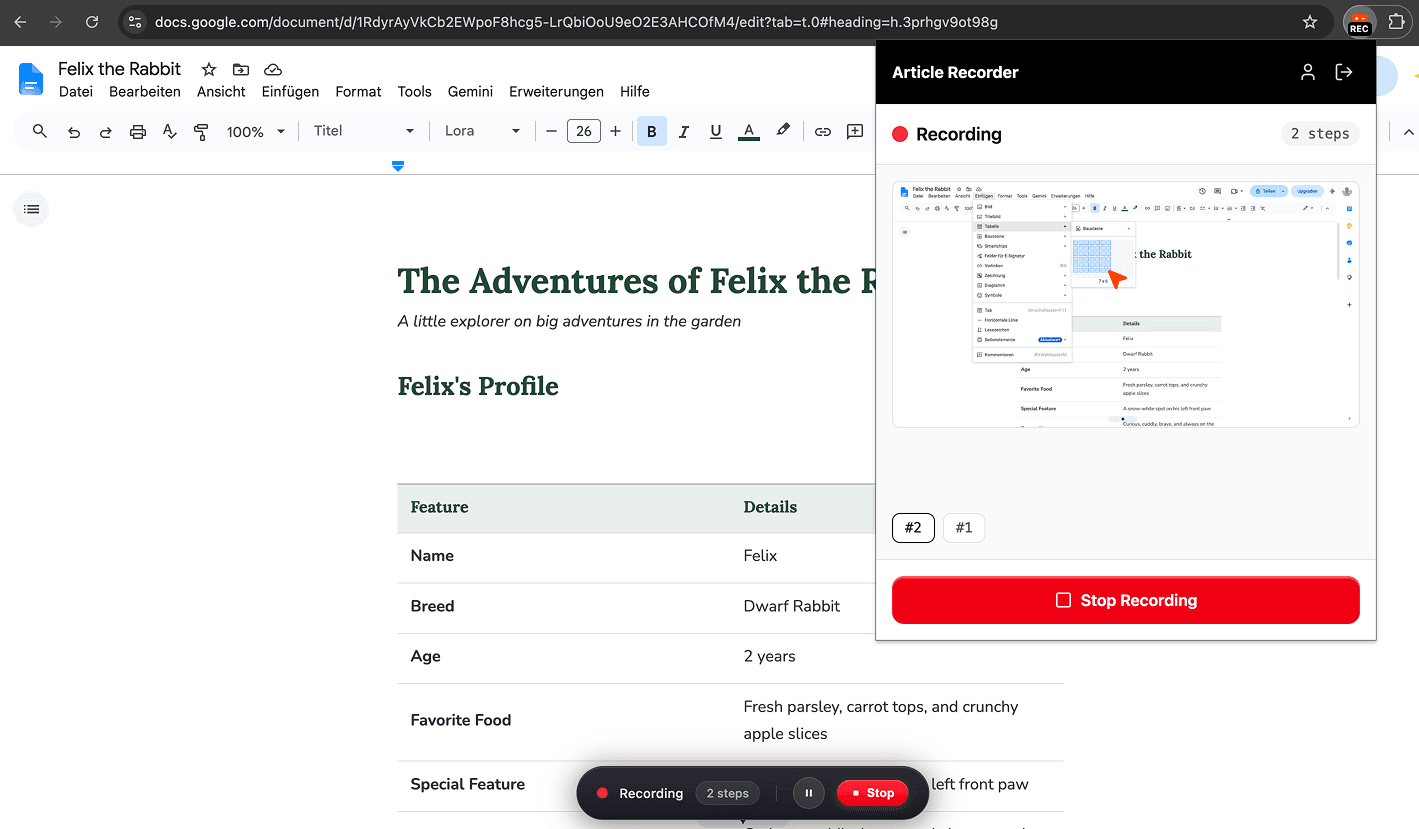
Just click through your product and create a complete help article in under a minute.
Document processes just by clicking
Every click becomes a step with its screenshot
Recorded once, translated into every language
Spot product changes and update your docs
No changes to review.
For GitHub, GitLab and Bitbucket
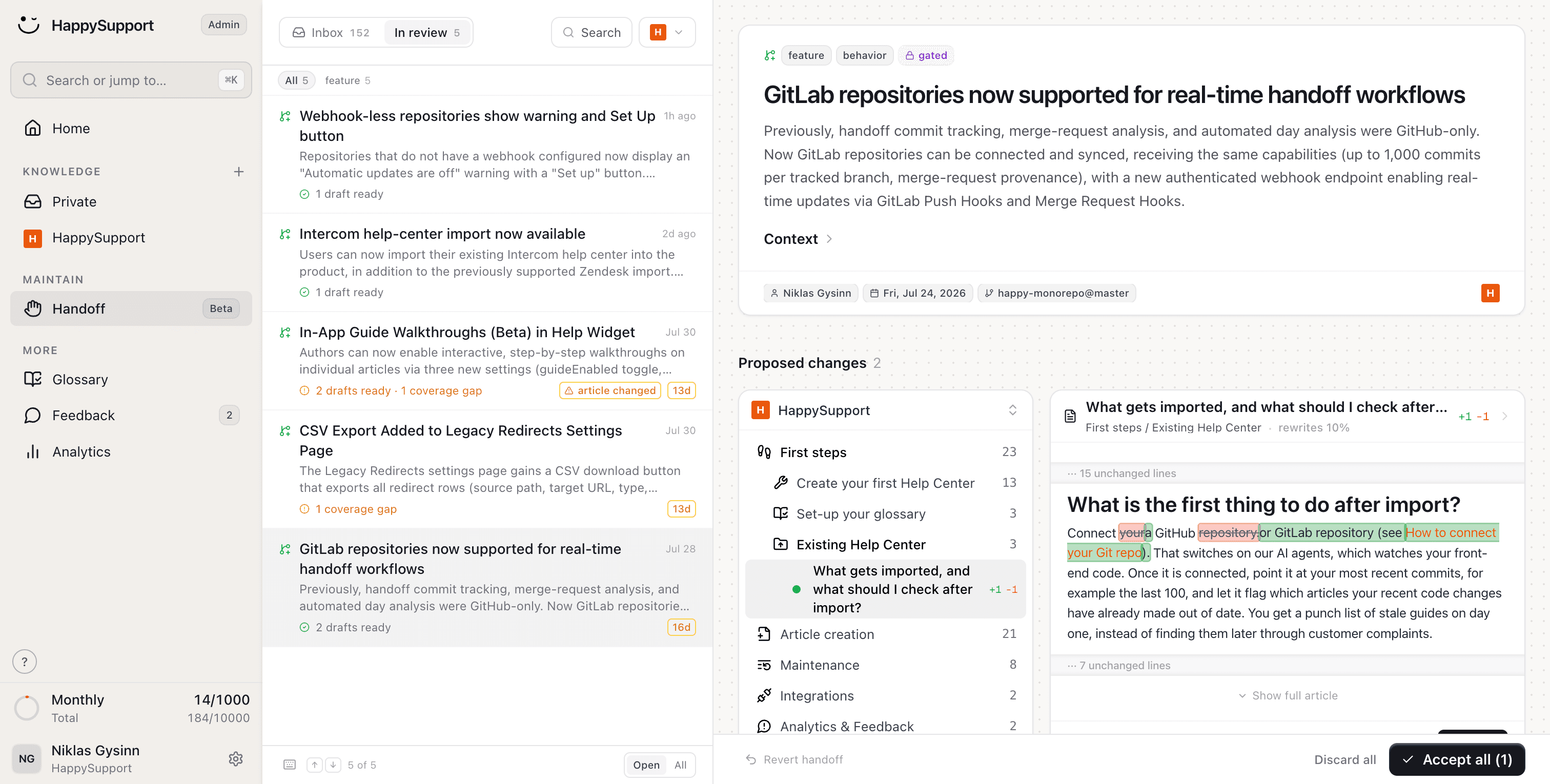
Connect HappySupport to your codebase. Every change in your product is spotted and lands in your docs as a ready-made proposal.
Help your users right where they need it
Click Send invite
One script tag in your app
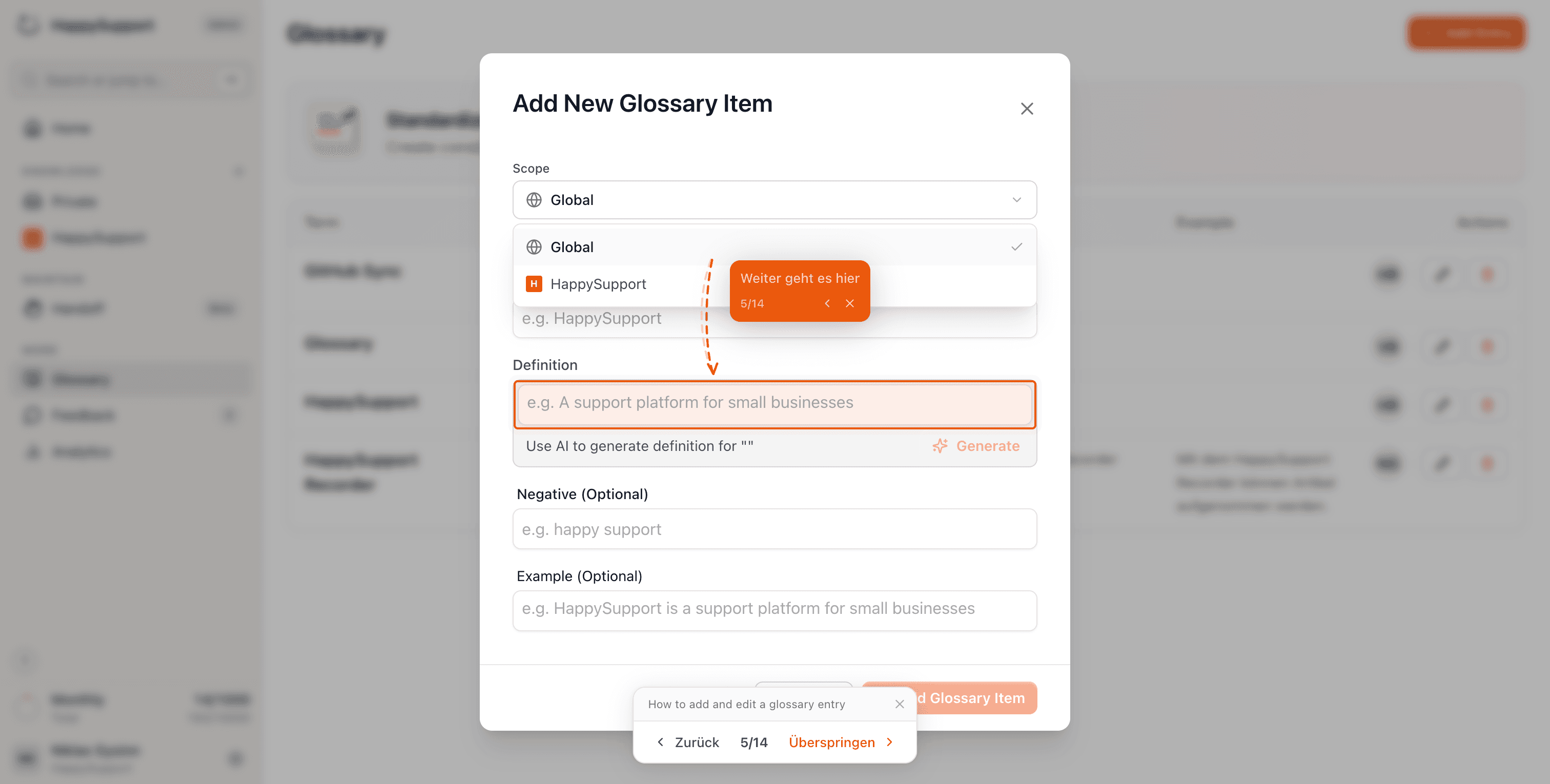
Instead of sending your users to your help center, you can help them directly inside the product. The HappySupport widget shows guides and walkthroughs right in the user's context.
Show it once instead of explaining it a hundred times
Click through a workflow once. HappySupport turns it into the article, the chatbot answer and the tour in your product. Whatever is still open reaches your team as a ticket with context.
Try it for free- 1
Step-by-step guides by simply clicking
Every click becomes a step with a screenshot.
Install the HappySupport recorder as a Chrome extension or Windows app and click through a workflow once. You can talk along to add detail, and sensitive data is hidden in the screenshots.
- 2
Help center articles in under a minute
HappySupport writes, you review and publish.
It comes with numbered steps, screenshots and a demo GIF. HappySupport writes it from your recording. You review it, publish it to your help center and translate it into up to ten more languages.
- 3
Docs that keep up with your code
Every commit becomes an update proposal.
Connect GitHub, GitLab or Bitbucket. When a commit or pull request changes your product, HappySupport finds the affected articles. Your team reviews and accepts the proposal, so the docs stay current without anyone rewriting them.
- 4
AI chatbot that answers from your docs
Around the clock, with its sources cited.
The AI chatbot in your help center and in-app widget cites its sources, so there are no made-up answers. The chatbot is included from the Professional plan.
- 5
Product tours inside your app
Click by click, where users get stuck.
When the answer is a workflow, the widget shows it inside your product, on the page where the user got stuck. Guided in-app tours are part of the Scale plan.
- 6
Ticket inbox with full context
When the AI can't help, your team takes over.
When the assistant cannot help, it hands the conversation to your team and opens a ticket in the inbox, with an AI summary, the page the user was on and the articles they already read. Your team replies by email.
Features that save time
Discover features that make working with and on your documentation easier and faster.
Hide sensitive data
Hide, delete or highlight elements across all screenshots with a single click.
Translation into 12+ languages
Your articles are instantly available to your customers in multiple languages.
Screenshot translation
Every screenshot is automatically translated into the languages you choose.
Consistent wording
The glossary keeps your terminology the same across every article.
Semantic search
Every article is findable, even without knowing the exact keywords.
Share articles directly
Share recorded articles and guides directly with your customers.
SEO/GEO optimized
Your customers find answers through Google and in AI agents.
Public or private
Make your help centers public or private, whatever you need.
Teams that document faster
“Every product update used to mean a week of updating screenshots and rewriting guides. Now HappySupport drafts the updates and we review them. My team finally works on customer success instead of content maintenance.”
 Lisa AlberDirector of Customer Success at Flip
“We hired 2.5 full-time people just to build and maintain our help center. HappySupport would have saved us over €5,000/month.”
 Fabian SilbererCo-Founder of sevDesk and investor in HappySupport
“We had 200+ Zendesk articles and no idea which ones were still accurate. Now we know. Automatically.”
 Benedikt BrandCEO of Flip and investor in HappySupport
Bring your existing docs with you
Enter the address your customers use today. We bring the articles, images and structure across, and all your existing links keep working.
Moving from
 Zendesk
 Intercom
 HubSpot
 Notion
 GitBook
 Document360
 Help Scout
 Freshdesk
 Confluence
 ReadMe
 Mintlify
 Helpjuice
All of these, and anything else with a public help center. Tell us where yours lives and we'll take it from there.
All your existing links keep working
Every old address gets a redirect automatically during the import. Shared links, bookmarks and Google results still land in the right place, so your SEO comes with you.
Internal links stay intact
All cross-references between your articles are detected and relinked automatically. No dead links after the move.
All images are imported
Screenshots and graphics come along in full, hosted by us. You don't have to re-upload anything manually.
Everything a modern support setup needs
HappySupport helps you create, maintain and use your support content.
Get startedCreate articles in seconds
Click through a process with the recorder and create a complete help article in seconds.
Keep your content up to date automatically
Connect your codebase and get automatic update suggestions for your text and images whenever the product changes.
Bring your help right into the product
Help your users where they need it and embed the recordings interactively in your product.
What teams ask before they start
Short answers on price, platforms, integrations and data protection.
What is HappySupport?+
HappySupport is a customer support suite for SaaS teams: a help center, an AI chatbot, a ticket inbox and an in-app widget, all fed by one source of content that keeps itself up to date. It is built and run in Stuttgart and Heilbronn, Germany.
How much does HappySupport cost?+
HappySupport costs 129 EUR per month on Starter, 399 EUR on Professional and 899 EUR on Scale. The price is flat per month, not per seat. Every plan starts with a 14-day free trial. The AI chatbot is included from Professional; guided in-app tours and SSO come with Scale.
Which platforms does the recorder run on?+
The HappySupport recorder runs as a Chrome extension and as a Windows desktop app. Both turn every click into a step with a screenshot. In the browser, the recorder also captures the page structure behind each click.
Which tools does HappySupport connect to?+
HappySupport connects to GitHub, GitLab and Bitbucket to turn code changes into article updates. Existing help centers come across with a one-click import from Zendesk and Intercom, or a migration from Freshdesk, Help Scout, HubSpot and Confluence, with a redirect for every old URL. An MCP server makes your content available to AI assistants, and ticket replies run over email.
Can we keep our current helpdesk?+
Yes. HappySupport replaces your help center, chatbot and ticket inbox, but you do not have to switch everything at once. An existing helpdesk can keep running alongside it while you move over.
Where is our data hosted?+
HappySupport hosts customer data in Germany, on Netcup servers and AWS in Frankfurt, and never uses it for AI training. HappySupport is GDPR compliant and provides a data processing agreement. AI features use OpenAI in the USA under the EU-US Data Privacy Framework. There is no SOC 2 or HIPAA certification.
Can HappySupport be self-hosted?+
No. HappySupport is a cloud service only. There is no self-hosted or on-premise version.
Your help center, ready before your coffee.
Start for free and publish your first article today.