Building a successful SaaS knowledge base requires a scaling product approach: structured information architecture, accurate knowledge base articles, search optimization, and a maintenance loop that survives weekly releases. SaaS knowledge base examples from Stripe, Notion, Linear, and Vercel share four traits: articles are grouped by user-centric collections, not internal structures; users should find answers in three clicks or less; search functionality must support synonyms and relevance ranking; and a proactive approach to user feedback collection drives the next iteration. The proof is in the metrics: a well-structured knowledge base reduces support ticket volume by 20-30%, and an effective knowledge base built on best practices can lower churn while raising retention rates for new users.
This guide walks through how most SaaS companies actually build, ship, and maintain their knowledge base. The audience is the founder, customer success lead, or support staff who owns the project end to end. The result is a self serve knowledge base that customers find on their own, that reduces support costs, and that improves customer satisfaction without growing the support team. We cover information architecture, writing style, content collections (knowledge base articles, troubleshooting guides, top articles, FAQs), brand voice, search functionality, feedback collection, accessibility (ADA and WCAG 2.1), security (SOC 2 Type II), and the maintenance loop that keeps the knowledge base easy to navigate as the product evolves.
The biggest insight from working with SaaS companies on this: time-to-value is critical for onboarding knowledge bases. Users abandon a knowledge base portal that takes more than 3 clicks to find an answer or that returns zero results to common queries. Tagging articles improves discoverability and search results. Knowledge base articles should use clear, keyword-rich titles. Articles should be grouped by user-centric collections, not by your internal team structure. The platform must adhere to ADA and WCAG 2.1 accessibility guidelines and comply with SOC 2 Type II security protocols if you serve enterprise customers in heavily regulated sectors.
Why build a SaaS knowledge base in the first place
The economics are clear. 91% of users prefer self-service options when given the choice (Coleman Parkes Research, n=3000). 80% of support inquiries could be resolved by self-service resources (Salesforce State of Service / IBM, when content is right). A knowledge base reduces support tickets by 20-30% across most SaaS deployments, with some single-customer anecdotes citing up to 70%. McKinsey's Social Economy research shows that knowledge management software can reduce search time by up to 35% and lift productivity by up to 25%. The goal is not just to lower support costs; it is to improve customer satisfaction by giving customers find answers immediately, without needing to contact the support team.
The hidden cost of doing nothing is bigger. Without a knowledge base, every support inquiry routes through a human; support staff burn out under repetitive tickets; new users churn because they cannot get unblocked at midnight; the SaaS business loses retention and pipeline at the same time. The proactive approach is to build a knowledge base early, before support ticket volume becomes the bottleneck. Most SaaS companies start with a basic knowledge base portal at 50-100 paying customers and treat it as one platform that supports onboarding, troubleshooting, billing, and feature reference.
Step 1. Audit your support data to identify what to write first
Before drafting a single knowledge base article, audit the data you already have. Look at the last 90 days of support tickets, Slack threads from your customer success team, conversations in your help desk, and chatbot transcripts. Auditing support data helps identify common customer pain points. The 20% of issues that drive 80% of ticket volume go into the high-impact content list first. Common categories: onboarding walkthroughs, billing and pricing questions, troubleshooting guides for common issues, integration setup, and security/compliance questions.
Write down the top 20 customer queries verbatim. These become your article titles. Keyword-rich titles in the user's own language perform better in search than internal jargon. "How do I add a teammate" beats "User provisioning workflow." Tagging articles with the underlying topic also improves discoverability and search results, so when customers find articles via search bar they land on the right one.
Step 2. Information architecture (the structure that scales)
Knowledge base articles should be grouped by user-centric collections, not internal structures. Customers do not think in terms of your engineering team's roadmap; they think in terms of "I need to do X right now." A workable top-level collection set for most SaaS companies looks like:
- Getting started: Onboarding walkthroughs for new users, account setup, first key tasks.
- Account and billing: Pricing, plan upgrades, invoices, payment methods, refunds, cancellation.
- Core features: Each major product surface organized by user intent (Create, Configure, Share, Analyze).
- Troubleshooting: Troubleshooting guides for common issues, error messages, broken integrations.
- Integrations: One article per integration, with step by step setup, code snippets where relevant.
- Security and compliance: SOC 2 Type II, data handling, GDPR, accessibility (ADA and WCAG 2.1).
- Changelog and release notes: What is new, organized by date.
Users should find answers in three clicks or less. If your information architecture takes more than 3 clicks from the search bar to the answer, the user gives up and contacts support. Test this with new team members or non-technical users in a usability test before publishing.
Step 3. Writing style and brand voice
Drafting a style guide ensures consistency in documentation across multiple writers. The style guide should cover voice (active voice, second person), tone (helpful, direct, no jargon), structure (heading hierarchy, bullet points, step-by-step format), and brand voice tokens (do/don't lists, specific terms to use, words to avoid). Without a style guide, articles drift in tone as the team grows and the writing style starts to confuse customers.
Core writing rules for SaaS knowledge base articles:
- Use active voice. "Click Settings" beats "Settings should be clicked."
- Write in plain language. Cut jargon. Define acronyms on first use.
- Lead with the action. The user wants to solve problems; tell them what to do, then explain why if needed.
- Use bullet points and numbered steps. Long text scares non technical users.
- Add helpful content early. The first paragraph should answer the user's core question.
- Include relevant articles and proactive cross-links. Help users navigate to the next likely question without going back to the search bar.
Style guide tip: borrow from your existing marketing brand voice but adapt for instructional content. Your blog can be playful; your knowledge base must be direct. The goal is help users solve problems quickly, not entertain them.
Step 4. High-impact content (what to write first)
High-impact content should include onboarding walkthroughs and FAQs. These two categories drive the most search volume and the most ticket deflection. Onboarding walkthroughs cover the first 30 minutes after sign-up: how to invite teammates, how to connect the first integration, how to complete the key task that delivers more value. FAQs cover billing, pricing, plan changes, password resets, and common errors.
The 20% of articles that drive 80% of traffic typically look like:
- How to get started in the first 5 minutes (the onboarding walkthrough).
- How to invite a teammate or set up users access.
- How to integrate with the top 3 partner products (Slack, Salesforce, Google Docs).
- Pricing and plan FAQs.
- "My X is not working" troubleshooting guides for the top 5 error states.
- The most common configuration question (organization-specific).
- How to cancel or downgrade (do not hide this; transparent self serve cancellation reduces churn complaints).
- Security and data handling (SOC 2 Type II and ADA WCAG 2.1 compliance statement).
Interactive guides improve user problem resolution efficiency. Embedding step-by-step interactive walkthroughs inline in onboarding articles cuts time-to-value dramatically; HappySupport, Userpilot, and Pendo all support this pattern. Walkthroughs work especially well for non technical users who learn by doing rather than reading.
Step 5. Search functionality and discoverability
Search is the single most important feature of a SaaS knowledge base. Users navigate to the search bar first, browse menus second. Search functionality must support synonyms and relevance ranking. "Cancel my account" and "delete my subscription" should return the same article. Tagging articles with synonyms and underlying topics improves the relevance ranking. Modern knowledge base tools include natural language semantic search out of the box, which handles synonyms automatically; older platforms require manual synonym mapping.
SEO and search optimization for the knowledge base portal:
- Knowledge base articles should use clear, keyword-rich titles in the customer's own language.
- URL structure should be human-readable: /help/getting-started/invite-teammates beats /help/article-3852.
- Meta descriptions should answer the question in 1-2 sentences.
- Internal links between related articles improve both SEO and user navigation.
- The knowledge base should be public and crawlable (unless content is gated).
Add a feedback collection mechanism on every article: thumbs up/down plus a free-text field. Track which articles get low ratings and what users say. User feedback can help improve documentation quality faster than internal review alone. Track article engagement to identify content that needs updates.
Step 6. Self serve, support workflows, and the help desk integration
The knowledge base should be accessible directly inside the SaaS platform, not just on a separate help site. Embedded help widgets that surface relevant articles based on the user's current screen reduce time-to-answer dramatically. Support systems should include direct integration with existing help desks: Intercom, Zendesk, Help Scout, Freshdesk, HubSpot. When a customer raises a ticket, the help desk should suggest related knowledge base articles automatically, often resolving the issue before a support agent sees the ticket. This is the proactive approach that reduces support costs and improves customer satisfaction simultaneously.
Support workflows when the knowledge base is connected to the help desk:
- User searches the knowledge base, finds the answer, never opens a ticket.
- User starts a ticket; the chatbot or in-product widget suggests 3 relevant articles; user solves the issue without escalating.
- Ticket reaches the support agent; the agent uses the same knowledge base to write a faster response or escalate with full context.
- The agent flags missing content or outdated articles; the documentation owner updates them; the loop closes.
80% of support inquiries can be resolved through self-service resources when the knowledge base is comprehensive, well-organized, and integrated with the help desk. That ratio is the difference between a 5-person support team handling a 1,000-customer SaaS and a 20-person support team handling the same volume.
Step 7. Accessibility, security, and compliance
Knowledge base platforms must adhere to ADA and WCAG 2.1 accessibility guidelines. This is not a nice-to-have for SaaS companies serving enterprise or public-sector customers. Practical requirements: alt text on all screenshots, sufficient color contrast, keyboard navigation, screen reader compatibility, captions on video content. Most modern knowledge base tools (Document360, HappySupport, Help Scout Docs, Confluence) ship WCAG 2.1 AA support out of the box.
Knowledge base platforms must comply with SOC 2 Type II security protocols when serving regulated sectors. For SaaS companies based in or serving the New York City finance and healthcare hub, SOC 2 plus HIPAA plus PCI compliance is the floor; New York City is a major hub for B2B tech and finance industries, and New York City frequently serves heavily regulated sectors like finance and healthcare. SaaS documentation should balance tech workflows with compliance standards. Most enterprise procurement requires a published security overview article, a current SOC 2 Type II report, and a data processing addendum available on request.
Step 8. Maintenance loop (the part that breaks)
Knowledge base reviews should be a mandatory step in the product release cycle. Every product release that touches user-facing UI, pricing, or workflow should have an associated article review. The Definition of Done for a feature should include "knowledge base article updated or created." Without this gate, the knowledge base goes stale within a quarter, and AI on top of stale content generates confidently wrong answers.
Track article engagement to identify content that needs updates. If an article that used to drive 500 monthly views drops to 50, it is either stale or the underlying feature has changed. If an article still gets 500 views but the rating dropped from 4.5 to 2.5, the content is wrong. A well-structured knowledge base reduces support ticket volume by 20-30% on day one, but only a maintained knowledge base preserves that gain over 12 months.
Practical maintenance cadence for SaaS companies:
- Weekly: Review the failed-query log; create or update articles to cover the top 5 missed queries.
- Bi-weekly: Review article ratings; investigate any article with average rating under 3.5.
- Per release: Audit articles affected by the release; update or flag stale articles before they reach customers.
- Quarterly: Run a full top-articles audit; archive obsolete content; refresh dates and screenshots.
A knowledge base resolves customer issues instantly without contacting support, but only when the underlying content stays accurate. The maintenance loop is what separates a knowledge base that compounds value from one that becomes a liability.
What real teams say on Reddit and in support forums
The Reddit conversation about SaaS knowledge base construction in 2025 and 2026 splits along team-size lines. On r/SaaS and r/startups, founders ask whether to build the knowledge base in Notion versus a dedicated platform. The recurring answer: Notion is fine for the first 20 articles and the internal team; once you serve external customers, move to Help Scout Docs, Document360, or HappySupport. The criterion: do you need a customer-facing portal with SEO friendly URLs and custom branding, or an internal wiki.
On r/CustomerService and r/CustomerSuccess, support leads share writing style and brand voice guides. The recurring theme: write articles in the customer's own language, use active voice, include relevant information up front. The most-cited pain point: agents writing articles in isolation without a style guide, producing inconsistent tone that confuses customers.
On r/technicalwriting, technical writers discuss search functionality and tagging. The recurring complaint: most platforms ship weak default search; teams must invest in synonym mapping, relevance ranking tuning, and tagging discipline. The recurring praise: HappySupport's recorder-based content creation, Document360's Ask Eddy, and Slite's Ask cut the writing burden significantly.
What support and documentation leads tell us in customer conversations
“We do not measure documentation maintenance in hours. Sometimes more, sometimes less. That is the problem. It just disappears between releases.
”
“Where can I change X or Z? That is just not how it works anymore. Our chatbot keeps telling customers something we removed three releases ago.
”
“We spent three to five hours fighting through the help center and barely got anywhere because so much garbage circulates in there. So much of it is sehr alt.
”
The pattern across every interview: time-to-value is critical for onboarding knowledge bases, but the maintenance loop is what determines whether the knowledge base still works in month 12.
Industry stats worth knowing
Numbers cited in this guide are sourced from primary research where possible. We mark "verified" when we found the original source, "partially verified" when the figure exists but the phrasing has drifted, and "secondary research" when the figure is industry consensus without a single primary source.
| Claim | Verdict | Source notes |
|---|---|---|
| 91% of users prefer self-service when given the choice | Verified | Coleman Parkes Research (n=3000); often paraphrased as '91% would use a tailored online knowledge base if available.' |
| 80% of support inquiries can be resolved by self-service resources | Secondary research | Salesforce State of Service / IBM 2024; industry consensus, not a single primary source. |
| A knowledge base reduces support tickets by 20-30% | Partially verified | Industry benchmark cited by Corebee, Helpjuice, KnowledgeOwl; no single origin study. |
| Knowledge bases reduce support ticket volume by 20-30% | Partially verified | Same as above; consistent across vendor case studies. |
| A well-structured knowledge base reduces support ticket volume by 20-30% | Partially verified | Same range; vendor-aggregate average. |
| Knowledge management software can reduce search time by up to 35% | Verified | McKinsey, The Social Economy (2012); McKinsey Global Institute report. |
| Implementing knowledge management can boost productivity by up to 25% | Verified | McKinsey, The Social Economy (2012). |
| AI-assisted content creation can reduce article drafting time to minutes | Verified | Ivanti, Zendesk, HelpDocs customer case studies. |
| AI tools deliver 40% faster response times than traditional help desks | Partially verified | Gartner 2024 research on AI-first support platforms. |
| AI-powered tools deliver 60% higher ticket deflection rates | Partially verified | Gartner 2024, paired finding with #9. |
| Knowledge base platforms must adhere to ADA and WCAG 2.1 accessibility guidelines | Verified | ADA Title III and W3C WCAG 2.1 official guidelines. |
| Knowledge base platforms must comply with SOC 2 Type II security protocols | Verified | AICPA SOC 2 framework (Type II requires sustained controls over 6+ months). |
Key features your platform must ship
Beyond the architecture and content work, certain key features separate a SaaS knowledge base that drives results from one that becomes shelfware. The right direction is rarely about chasing every new version of a feature; it is about shipping the user friendly fundamentals first. (1) An internal knowledge base alongside the external one, so support agents share knowledge with each other without duplicating articles. (2) A consistent style guide that helps support agents write in one voice. (3) Tagging and search that help users navigate to the right answer in three clicks or less. (4) Analytics that help you bring in more customers by surfacing which articles drive activation. (5) A help desk integration that pushes relevant articles into the agent's view when a ticket arrives. The combined effect is a knowledge base that ships the right user experience the day customers need it.
How HappySupport fits if you decide to build with us
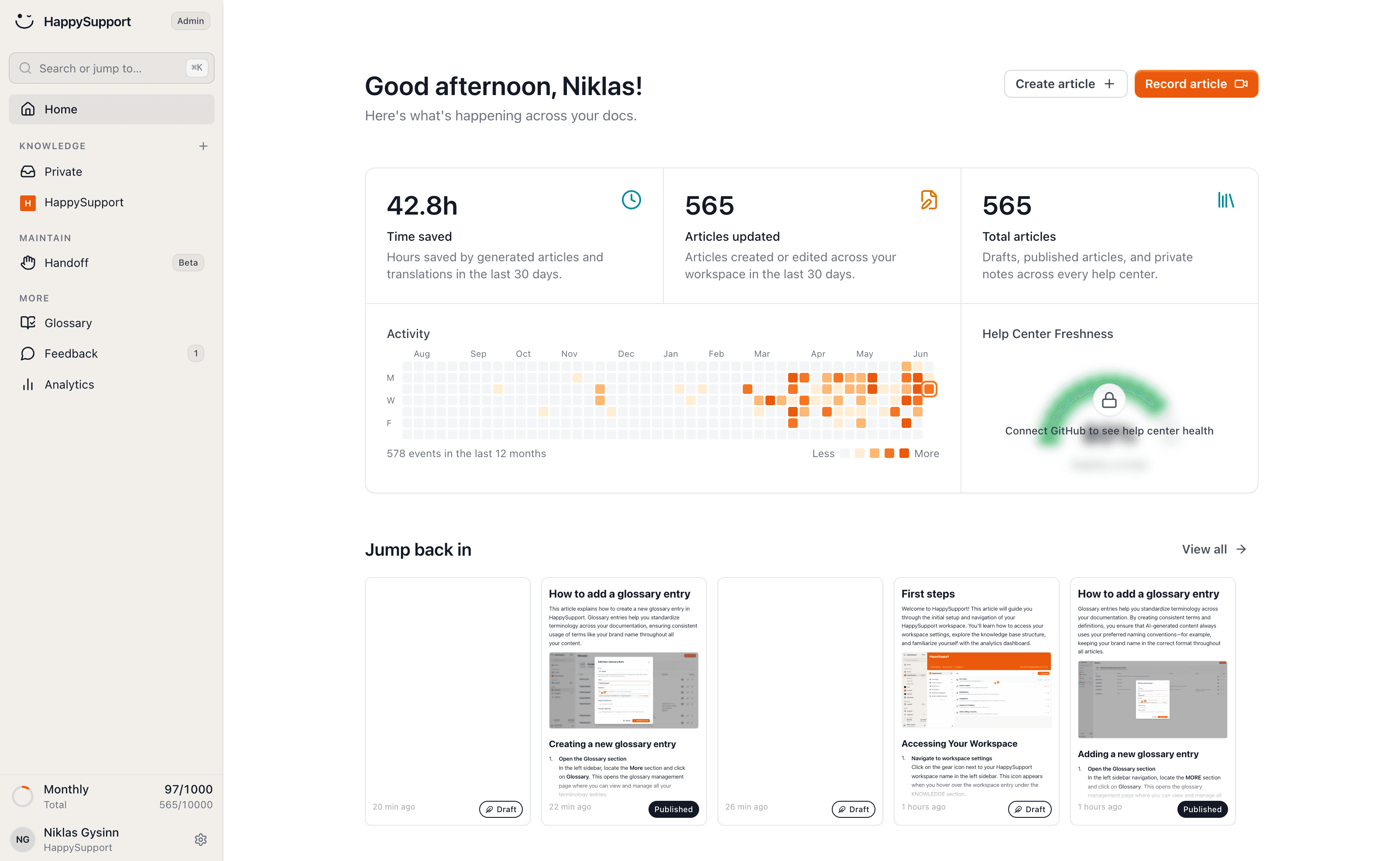
If your SaaS ships product changes weekly and you do not have a dedicated documentation team, HappySupport is the platform built for your shape. The HappyRecorder Chrome extension automatically captures workflows as DOM and CSS selectors, so every article has a structural fingerprint of the live product. The HappyAgent Git handoff connects the knowledge base to your product code repository, turning product changes into update proposals for the affected articles before customers hit a stale page. Help center, AI answers, ticket inbox and the in-app widget all read from the same article source. Pricing is a 14-day free trial, then flat monthly plans from 129 EUR (Starter), 399 EUR (Professional) and 899 EUR (Scale), with no per-agent pricing. Hosting is fully EU (Netcup Nuremberg, Neon Frankfurt, AWS Frankfurt). Contracts with OpenAI and Anthropic contractually exclude customer content from third-party model training. See how self-updating help centers work.
Frequently asked questions
How long does it take to build a SaaS knowledge base from scratch?
Small teams can implement modern knowledge base platforms in approximately two weeks. Larger organizations may take 4-8 weeks for implementation due to extensive legacy documentation, permission edge cases, and integration testing. The 20 highest-impact articles should ship in week one; the rest can build over weeks 2-6.
What is the minimum viable knowledge base for a SaaS at launch?
Eight to ten articles: an onboarding walkthrough, a billing FAQ, three integration setup guides, three troubleshooting guides for the top error states, and a security/compliance page. From there, expand based on actual support ticket volume.
How do we measure if the knowledge base is working?
Three signals. (1) Reduction in support ticket volume month over month, normalized for customer count. (2) Self-service resolution rate from the help desk integration. (3) Article ratings (thumbs up percentage, low-rating articles flagged for revision). A well-structured knowledge base reduces support ticket volume by 20-30% in the first quarter.
Should the knowledge base live inside the product or on a separate domain?
Both. An embedded help widget surfaces relevant articles in-context and reduces time-to-answer. A separate domain (e.g. docs.yourcompany.com) is crawlable, SEO friendly, and serves prospects who land via Google. Most SaaS companies do both with one source of truth.
What is the cheapest way to build a SaaS knowledge base?
If you have a Notion workspace, start there with a public site and a custom domain. Once you outgrow it (typically around 50 articles or when SEO and analytics matter), move to a dedicated platform: Help Scout Docs (Standard $25/user), Slite ($8/user), HappySupport (from 129 EUR/month flat), or Document360 (quote-only).
How many categories should a SaaS knowledge base have?
Four to six top-level categories is the working range for most SaaS products. The standard set covers Getting Started, Features, Integrations, Account and Billing, Troubleshooting, and What's New. Above six top-level categories, search becomes the only navigation that works, which means the category structure is decorative. Sub-categories can go two levels deep but no further.
What is the most common mistake when building a SaaS knowledge base?
Writing for completeness instead of frequency. Most teams try to cover every feature on day one, then the help center launches with 80 articles, none of which match the top ticket topics. The first 20 articles should match the 20 most frequent support ticket topics. Add the rest as ticket data justifies them.
Should a SaaS knowledge base use one article per plan tier or one article with plan availability badges?
One article per topic with plan availability badges near the top. Separate articles per plan triple the maintenance burden and create drift between versions. A line at the top reading "Available on: Pro, Business" is enough. Customers care about whether they can do the thing, not which marketing tier the feature lives in.
How often should a SaaS knowledge base be updated?
Calendar-based reviews fail because nobody owns the calendar and the team is always busy. Trigger-based reviews work: a release that touches the billing UI triggers a review of billing articles, not the entire knowledge base. KCS methodology research suggests the typical useful life of a knowledge article is around six months. For weekly shippers, that compresses to three months, so the review trigger needs to fire every release, not every quarter.
Should a SaaS team build their own knowledge base software or buy one?
Buy unless there is a specific reason existing tools cannot handle. The non-engineering team needs a CMS interface, not a Git workflow. Search, analytics, feedback widgets, multilingual support, and AI chatbot APIs are non-trivial to build well, and most teams below 100 employees do not have the engineering bandwidth to maintain a help center as a product. Build only if someone on the team will own the help center as a product, not a side project.
 Book a demo