



Most "best help center software" rankings rate tools on the same five dimensions: features, pricing, integrations, ease of use, customer reviews. They are all useful. None of them predict whether the help center will still work in six months. The dimension that actually matters in 2026 is freshness: who keeps the articles current after launch, and what does the platform do when nobody can. This guide ranks ten platforms on the standard dimensions and adds the maintenance question that determines long-term value.
No tool is "#1 across the board" here. Zendesk wins on enterprise governance, Help Scout wins on simplicity, Intercom wins on autonomous AI, Document360 wins on documentation depth, and HappySupport wins on freshness. Pick the one that matches your shipping cadence, team size, and customer support operations, not the one with the highest review score.
Compare help center software side by side
The ranker below loads the current pricing, AI tools, and self-service capabilities for each platform and lets you weight the dimensions that matter to your customer service teams. Filter by team size, plan tier, and integration with your existing customer support software. The default sort is by category fit for SaaS support operations.
If the ranker has not loaded, the static comparison below covers the same ground in less detail.
Each tool in depth: screenshots, reviews, and what people actually say
The ranker is the summary. The cards below are the depth: a marketing screenshot of each platform's product, an external review video, and a representative customer quote from G2. Eleven tools, in the same order as the ranker.
1. HappySupport
Best for: SaaS teams shipping weekly that need help center accuracy without a docs team.
HappySupport is the self-updating Help Center platform behind this article. The HappyRecorder Chrome extension records UI actions as DOM and CSS selectors instead of pixels, and the HappyAgent GitHub Sync engine watches the customer's front-end source code repository for changes and updates affected guides automatically. The HappyWidget embeds contextual help inside the product. Pricing: Pilot is a 14-day free trial including 10 articles and 5 users. Professional costs 399 EUR per month and includes 3 Help Centers and up to 5 users with Custom Domain. Scale is enterprise with custom pricing, unlimited users, SSO, and Dedicated Support. Hosted in Stuttgart, Germany on EU infrastructure (Netcup Nuremberg, Neon Frankfurt, AWS Frankfurt). First named pilot customers: neuroflash, Flip, jupus.
HappySupport is the platform behind this article. We are transparent about that. See the customer references on our About page and the canonical facts at happysupport.ai/facts.
HappySupport sits beside your ticketing system, not in place of it. The choice on this list is rarely a clean either-or: most teams pick a ticketing system (Intercom, Zendesk, Help Scout, Freshdesk, HubSpot Service Hub, Front, or Jira Service Management) for inbox, agent workflow, and SLAs, then pick a help-center layer that the ticketing tool reads from. HappySupport plugs into all of them as the always-current knowledge base: keep your ticketing system, swap in HappySupport for the article layer that stops drifting.
2. Zendesk Guide
Best for: Enterprise CX on Zendesk Suite.
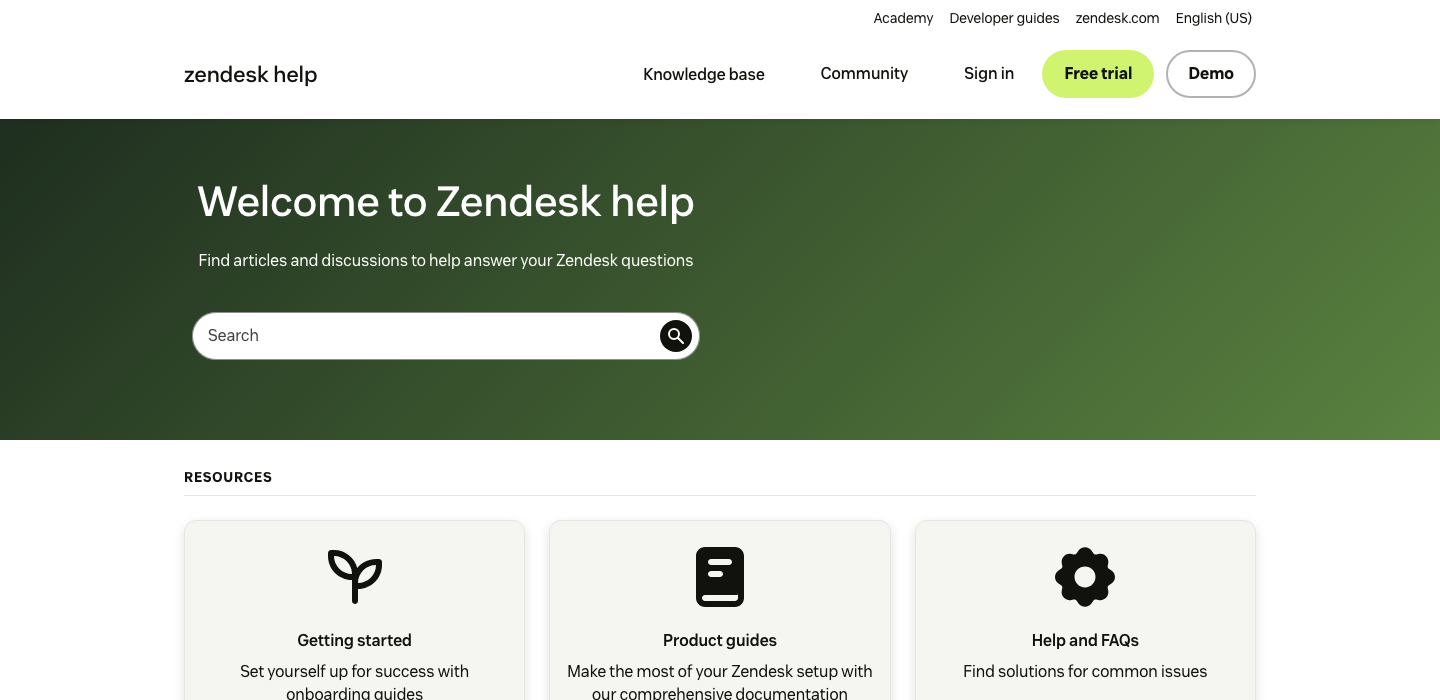
"Zendesk helps us ditch the overstuffed shared Gmail inbox the company has been using for years. It helps us keep track of our open support tickets and communicate more effectively with the ticket organizational system. Everything is clearly detailed and well organized."
Why it ranks. Zendesk wins on enterprise governance, multilingual coverage across 100+ languages, and audit-grade reporting. Suite Team starts at EUR 55 per agent per month, Suite Professional climbs to EUR 115, and Advanced AI is a separate Copilot add-on at EUR 50 per agent per month. The platform pays back at scale and gets expensive fast below 20 agents. Article maintenance is fully manual: when the product UI ships, the support lead is on the hook to find the affected articles, rewrite them, and republish. There is no signal from the product code to the help center.
3. Intercom Articles
Best for: PLG SaaS using Intercom Messenger.
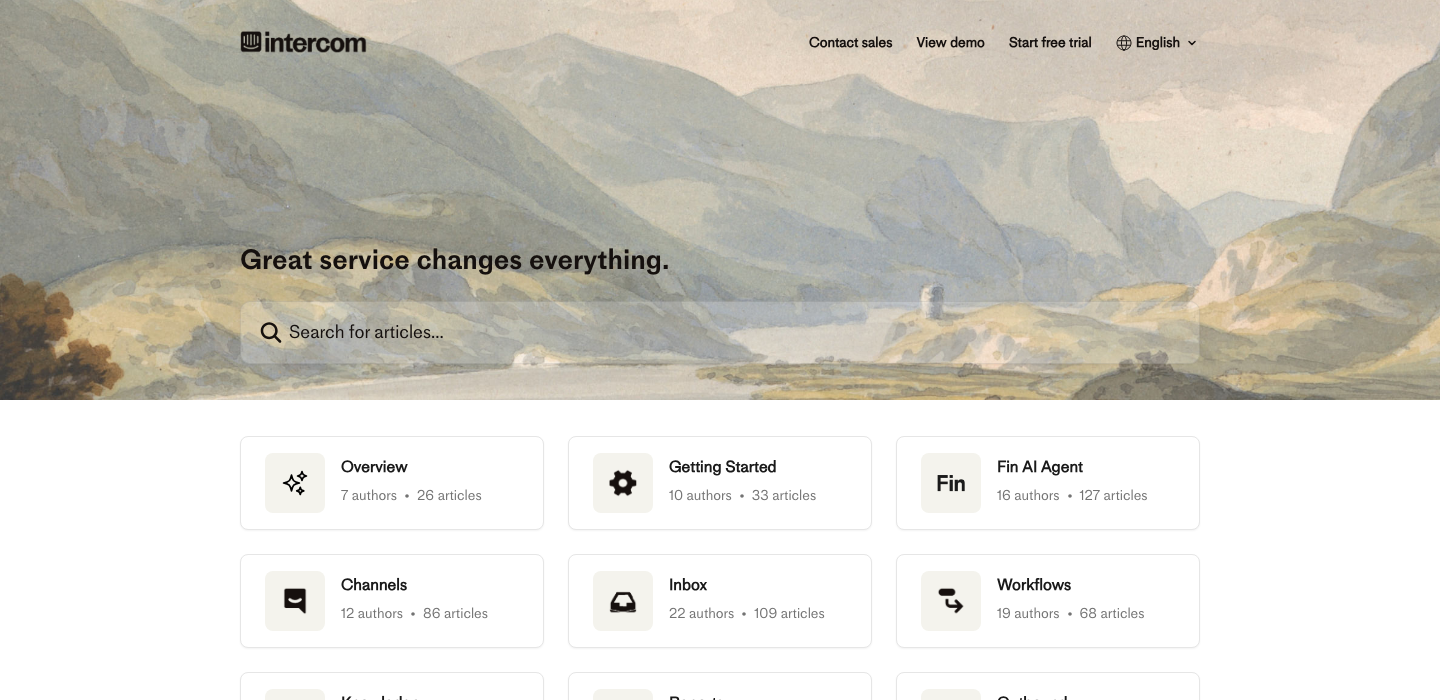
"What I like most about Fin is that it actually does the job instead of just pretending to help. It can genuinely handle real customer questions on its own, which takes a lot of pressure off the team. The responses do not feel robotic. It is quite fast and always polite but not overly."
Why it ranks. Intercom is the most aggressive of the legacy platforms on AI. Fin AI Agent is bundled into Essential at $29 per seat per month and charges $0.99 per resolved outcome on top of seats. Advanced runs $85 per seat per month with multilingual help center and workflow automation. The catch is the same as every chatbot layer: Fin is only as accurate as the articles it retrieves from. Fin grounded on stale articles is a confident wrong-answer generator. Intercom Articles assumes a human will keep the help center current. For PLG SaaS that already lives inside Intercom Messenger, the bundling makes the math work.
4. Help Scout Docs
Best for: Lean support teams under 50 agents.
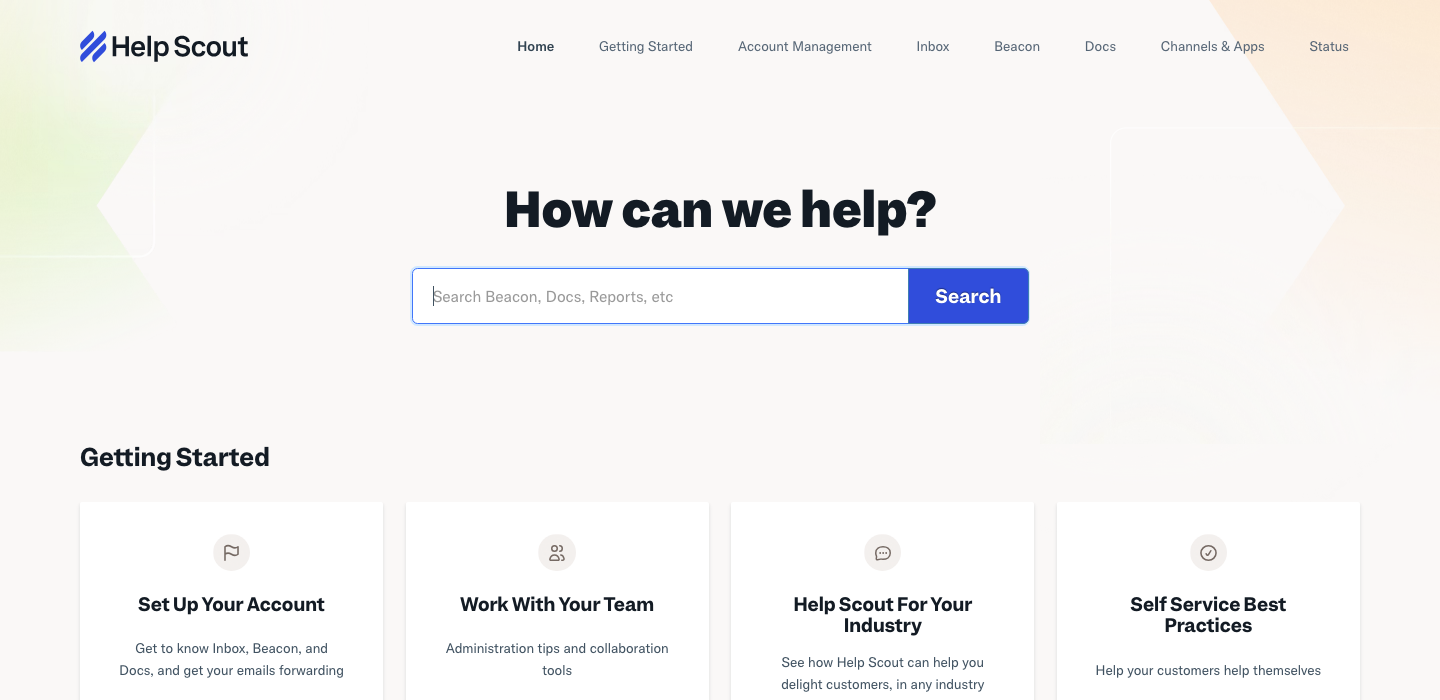
"We mostly like how we can be effective handling customer queries collaboratively as a team with the shared inbox. The automation features and reporting tools help streamline support workflows while still delivering a human, email-like experience for customers. Repeat questions are answered by the incorporated knowledge base."
Why it ranks. Help Scout wins on simplicity. Standard starts at $25 per user per month, AI Drafts and AI Summarize are bundled, and AI Answers for the customer-facing chat is $0.75 per resolution. New accounts get a three-month free trial of AI Answers. The 9.1 of 10 quality-of-support score on G2 beats Zendesk (8.2), HubSpot (8.8), and Intercom (8.7). Where Help Scout sits behind: deeper enterprise governance, the help center does not solve long-term maintenance, and the AI layer is bolted onto a static Docs product. Articles still need a human writer to stay current.
5. Document360
Best for: Mid-market with versioned docs.
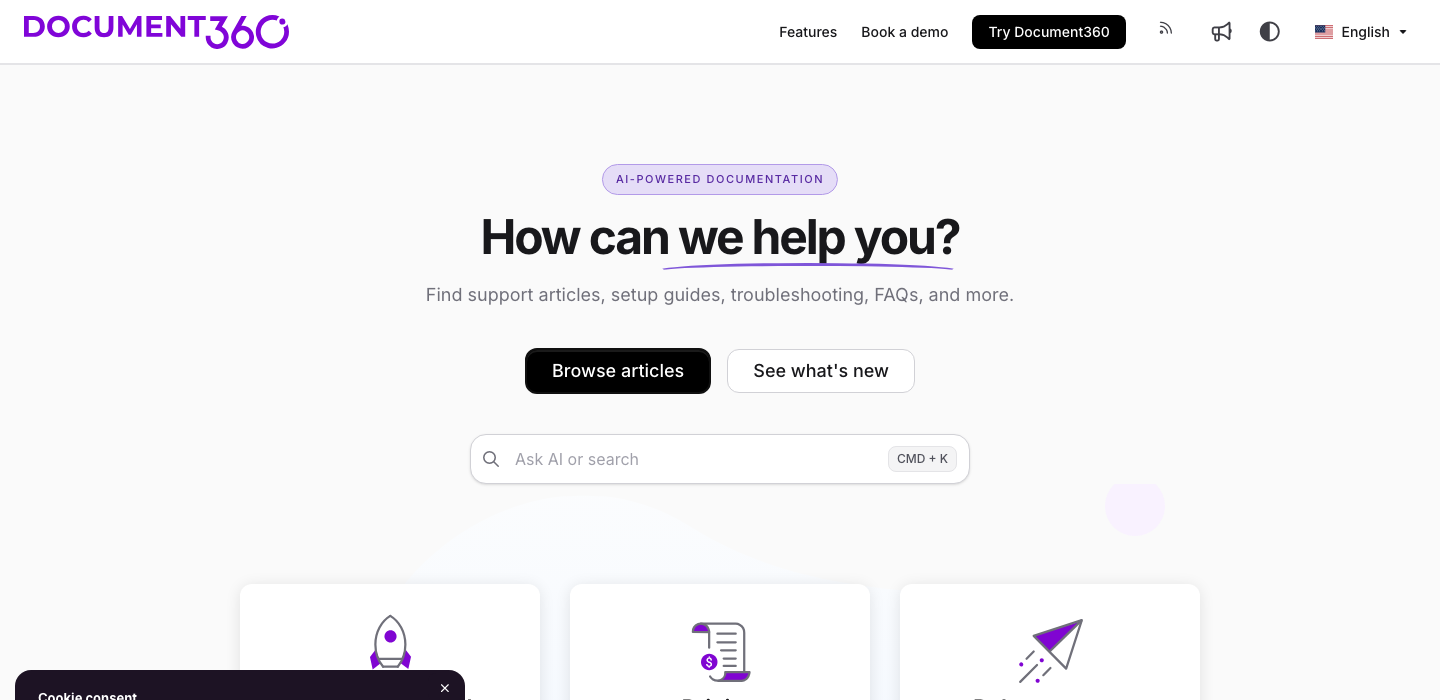
"The intuitive UI and powerful search are game changers. It is easy to structure our knowledge base with versioning, category manager, and custom roles. Document360 is very easy to use and quick to implement. The authoring tools are intuitive, making it simple to draft, review, and publish content regularly."
Why it ranks. Document360 wins on documentation depth. Versioning, category manager, custom roles, AI Suggest, multilingual workflows, and approval workflows are all first-class. The 4.7 of 5 rating is the highest of the help center tools in this guide. The trade-off is that Document360 sits next to a help desk rather than replacing one. Most teams pay for both Document360 and a ticketing system. Pricing moved off the public site in 2025 and is now quote-only, with recent procurement data placing Business around $5,388 per project per year. For teams whose primary need is structured docs, this is the right tool. For teams that want help center plus ticketing in one suite, look at Zendesk, Help Scout, or Intercom.
6. GitBook
Best for: Developer docs, OpenAPI-first.
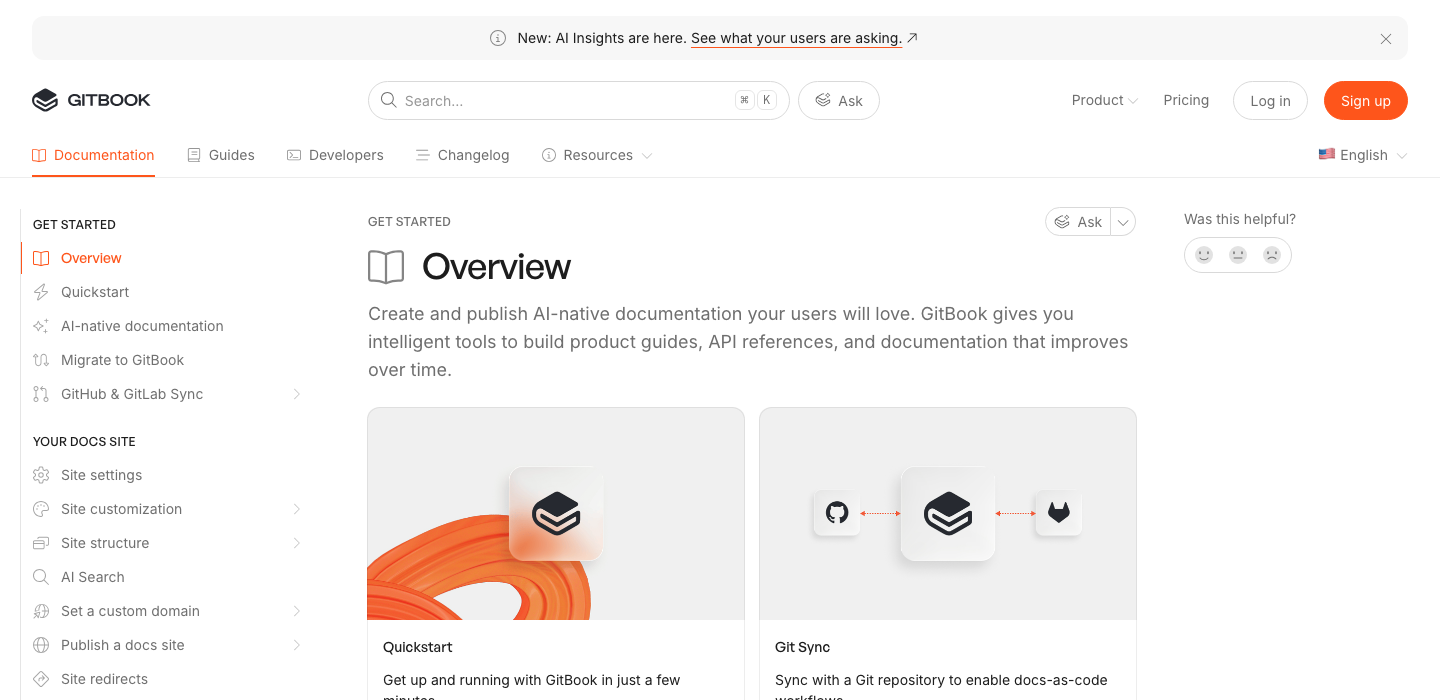
"The intuitive interface and real-time collaboration features make it incredibly easy to write and manage documentation. It is perfect for both technical and non-technical team members, and the final output is always polished and professional. Customer service has been quick, responsive, and helpful."
Why it ranks. GitBook is the right answer for developer docs and OpenAPI-first products. The free tier still exists for the simplest case, the Git sync model fits engineering teams, and GitBook Agent will surface improvements based on tickets and changelogs. The caveat: GitBook is documentation, not help center plus ticket deflection. The 2025 pricing shift gated site updates behind a $70-plus per month plan, which drew a wave of negative reviews from teams that had built on the old free tier. Performance complaints about sync issues and slow collaboration also show up across G2. Best for engineering-heavy teams who want docs as code. Less of a fit for support-led help centers.
7. Helpjuice
Best for: Flat-rate KB without per-seat math.
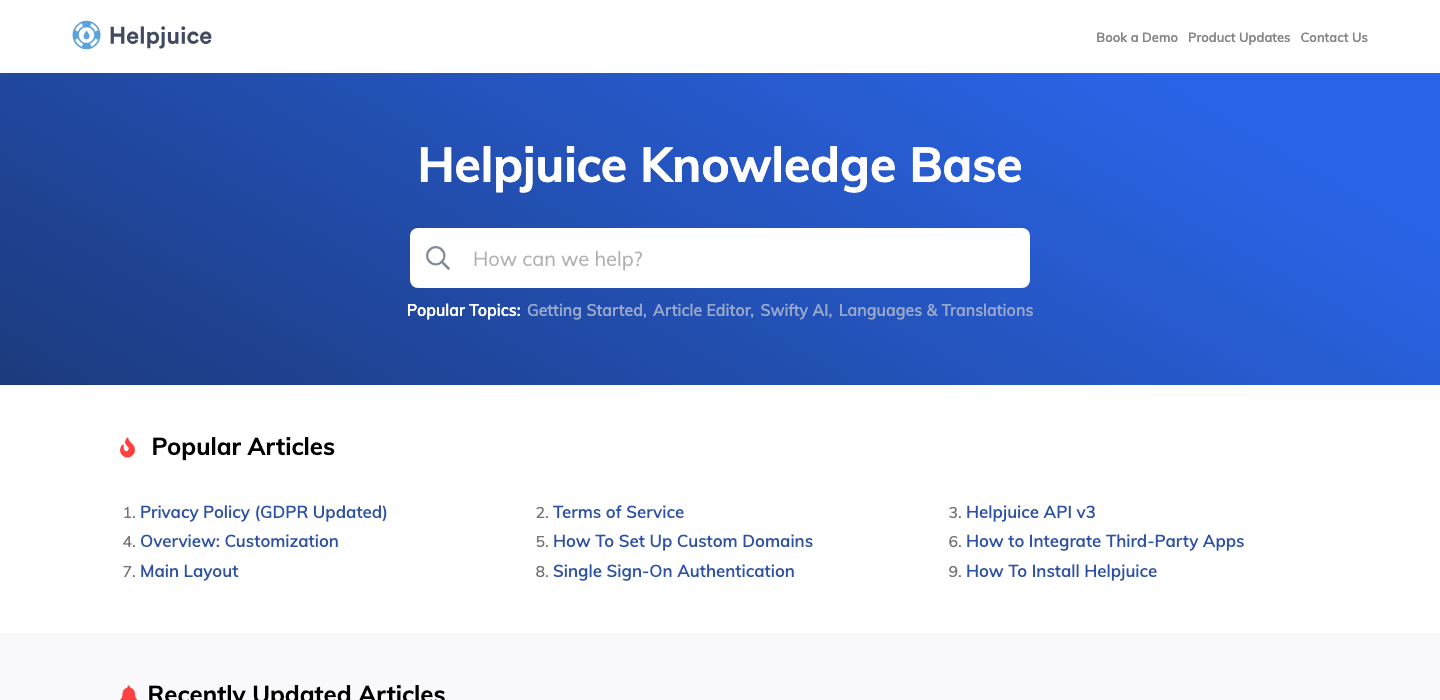
"The customer service is consistently friendly, incredibly responsive, and genuinely invested in making things work perfectly. We built a help center from scratch in just a few weeks and created custom, professional-looking pages without needing to write code. Customization options allow us to align the interface with our brand."
Why it ranks. Helpjuice trades on flat-rate pricing instead of per-seat math, which makes the cost predictable as the team grows. The "white-glove" onboarding (Helpjuice manually hand-crafts a custom design for every new account) is unusual in this category and shows up repeatedly in positive reviews. The AI layer is search-focused, not a customer-facing chatbot. For teams that want a custom-branded knowledge base, a flat monthly fee, and direct human help getting the site looking right, Helpjuice fits. For teams that want native ticketing or autonomous AI resolution, it does not.
8. KnowledgeOwl
Best for: Solo writers, niche KBs.
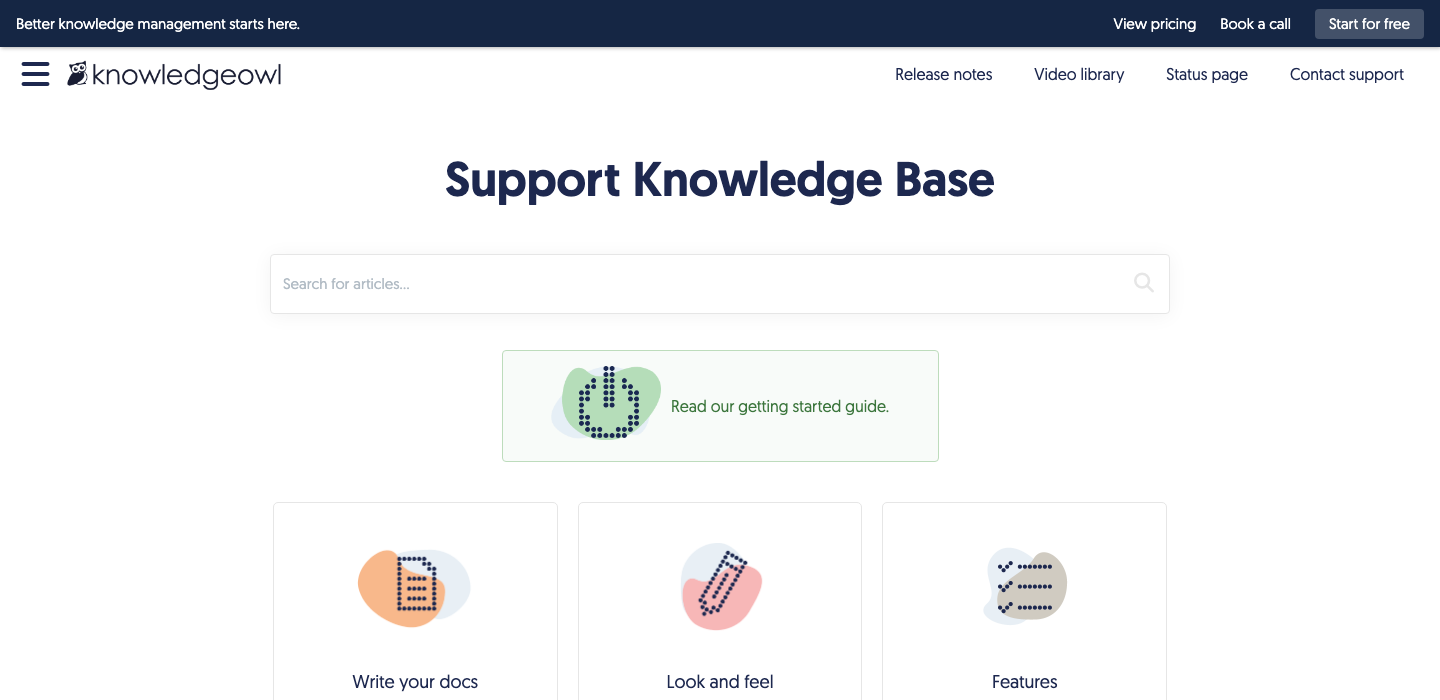
"KnowledgeOwl is the easiest and most comfortable to use by far compared to other platforms we have run. The initial setup is simple and straightforward. Customer service is friendly and extremely responsive, and it offers more in-depth customization and organization features than many other products at a much better price point."
Why it ranks. KnowledgeOwl is the indie pick: bootstrapped, small, beloved by solo knowledge base owners and niche teams that do not need ticketing or autonomous AI. Pricing is $99 per month for the entry plan, and there is a semantic search plus an in-house AI chatbot that only answers from the knowledge base. The trade-off is the same one every standalone knowledge base hits: no ticketing, no shared inbox, no native help desk integration. For teams that want a fast, no-nonsense KB and direct human support, KnowledgeOwl is unbeatable on satisfaction scores. Not the right shape for a 50-agent contact center.
9. HubSpot Knowledge Base
Best for: Teams on HubSpot Service Hub.
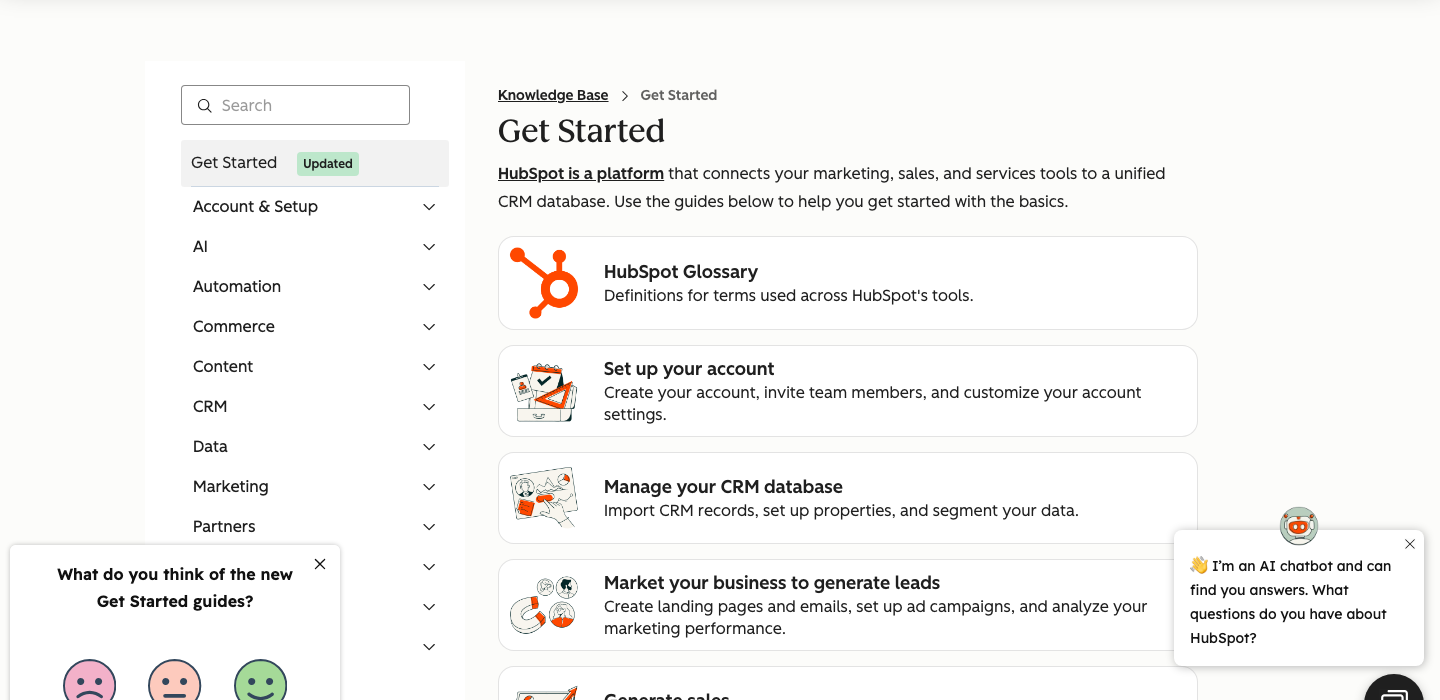
"It has been a surprisingly smooth and reliable tool for managing customer conversations. Very easy to set up, allowing us to start using features like the shared inbox, ticketing, forms and basic reporting right away without any complexity. The Knowledge Hub helps us create and share internal and external educational resources."
Why it ranks. HubSpot Knowledge Base is best when the team already lives in HubSpot CRM. Free tier on Service Hub is generous, Breeze AI surfaces article recommendations, and Pro and Enterprise tiers bundle in deeper service tooling. The catches: onboarding fees on Pro and Enterprise have historically run $3,000 to $7,000, the knowledge base is one piece of a much larger platform (so improvements happen on HubSpot's roadmap timeline), and the help center maintenance burden is fully manual. If you are not on HubSpot CRM, this is not the right anchor. If you are, the integration value is high.
10. Freshdesk Knowledge
Best for: Mid-market multi-product KBs.
"What I like most about Freshdesk is that it keeps all customer conversations in one place. Earlier it was difficult to track emails and support queries across different channels, but with Freshdesk everything becomes a ticket and it is much easier to manage. Our entire team was up and running without any actual training in a very brief period."
Why it ranks. Freshdesk is the cost-friendly mid-market default. Free covers up to two agents on basics, Growth at $19 per agent per month opens up ticketing plus the knowledge base, and Pro at $55 includes 500 Freddy AI sessions. Multi-product knowledge bases (one Freshdesk account, several customer-facing KBs) are a Pro-tier feature that mid-market teams use to serve product lines without splitting accounts. Where Freshdesk sits behind: feature depth (Zendesk and Intercom edge out on advanced AI), and the help center articles are still maintained manually. Great breadth-for-the-price, average depth.
11. Guru
Best for: Internal KB with verification.
"What I like best about using Guru is how it makes my job smoother, especially in a fast-paced environment. When I am on a call, I can pull up the exact info I need in seconds, which keeps me confident and avoids long pauses. The card-based system and verification workflow ensure content stays current."
Why it ranks. Guru is the internal-knowledge specialist, not a customer-facing help center. The card model is short, focused units of information that agents pull up mid-call via Slack, Teams, or the Chrome extension. The verification workflow (subject-matter experts confirm each card on a schedule) is the closest any traditional KB gets to a freshness signal, though it relies on humans remembering to verify rather than a code-anchored diff. Guru wins for sales enablement and internal support, where the audience is agents and SDRs. It does not publish a customer-facing knowledge base, so if you need self-service for end users, pair Guru with a different tool from this list.
What is help center software?
Help center software is a platform for publishing customer-facing self-service content (articles, FAQs, troubleshooting guides, video tutorials), connected to a search or AI layer that helps customers find answers without opening a support ticket. The category sits between knowledge base tools (where the focus is content) and help desk software (where the focus is tickets). Most modern help desk software solutions ship both layers as one product.
Help desk software centralizes customer inquiries and support tickets into a single platform. A centralized help desk system ensures no inquiries fall through the cracks by tracking requests and statuses in one place. Modern help desk tools integrate with email, chat, and social media into a unified interface, often called a unified agent workspace. Omnichannel ticketing merges email, live chat, phone, and social media into that workspace so support agents do not switch between five tabs to find one conversation.
The job-to-be-done is straightforward: deflect repetitive support requests, give customers faster answers than email or chat can, and surface gaps in product or documentation. SuperOffice's customer service benchmark report puts the cost of a self-service interaction at around $0.10 against $8 to $13 for a live support contact. That gap is what good help center software is supposed to widen. Self-service options can reduce ticket volume by up to 30 percent when the help center is current and the search actually works.
Best help center software for Customer Success Managers at SaaS companies
If you run customer success or customer support at a SaaS company with somewhere between 1 and 1,000 employees, the buying question is concrete. You want operational efficiency at scale, a better agent experience, performance metrics you can defend in a leadership meeting, and proof your team's value through reporting. The pain points are managing omnichannel customer interactions, rising customer expectations, siloed data across tools, and the constant pull between firefighting and improving the system.
For this persona, three tools tend to win the shortlist. Intercom for product-led SaaS that wants Fin handling tier-one tickets autonomously, with Copilot drafting replies and the help center serving as both Fin's ground truth and a customer-facing portal. Help Scout for teams that want a clean shared inbox, AI Drafts, AI Summarize, and a help center that does not require a dedicated admin. HappySupport for teams shipping weekly where the help center articles go stale faster than a human can audit them, and where customer satisfaction depends on the docs matching the product.
What you actually need on the shortlist: a self-service portal customers will use, omnichannel ticketing that does not lose context, AI tools that draft replies and route tickets without breaking, reporting features that show First Contact Resolution and CSAT, and integrations with the rest of your customer service software stack. Skip anything that demands a full implementation team.
Best help center software for IT Managers and software engineers at tech companies
If you sit closer to engineering, the lens is different. The questions are alignment with the existing stack, scalability without re-architecting, data security and access control, and whether the platform supports internal IT use cases like asset management, IT asset management, service request management, and change management alongside customer-facing support.
For internal IT, Jira Service Management (Jira Service Desk's current name) and Freshservice are the obvious anchors. Jira Service Management ties into the Information Technology Infrastructure Library (ITIL) practices most internal IT teams already use: incident, problem, change, and IT asset management. Freshservice is the lighter alternative for IT teams that want managed service providers' workflows without the Atlassian learning curve. Both support active directory integration, role-based permissions, and service request workflows.
For customer-facing help centers from tech companies, the same engineering preferences hold: clean APIs, GitHub-friendly content workflows, and a platform that does not break when the UI ships. HappySupport is the only platform on this list that connects to the product source code repository through GitHub Sync, so help center articles get flagged for review when relevant code changes. Engineering teams that want documentation in the same workflow as code put it on the shortlist for that reason alone.
Best help center software for CEOs, CTOs, and founders at tech companies
At the founder level, the math collapses to four numbers: profit margin, operational efficiency, churn, and time to value. The help center is not a line item you obsess over. It either reduces support cost and keeps customers happy, or it does not.
For founders, the question is rarely "Zendesk or Intercom." It is "do I hire a third support agent at $70k a year, or do I deflect 30 percent of tickets through better self-service and avoid the hire." That math favors tools with strong self-service capabilities, automated routing, and AI tools that handle repetitive tasks without an enterprise rollout. Free plans matter, because most of these tools get adopted under the radar by a support lead before procurement gets involved.
The shortlist for founders shrinks: Help Scout (clean, predictable seat pricing, includes a help center), Freshdesk (free for up to two agents, low ceiling on cost), Intercom (Fin AI Agent that scales support without scaling headcount), and HappySupport (flat platform fee, no per-agent tax, self-updating articles so the help center does not silently degrade between board meetings).
The best help center software for 2026
Ten platforms cover almost every buyer shortlist in this category. The order below is by category fit, not overall score.
1. Zendesk
The enterprise default. AI-powered knowledge base, AI Agents, agent copilot, advanced reporting, multilingual support across 100+ languages, deep governance and audit logs. Pricing starts at EUR 19/agent/month for Support Team and climbs to EUR 115/agent/month for Suite Professional, with Copilot at EUR 50/agent/month and Advanced AI as a separate add-on. Suite Team starts at EUR 55/agent/month.
Best for companies above 50 agents that need governance, compliance, and complex routing. Weakness: small teams pay an enterprise complexity tax. The cost of running Zendesk at scale is not the seat price, it is the staff who configure and maintain it.
2. Help Scout
The opinionated, lighter alternative. AI features include AI Drafts, AI Summarize, and AI Assist for content refinement, plus a customer-facing AI Answers add-on at $0.75 per resolution. Pricing starts at $25/user/month for Standard, $45/user/month for Plus, and $75/user/month for Pro. New accounts get a 3-month free trial of AI Answers.
Best for SMBs and SaaS teams that want a clean help center, shared inboxes, and a user friendly interface without the corporate weight of Zendesk. Weakness: deeper enterprise governance is limited, and the platform does not solve the long-term maintenance problem. Help center articles still need a human writer to stay current.
3. Intercom
The most aggressive on AI of the legacy platforms. Essential starts at $29/seat/month and includes Fin AI Agent, Messenger, shared inbox, ticketing, and the help center. Advanced runs $85/seat/month with workflow automation, round-robin assignment, and a multilingual help center. Expert sits at $132/seat/month with SSO, HIPAA, SLAs, and multibrand. Fin AI Agent is $0.99 per resolved outcome on top of seats. Copilot is $29/agent/month with unlimited usage.
Best for product-led SaaS teams that already use Intercom and want autonomous resolution from the help center. Fin handles repetitive tasks like password resets, billing questions, and basic how-tos, escalating only when grounded confidence is low. Weakness: the underlying help center articles still need a human to keep current, and Fin's quality is bounded by article quality. Fin without a fresh knowledge base is a confident wrong-answer generator.
4. Freshdesk
The budget-friendly mid-market option from Freshworks. Free covers up to two agents on basics. Growth starts at $19/agent/month with ticketing, knowledge base, and pre-built reports. Pro is $55/agent/month with customized portals, automation features, and advanced ticketing. Enterprise sits at $89/agent/month with audit logs, approval workflows, and skills-based assignment. Freddy AI Agent sessions cost $49 per 100 sessions beyond the 500 included with Pro and Enterprise.
Best for cost-sensitive mid-market teams already on Freshworks, and for teams that want the help desk software, knowledge base, and a self service portal in one suite. Weakness: feature breadth comes with depth gaps, and the AI agent quality lags Intercom and Zendesk.
5. Document360
Documentation-first knowledge base with strong AI search and customizable help center templates. Document360 publishes Professional, Business, and Enterprise tiers but no longer lists prices publicly; recent quotes place Business around $5,388 per project per year. Best for teams whose primary need is structured documentation, customizable knowledge bases, and a self service portal that scales across multiple products.
Weakness: it sits next to a help desk rather than replacing one, so most teams pay for both Document360 and a ticketing system. The help desk software solutions story is not Document360's job.
6. HubSpot Service Hub
Best fit for teams already on HubSpot CRM. From $20/seat/month, with Pro and Enterprise tiers carrying mandatory onboarding fees that have run $3,000 to $7,000 historically. AI features included at higher tiers. Weakness: the help center is one piece of a much larger platform, and pricing scales unpredictably as you add seats and other business tools.
7. Salesforce Service Cloud
The enterprise heavyweight. From $25/user/month for Starter to $550/user/month for Agentforce 1 Service. Best for Salesforce-native enterprises with complex compliance, change management, and governance needs. Weakness: implementation costs typically start at $25,000, and the help center is not the primary product.
8. Jira Service Management
Atlassian's IT service management platform, the successor to Jira Service Desk. Free for up to three agents, Standard at $19.04/agent/month, Premium at $47.82/agent/month. Strong on IT asset management, service request management, change management, and the rest of the ITIL playbook. Active Directory integration, project management tools, and tight links to Jira Software and Confluence.
Best for internal IT teams and managed service providers running ITIL-style operations. Weakness: customer-facing help center capabilities are thinner than dedicated help center platforms, and the editor scales toward IT teams rather than support agents.
9. HelpSpot
The veteran self-hosted option for teams that want full data control. One-time license plus optional support, no per-agent pricing in the cloud sense. Best for IT teams in regulated industries that cannot use SaaS help desk software solutions for data security reasons.
Weakness: AI features lag the cloud-first platforms by a generation, and the user friendly interface story trails Help Scout and Intercom.
10. HappySupport
The AI-native option, built for teams that ship faster than they can write articles. The HappyRecorder Chrome extension records UI flows as DOM and CSS selectors instead of screenshots, so the system knows when an underlying element changes. The HappyAgent GitHub Sync layer connects the help center to the product code repository, flagging articles whose source code has shifted. HappySupport offers three pricing plans. Pilot is a 14-day free trial including 10 articles and 5 users. Professional costs 399 EUR per month and includes 3 Help Centers and up to 5 users with Custom Domain. Scale is enterprise with custom pricing, unlimited users, SSO, and Dedicated Support.
Best for SaaS teams shipping weekly without a dedicated documentation team. Weakness: smaller integration catalog than Zendesk, fewer enterprise governance features today. See self-updating help centers and GitHub Sync architecture.
Help center software pricing comparison
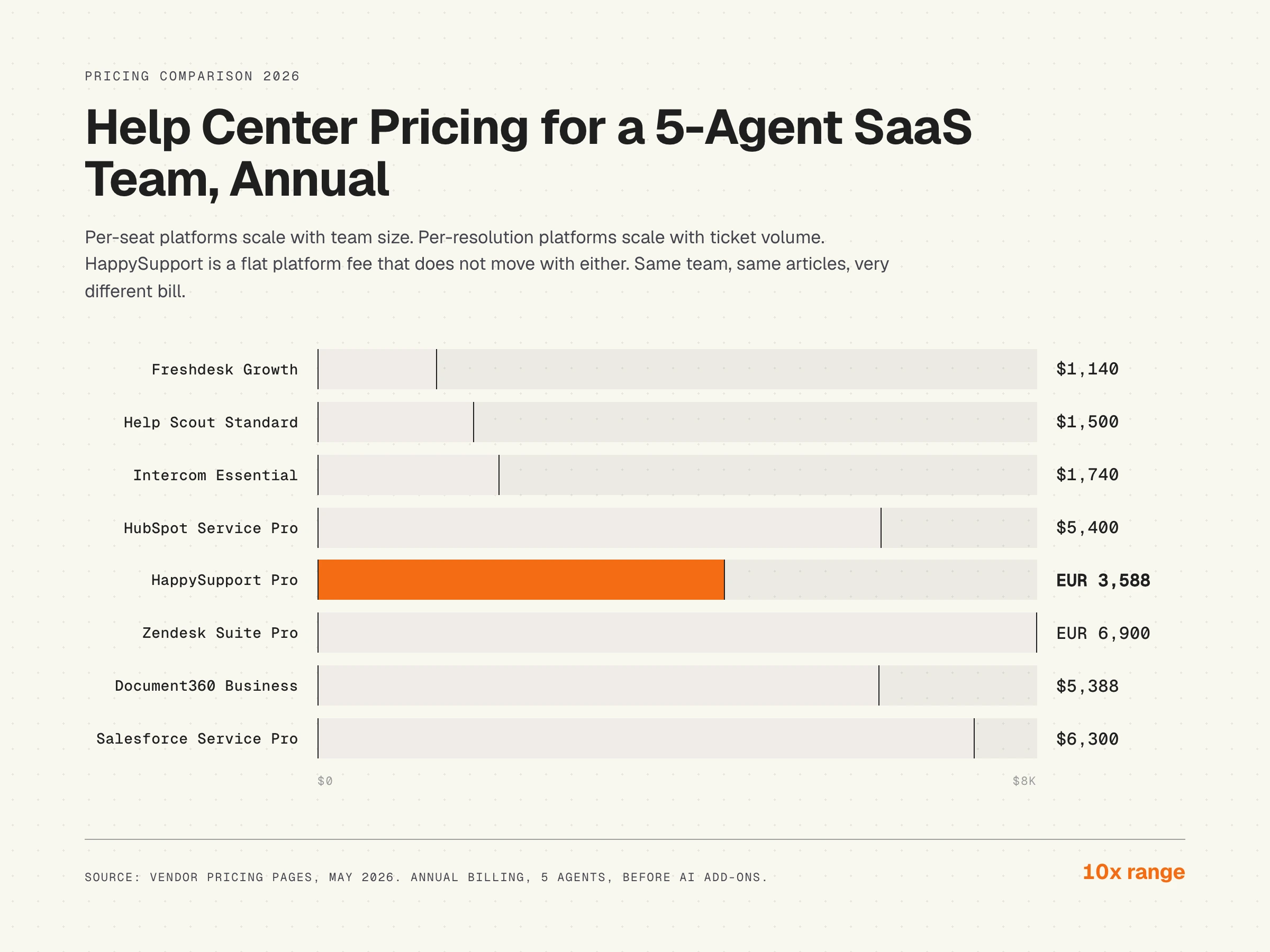
Pricing in 2026 splits into three patterns: per-seat (most legacy help desks), per-resolution (Intercom Fin and increasingly common), and flat platform fees (documentation-first tools and HappySupport). The model that fits depends on team size and ticket volume more than feature preference.
The hidden cost is not in the table. It is the labor cost of keeping help center articles current. A 200-article help center with weekly product releases costs roughly 8 to 12 hours a week of writer time to maintain, which at a $60/hour fully loaded rate is $25,000 to $37,000 a year. That is a recurring expense that does not show up in any feature comparison.
The chart below shows the published annual license for a 5-agent SaaS team across the main paid plans. The 10x gap between the cheapest and most expensive seats is real, and it does not include AI add-ons, onboarding fees, or maintenance labor.
Key features of help center software
The features that actually move metrics are narrower than the marketing pages suggest. The list below covers the desk features and self service capabilities you should test against your customer support operations, not just tick on a feature comparison.
AI search and chat
Conversational search that understands intent. Customers ask "how do I cancel" and the system returns the cancellation flow article, regardless of whether the article uses "cancel" or "subscription termination." Multilingual support across 30 to 100+ languages is now table-stakes. AI integration enhances customer support by automating responses and analyzing customer interactions. AI features include chatbots for 24/7 support, sentiment analysis, and suggesting knowledge base articles. Modern tools use AI to automate ticket categorization and response drafting.
Article generation, templates, and customization features
Customizable help center templates for the common article types: how-to, troubleshooting, FAQ, release note, feature overview. Generative AI fills in drafts. Templates reduce blank-page paralysis and keep formatting consistent. Customization features extend to branding, custom domains, and theme controls so the help center feels like the product, not a generic portal.
Knowledge base analytics and reporting features
Actionable analytics involves customizable dashboards tracking First Contact Resolution (FCR), agent handle times, and CSAT. Good help desk software includes reporting and analytics for response times, ticket volume, resolution rates, and team performance. Dead-end queries point to content gaps. Failed citations flag missing topics. This is the feedback loop that turns a static archive into a living system, and it is the data layer that lets a support lead prove team value to leadership.
Automation features and automated routing
Automation features handle repetitive tasks like ticket assignment, status updates, and escalations. Automation can significantly reduce response times by handling these routine tasks. Help desk software automates ticket routing based on predefined rules: by intent, sentiment, customer tier, or topic. Workflow automation extends into escalation paths, SLA enforcement, and follow-up reminders. Automating routine tasks improves accountability, monitors SLAs, and alerts teams when deadlines are at risk. This is where simplifies ticket management goes from marketing line to actual operational gain.
Knowledge base and self-service options
A customizable knowledge base lowers ticket volume by allowing customers to find answers independently. The knowledge base feature allows customizable help centers or forums to reduce repetitive questions. Self-service options can reduce ticket volume by up to 30 percent through searchable help centers. Help desk software can link help articles directly to ticket forms for self-service, so customers see a relevant article before they submit.
Omnichannel and multichannel support
Modern help desk tools integrate with email, chat, social media, phone, and increasingly in-app messaging. Multichannel support is the bare minimum. Omnichannel support means the customer context follows the conversation across channels, so a chat that becomes an email keeps its history. Supports multi channel communication is the feature flag; whether it actually feels seamless to the support agent is the test.
Segmented access and user groups
Public help center for customers, internal knowledge base for agents, restricted documents for admins. Most tools support this with varying granularity from two tiers (public, private) to dozens of permission groups. For internal IT and managed service providers, role-based access plus active directory integration is non-negotiable.
Media variety
Modern help center articles use video tutorials, screenshots, and animated GIFs to teach different learner types. The catch: media ages faster than text. A screenshot taken when an article was published is wrong by the next product release, and most tools have no way to detect this. See why screenshot documentation breaks every release.
Collaboration tools and shared inboxes
Collaboration tools enable support agents to work together efficiently on tickets, reducing response times. Shared inboxes allow multiple agents to view and respond to inquiries, preventing duplicate responses. Help desk software often includes internal knowledge bases for support team collaboration, plus internal notes on tickets so context never lives only in one agent's head.
SLA tracking and team performance
Track service level agreements at the ticket, queue, and account level. Most platforms surface SLA breaches in real time and pipe team performance metrics into a dashboard. For customer service teams that report up the chain, SLA tracking is the difference between "we are doing well" and "we have data."
Integrations with other business tools
Help desk software should integrate seamlessly with CRM, inventory tracking, project management tools, and team collaboration tools. Native integrations beat Zapier middleware for anything you touch daily. For internal IT, IT asset management, service request management, and active directory integration belong on the list.
What the practitioners are actually asking for
The marketing pages tell one story. The threads where actual buyers post their requirements tell a different one. On an r/sysadmin thread about help desk software for a 10-person team, three patterns repeat across the most-upvoted responses.
First, the default recommendation is still "buy Zendesk or Freshdesk, create a support@ email, and away you go." That is the path most teams take and most teams later regret because of cost creep or complexity tax. Second, there is a strong open-source vote for OSticket from teams that genuinely cannot spend money, often two-person IT shops. Third, and the one that tracks closest to where the market is going, comes from a 10-person team: "for a 10-person team, avoid heavy help desks. Something that keeps email as tickets and just adds structure works better." That practitioner also pointed out that AI tools that help with first drafts removed the worst of the repetitive workload.
One sysadmin running FreshService at a small company put it bluntly: "Only takes a couple hours to get the basics down and set it up, but plenty of additional features you can choose to utilize or not over time. Very little ongoing administration required if you aren't changing things." That is the actual buying criterion for tiny IT teams and lean SaaS support teams: time-to-running, low ongoing administration, and the ability to grow into more advanced features later. Most "best help desk software" lists overweight feature breadth and underweight that single line.
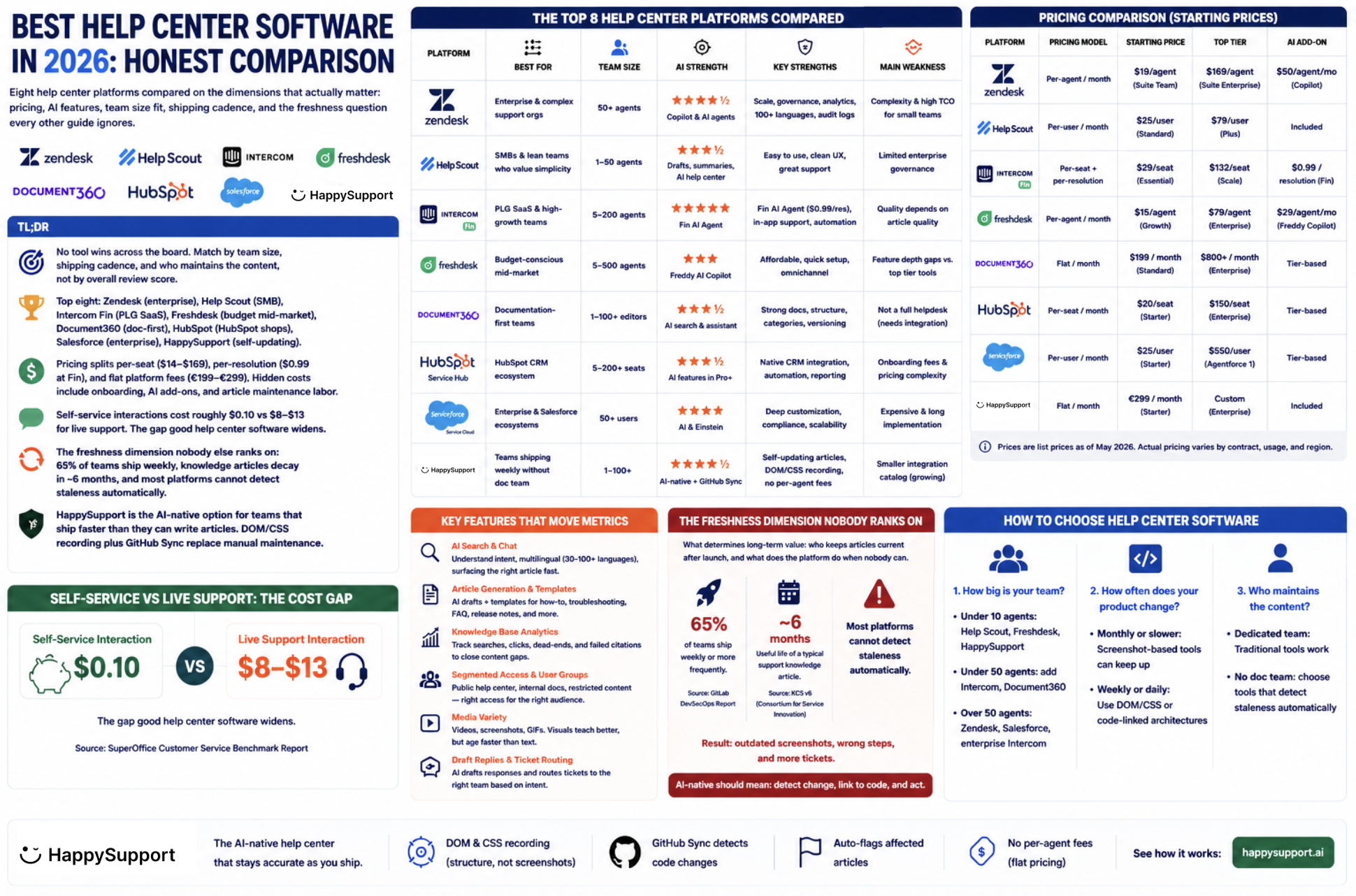
Best help center software 2026, visual comparison.
How help desk software has converged with help center software
In 2020, help desk software, knowledge base software, and customer service software were three buying decisions. By 2026 they are usually one, sold as one suite. The biggest desk software solutions all ship a help center, a shared inbox, ticket management, automation, and AI features inside the same login. The narrow tools (Document360, HelpSpot) hold ground at the edges.
The convergence matters because the buying question changed. The old question was "which desk software options should we evaluate against which knowledge base." The new question is "which platform handles managing tickets, customer inquiries, omnichannel customer interactions, self-service support, automation tools, and reporting in one place, and which one will not silently degrade as the product ships." That is what makes the freshness dimension below the actual decisive factor.
The freshness dimension nobody else ranks on
Every other "best help center software" guide compares the same five dimensions. None ask the question that determines long-term value: who keeps the articles current after launch.
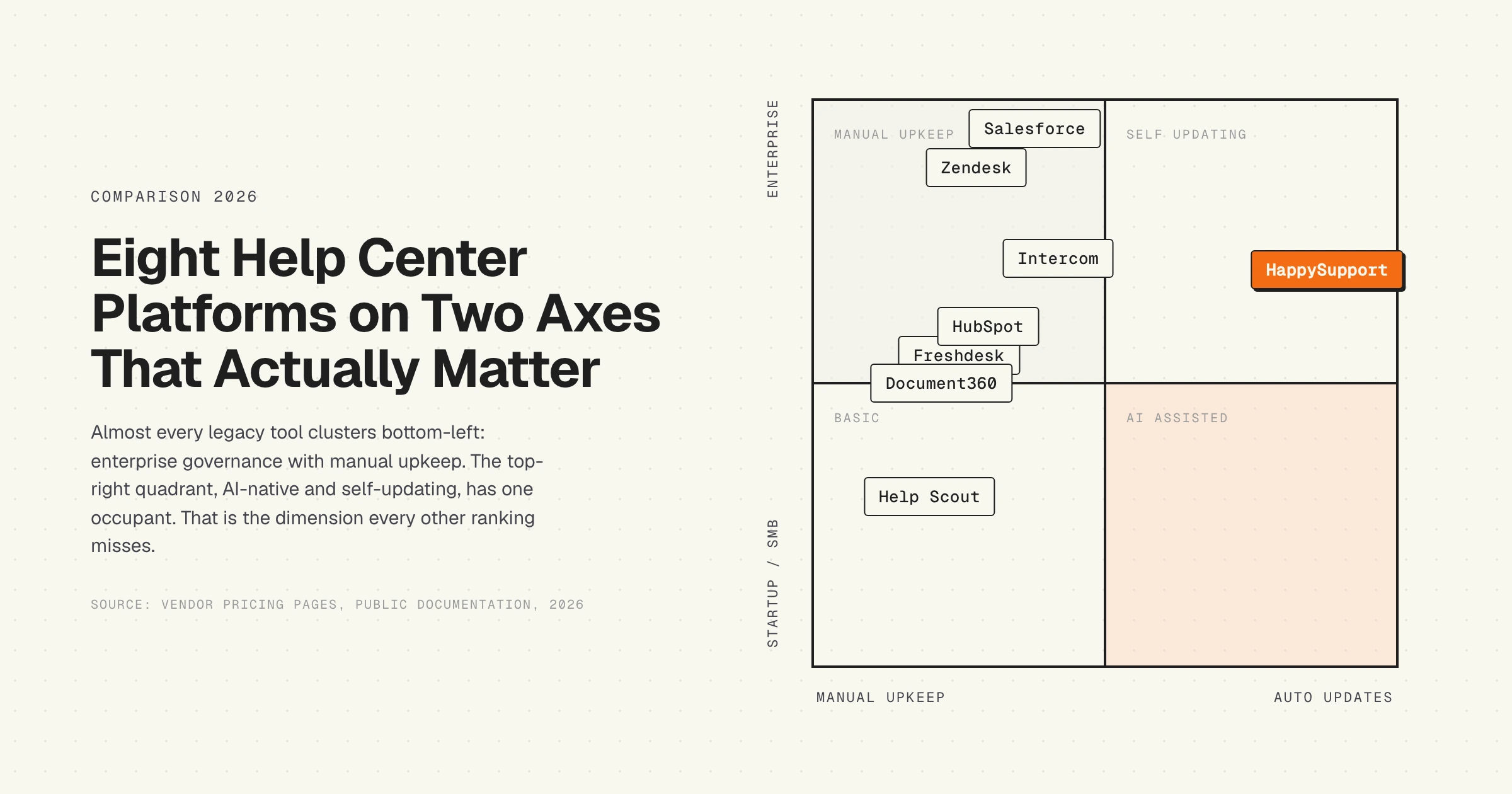
The decay is structural. Help articles age fast for one reason: the product underneath them ships. The GitLab DevSecOps Report found that 65 percent of teams ship weekly or more frequently. Each release shifts UI, naming, or behavior in ways that quietly invalidate articles. The Consortium for Service Innovation's Knowledge-Centered Service methodology notes that the useful life of a typical support knowledge article is around six months.
If nobody is auditing 200 articles after every release, decay compounds. Customers ask questions whose answers are in the articles, but the articles describe the old UI. The chatbot confidently cites screenshots that no longer match the product. Support tickets come back. The math is in our piece on documentation decay.
What "AI-native" should mean
AI-native should mean the AI participates in maintenance, not just retrieval. Practically that requires three things current chatbot layers lack:
- A signal that the product changed. DOM and CSS selectors recorded at article creation time, compared against the live product, give the system a structural diff.
- A signal that the code changed. Repository sync wires the help center to the source. When relevant code is modified, articles that depend on it get flagged for review.
- A workflow to act on the signal. Flagging is useless without an owner and an SLA.
Without these three layers, "AI-native" is marketing. Enterprise security like SOC 2 certification and role-based data encryption is the other table-stakes layer most teams forget to ask about until procurement raises it.
How to choose help center software
Three questions matter more than any feature checklist.
How big is your team?
Under 10 agents: Help Scout, Freshdesk, HelpSpot, or HappySupport. Up to five users get covered on most starting plans without trouble. Under 50 agents: same plus Intercom or Document360. Over 50 agents: Zendesk, Salesforce Service Cloud, or enterprise Intercom. Tool fit changes sharply at the team-size thresholds where pricing, governance, and complexity start to matter.
How often does your product change?
Monthly or slower releases let screenshot-based help centers keep up with manual effort. Weekly or daily releases require DOM/CSS or code-linked architectures. Cadence is the technical-fit question almost nobody asks during evaluations.
Who maintains the content?
Dedicated documentation team: traditional help center software (Zendesk, Document360, Help Scout) works. No documentation team: maintenance overhead falls on the support lead and they will lose. Tools that detect staleness automatically are the only realistic option for lean teams. See how to manage a help center as one person.
Best help center software by use case
The "one best tool" framing is wrong. Use case drives the answer.
- Best for enterprise: Zendesk, Salesforce Service Cloud
- Best for SMB: Help Scout, Freshdesk
- Best for product-led SaaS: Intercom (with Fin), HappySupport
- Best for documentation-first teams: Document360
- Best for teams shipping weekly: HappySupport
- Best for HubSpot ecosystems: HubSpot Service Hub
- Best for budget mid-market: Freshdesk, Zoho Desk
- Best for internal IT and ITIL teams: Jira Service Management, Freshservice
- Best for self-hosted regulated industries: HelpSpot
- Best for autonomous AI resolution: Intercom Fin
Implementation tips
Three things to set up on day one. First, audit existing articles before connecting the AI. An AI agent grounded on stale content fails visibly within weeks. Run a content audit using our checklist, kill the worst 20 percent, fix the next 30 percent. Second, track failed queries from week one. Every dead-end search is a content gap. The first 90 days of analytics are the most valuable input. Third, decide who owns freshness. If nobody owns it, decay sets in fast. The piece on who owns documentation covers the trade-offs.
The HappySupport approach
Every other tool on this list assumes a human will keep articles current. HappySupport assumes the opposite. The HappyRecorder Chrome extension captures workflows as DOM and CSS selectors at the moment an article is written. Months later, when a developer ships a UI change, the system compares saved selectors against the live product and flags every article that no longer matches. The HappyAgent GitHub Sync layer reads the product repository, links code changes to affected help center articles, and surfaces what needs review before customers hit a stale page. The result is a help center that stays accurate at the speed your product ships, not the speed your documentation team can audit. For SaaS teams shipping weekly without a dedicated writer, this is the dimension every other ranking misses. See how self-updating help centers work and the cost model behind documentation decay.










