Most "AI tools for technical writing" lists answer the wrong question. They focus on speeding up draft creation, as if the problem were typing speed. The actual problem most technical writers describe is different: every article they ever wrote begins to age the moment the next product release ships, and there is no AI in the toolkit that tells them which articles need to be rewritten. Technical writers do not fear being replaced by AI. They fear the maintenance treadmill, and almost no AI tool on the market today helps with it.
This guide ranks AI tools for technical writing using two axes: what they actually do for the work you produce today, and what they do for the much larger volume of work that needs to stay accurate next quarter. Tools that solve only the first half are useful but limited. The 10x leverage is in the second half.
What are AI tools for technical writing?
AI tools for technical writing are software applications that use large language models to help technical communicators produce, edit, and maintain documentation, API references, release notes, and structured content. The category covers writing assistants (Grammarly, Claude AI), structured authoring platforms with AI (Paligo, MadCap Flare), specialized documentation generators (Mintlify, DocuWriter.ai), content governance tools (Acrolinx, Markup AI), and a small but growing group of maintenance-focused tools (Swimm, HappySupport, Promptless) that detect when articles drift out of sync with the underlying product.
According to Knowledge-Centered Service research, the useful life of a typical knowledge article is around six months. For technical writers documenting weekly-shipping SaaS products, that timeline compresses to roughly twelve weeks before half of the published content is structurally wrong. AI tools that only speed up creation accelerate documentation debt without governance. The right tool depends on which half of the writer's job needs the leverage.
How AI changes the technical writing workflow
AI changes four parts of the technical writing workflow. The change is uneven, and the parts most often discussed are not the ones with the largest impact.
First-draft generation
AI cuts the time from blank page to usable first draft from 4 to 8 hours down to 30 minutes to 2 hours. The draft still needs subject matter expert review and rewriting for voice, but the productivity gain is real. This is the part most articles cover.
Style consistency and grammar
Tools like Grammarly, Acrolinx, and Markup AI enforce a custom style guide across hundreds of articles. The value comes when the team is large or the documentation set is sprawling. For a single writer maintaining 50 articles, manual style discipline often beats the tooling overhead.
Drift detection (the underrated capability)
Tools that watch for code changes, UI changes, or broken references and flag affected articles are the highest-leverage AI in the technical writing toolkit. Swimm flags drift between code and code documentation. HappySupport flags drift between product UI and customer-facing articles. This category is small because the engineering is harder than wrapping a chat interface around a wiki.
Release notes from diffs
AI is now reliable at drafting release notes from code diffs and commit history. The writer still curates for user impact and clarity, but the lift from a structured diff to a draft release note is real. Mintlify, GitBook, and several documentation generators ship this capability.
The 8 AI writing tools, ranked
Eight tools cover the technical writing shortlist. Order is by how much of the writer's actual workload the tool addresses, not by feature count.
1. HappySupport
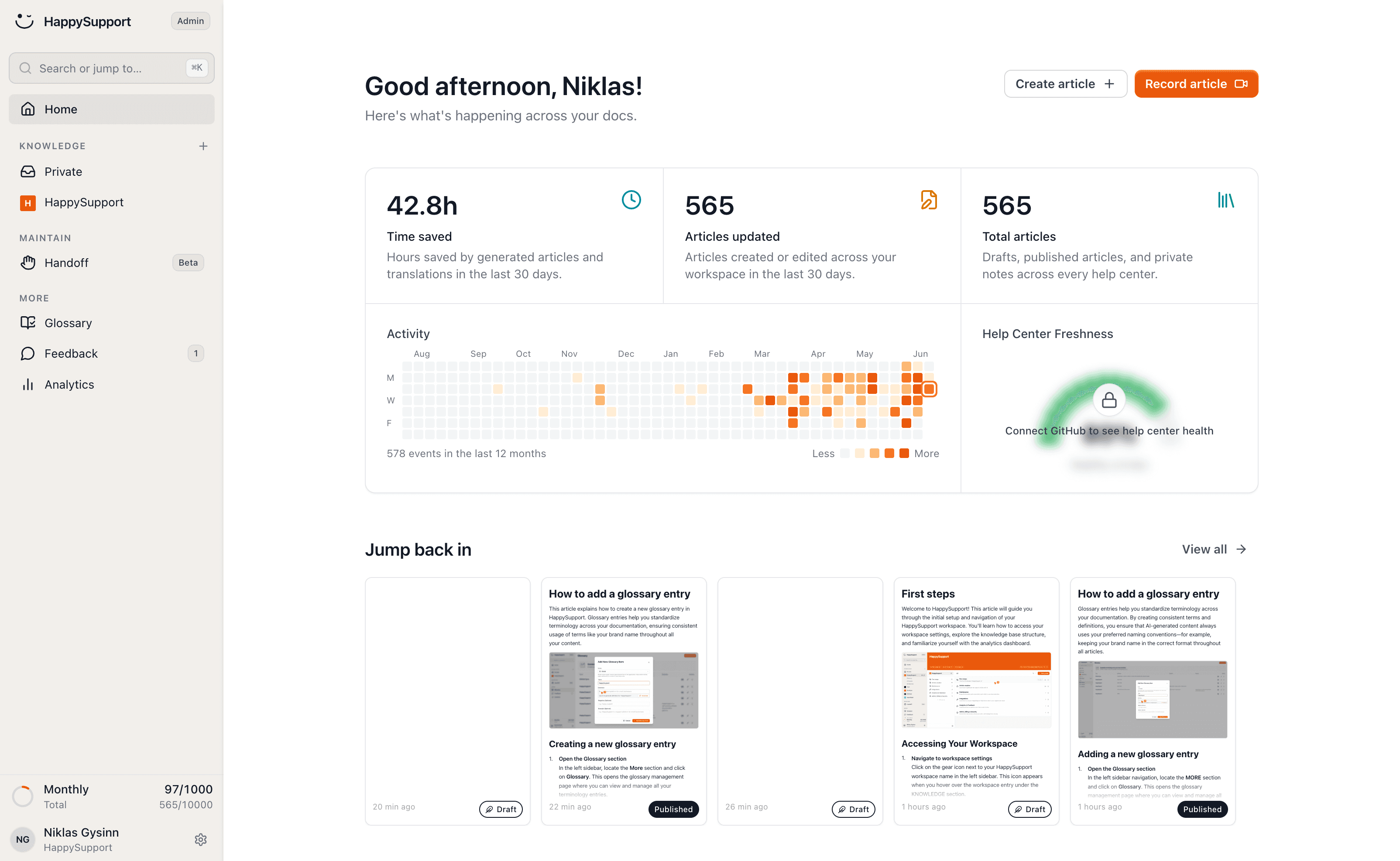
The maintenance-native AI tool for technical writers documenting fast-shipping SaaS products. The HappyRecorder Chrome extension records UI flows as DOM and CSS selectors at article creation, giving the system a structural reference for the live product. The HappyAgent Git handoff connects the help center to the product code repository and proposes updates for articles whose source code has shifted. AI chat with citations, a ticket inbox and an in-app widget are included. Pricing starts at €129/month flat. Best for technical writers responsible for customer-facing help centers without a dedicated audit team. Weakness: no style enforcer like Grammarly or Acrolinx (the AI editor with seven templates and a glossary covers drafting, not style governance) and not an API reference tool.
2. Mintlify
The leader for developer documentation. Mintlify ships docs-as-code, GitHub sync, AI-assisted drafting, and a Workflows agent that automates parts of docs maintenance from code signals. Pricing: free starter, Pro at $150/month, Growth at $550/month. Best for technical writers on developer tools and API-first products. Weakness: less suited to non-technical customer-facing how-to articles.
3. Grammarly
The default AI writing partner for grammar, style, and tone consistency. Grammarly Business adds custom style guide enforcement across teams. Pricing: from $12/user/month. Best for technical writers on cross-functional teams where style consistency matters. Weakness: not technical-domain-aware, will flag valid technical jargon as errors and miss subtle accuracy issues.
4. Claude AI
The most capable general-purpose LLM for technical writing tasks: drafting, restructuring, summarizing, and rewriting for clarity. Pricing: $17/month for Pro. Best for technical writers who want a flexible reasoning partner for complex documentation tasks. Weakness: requires careful prompting and review, and handles long-context documents better than short repetitive ones.
5. Document360 with Eddy AI
The opinionated knowledge base with AI authoring assistance and grounded answer generation. Document360 ships AI draft generation, FAQ creation, related-article suggestions, and Ask Eddy AI for citations. Pricing: from $199/month. Best for technical writers responsible for structured customer-facing documentation. Weakness: assumes a human keeps articles current, no structural drift detection.
6. Acrolinx
The opinionated content governance platform for enterprise technical writing teams. Acrolinx enforces terminology, voice, and style across thousands of articles. Pricing: custom enterprise. Best for large documentation teams at regulated companies (medical devices, aerospace, finance). Weakness: heavy implementation, overkill for teams under 10 writers.
7. Paligo
Structured authoring platform built on DITA-like component content reuse, with AI assistance for translation and reuse suggestions. Pricing: from $4,800/year. Best for technical writers managing single-source publishing across many output formats. Weakness: significant learning curve, opinionated about authoring approach.
8. DocuWriter.ai
AI-first documentation generator that produces drafts from source code across 20+ programming languages. Pricing: from $49/month, scaling to $129/month. Best for solo technical writers or developer teams that want fast first drafts of API and code documentation. Weakness: pure creation tool, no maintenance signal, no analytics.
What technical writers actually need from AI
Surveys and interviews with technical writers consistently point at five capabilities, and the listicles consistently focus on the first two while ignoring the others.
Drafts that respect existing voice
Generic AI drafts read as generic. Writers want drafts that match the team's existing style guide, terminology, and tone. Custom-trained models or style-guide-aware tools (Acrolinx, Markup AI, Grammarly Business) deliver this. Generic LLM use cases do not.
Help with the boring parts
Release notes, FAQ generation, alt text, summary generation, related-article suggestions, and translation are the high-volume, low-creative parts of the job. AI is reliably good at these. Tools that bundle them into the authoring workflow (Document360, Mintlify, GitBook) earn time back on every article.
Drift signals before customers complain
The most valuable AI capability for a technical writer is one that says "these 12 articles describe a UI that no longer exists, here are the affected files." Without that signal, the writer spends weeks running quarterly audits manually. Swimm provides this for code documentation. HappySupport provides this for customer-facing UI documentation. Almost nothing else does.
Diff-aware editing
When code changes, the writer needs to see the diff and the affected article side by side, not hunt through commits and grep for the relevant section. Tools that stitch the two together (Swimm, Mintlify Workflows, HappySupport's GitHub Sync) cut review time substantially.
Hallucination guardrails
Technical accuracy is non-negotiable. AI tools that ground answers in cited source material (RAG with citations) are usable. AI tools that generate plausible-sounding but unverified claims are dangerous. Writers need to see the source for every AI-generated statement before publishing.
AI technical writing tool pricing
Pricing varies by category. Writing assistants are cheap, structured authoring platforms are expensive, maintenance tools sit in the middle with flat pricing.
| Tool | Starting price | Best for |
|---|---|---|
| HappySupport | from €129/month (flat) | Customer-facing maintenance |
| Mintlify | $150/month | Developer docs + drafts |
| Grammarly Business | $12/user/month | Style consistency |
| Claude AI | $17/month | Flexible reasoning |
| Document360 | $199/month | Structured KB + AI |
| Acrolinx | Custom (enterprise) | Enterprise governance |
| Paligo | $4,800/year | Structured authoring |
| DocuWriter.ai | $49/month | Code-to-docs drafts |
Most teams end up with a stack of two or three tools: a writing assistant (Grammarly or Claude), an authoring or knowledge base platform (Document360, Mintlify, or HappySupport), and either a governance tool (Acrolinx) or a maintenance tool (HappySupport, Swimm). Single-tool stacks are rare outside of small teams.
The maintenance gap most listicles ignore
Every other "best AI tools for technical writing" list compares the same dimensions: writing speed, draft quality, style enforcement, integrations. None ask the question that decides whether the documentation set is still trustworthy in six months: who keeps articles current after publication.
The economics make the gap obvious. The GitLab DevSecOps Report finds 65% of teams ship weekly or more frequently. The KCS methodology sets the useful life of a typical knowledge article at around six months. Multiply those two numbers and the picture is clear: weekly shippers compress the useful life of every article into roughly twelve weeks. After that, half the documentation set is wrong, and a technical writer auditing 200 articles manually each quarter is a job that does not scale. The full math is in our piece on the hidden cost of documentation decay.
Why writers ask for maintenance, not creation
Surveys of technical communicators consistently surface the same complaint. Drafts are not the bottleneck. Reviews are not the bottleneck. The bottleneck is finding out which of the 200 published articles still describes the product correctly. Writers want a tool that says "these 12 articles changed under you in the last release" and gives them the diff. That signal does not exist in most of the AI writing assistants on the market.
What changes when a writer has the signal
With drift detection in place, the technical writing job changes shape. Quarterly audits become continuous review of a flagged queue. The writer becomes the person who fixes 12 flagged articles a week, not the person who hopes to one day get around to auditing all 200. Output quality goes up because every article has a recency stamp the writer can defend, and the help center stops slowly drifting into something nobody trusts.
How to integrate AI into your technical writing workflow
Three practices separate teams that get value from AI from teams that pay for shelfware.
Start with the boring stuff
Use AI first for release notes from diffs, FAQ generation, alt text, summary creation, and translation. These are high-volume, low-creative tasks where AI is reliably good. Once the team trusts the output on the easy work, scope expands naturally.
Add governance before scale
AI accelerates documentation debt without governance. Decide who owns content, set verification schedules, and use tools (Acrolinx, Markup AI, Document360 workflows) to enforce style and review SLAs. Tools without governance turn a knowledge base into a knowledge graveyard within a year.
Wire in a maintenance signal
Without a way to detect drift, the team is back to manual quarterly audits within a quarter. Wire in a code-aware or UI-aware maintenance tool (Swimm, HappySupport, Promptless) at launch, not as a six-month afterthought. The piece on keeping docs up to date with weekly releases covers the workflow.
Common mistakes when adopting AI for technical writing
Three mistakes recur across rollouts.
Treating AI as a replacement for the writer
AI accelerates a writer who knows the product, the audience, and the style guide. AI without that human in the loop produces plausible but generic output that the audience does not connect with. The writer's job shifts from drafting to editing, curating, and maintaining, not away.
Ignoring source verification
AI-generated content that is not grounded in cited source material is a liability, not an asset. Tools that show citations on every claim are usable. Tools that produce ungrounded text are not, regardless of how polished the prose looks.
Skipping the audit before AI deployment
Pointing AI search or chat at an unaudited knowledge base produces faster wrong answers, not better support. Audit content first, fix obvious staleness, then deploy AI on top. The piece on how to audit a help center covers the cleanup.
The HappySupport approach
Every other AI tool on this list helps technical writers produce content faster or more consistently. Almost none of them help with the larger problem, which is the volume of already-published content that quietly goes wrong as the product ships. HappySupport is built around that problem. The HappyRecorder Chrome extension captures workflows as DOM and CSS selectors at the moment an article is written, giving the system a structural fingerprint of the live product. Months later, when a developer ships a UI change, the system compares saved selectors against the live product and flags every article that no longer matches. The HappyAgent Git handoff reads the product repository, links code changes to affected help center articles, and surfaces what needs review before customers hit a stale page. The result is a maintenance signal that turns the technical writer's job from manual quarterly audits into continuous review of a flagged queue. For technical writers responsible for customer-facing documentation on fast-shipping products, this is the dimension every other ranking misses. See how self-updating help centers work and the cost model behind documentation decay.
 Book a demo