An AI knowledge base trained on stale articles is more dangerous than no AI at all. It returns confidently wrong answers in conversational tone, complete with citations to the wrong source, and customers believe it. This is the part of the AI knowledge base buying decision that almost every comparison guide skips. Pricing, features, integrations all matter less than the answer to one question: what happens to your articles after launch.
This guide compares the eight AI knowledge base software platforms that support teams actually evaluate, defines what "AI-native" means in practice, and explains the freshness infrastructure that separates a real AI knowledge base from a chatbot bolted onto a static help center.
What is AI knowledge base software?
AI knowledge base software is a self-service knowledge management platform that uses artificial intelligence to ingest articles, understand customer queries, and return generated answers grounded in the source content. It combines a knowledge base with vector search, large language model generation, and analytics that show which questions are getting answered and which are falling through. The category replaces keyword search and static FAQ pages with conversational answers.
A useful working definition for buyers: software that ingests your help articles, indexes them as vector embeddings, retrieves the most relevant ones for any query, and generates a coherent answer in the customer's language. Anything less than that is keyword search with a chat widget.
AI-native vs AI-assisted
The distinction matters more than the marketing pages let on. AI-assisted means a chatbot or generative search layer added to an existing knowledge base, where humans still write, update, and maintain every article. AI-native means the system itself participates in maintenance: it detects stale articles, flags conflicting content, identifies gaps from failed queries, and tracks the underlying product so it knows when an article describes a feature that no longer exists. Industry research found AI-native platforms answer complex queries correctly 73% of the time on first attempt, while AI-assisted platforms scored 52%. The gap widens to 81% vs 52% once you exceed 500 documents (Enjo 2026 benchmark).
How does AI knowledge base software work?
AI knowledge base software runs a four-stage pipeline. Ingestion pulls articles from your help center, internal wikis, ticket history, and connected sources. Embedding converts each article into a vector representation that captures meaning rather than keywords. Retrieval matches incoming customer queries against that vector index. Generation uses a large language model to write a grounded answer, citing the source articles that informed the response.
This architecture is called retrieval-augmented generation, or RAG. It is the dominant pattern across Document360, Intercom Fin, Zendesk AI, Guru, Pylon, and almost every AI knowledge base launched in the past two years. The model itself (GPT, Claude, or a tuned variant) is not the differentiator. The differentiator is what gets ingested and how fresh it is.
Vector embeddings and semantic search
Vector embeddings let the system understand intent. A customer asks "how do I cancel my subscription," and the system finds the article titled "Ending your plan" because the meaning matches, not the words. Semantic search is the floor for any AI knowledge base in 2026. Without it, the chatbot is just a keyword search with a personality.
Generation and grounding
The generation step writes the answer. Grounding constrains the answer to come from your articles, not the model's general training data. Strong grounding produces accurate, citable answers. Weak grounding produces hallucinations: a confident answer about a feature your product does not have, or a pricing detail from someone else's documentation. Guardrails (confidence thresholds, escalation rules, citation requirements) determine how the system behaves at the edge.
Key features of AI knowledge base software
The features that move metrics are narrower than the marketing pages suggest. Five capabilities matter, the rest is plumbing.
Conversational AI search
Customers ask questions in their own language and get answers grounded in your articles. Multilingual support is now standard, with most platforms covering 30 to 100+ languages. Document360 ships answers in 50+ languages. Zendesk supports over 100. Help Scout ships AI search with translation built in.
Article generation and templates
Most platforms now ship templates for the common knowledge base article types: how-to, troubleshooting, FAQ, release note, feature overview. Generative AI fills in drafts from prompts, recorded interactions, or imported tickets. Templates reduce blank-page paralysis and keep formatting consistent across hundreds of articles.
Knowledge base analytics and tracking
Analytics surface what customers searched for, what they clicked, and where they gave up. Dead-end queries point to content gaps. Popular articles point to content that is working. Failed citations (the AI tried to answer but had no source) flag missing topics. This is the feedback loop that turns a static archive into a living system.
Content gap detection and stale content alerts
The maintenance layer. Tools differ widely here. Some platforms only flag duplicates. Others detect conflicting answers between articles. The strongest tools track whether the underlying product or feature has changed since an article was published. This is the dimension that separates a long-term-useful knowledge base from one that decays in 6 months.
Segmented access and user groups
Public help center for customers, internal knowledge base for agents, restricted documents for admins. Most tools support this, with granularity ranging from two tiers (public, private) at smaller platforms to dozens of permission groups at enterprise tools like Salesforce Service Cloud and Zendesk.
Media variety
Modern knowledge base articles use video tutorials, screenshots, and animated GIFs to teach different learner types. The catch: media ages faster than text. A screenshot taken when an article was published is wrong by the next product release, and most tools have no way to detect this. Tools with automated screenshots re-capture single images when the interface changes, though whole flows still need a person to re-record them.
Benefits of AI knowledge base software
The headline benefit is ticket deflection. Customers find answers themselves, the support team handles the harder cases. SuperOffice's customer service benchmark report puts the cost of a self-service interaction at around $0.10 against $8 to $13 for a live support contact. Pylon's analysis suggests well-implemented AI knowledge bases deflect 30 to 50% of repetitive tickets, with example math at 200 tickets deflected per month equivalent to $3,000 a month at a $15-per-ticket benchmark.
Beyond cost-per-ticket, AI knowledge base software changes how teams scale. Three other benefits matter more than they look on a feature page:
- 24/7 coverage without overnight staff. AI never sleeps, and most simple questions arrive at odd hours.
- Faster onboarding for new agents, who use the same AI search as customers.
- Better data on what customers actually struggle with, because every question is logged and clustered.
Best AI knowledge base software in 2026
The market splits roughly into three groups: legacy helpdesks with AI features, AI-first platforms, and documentation-first tools with AI added. Eight platforms cover most buyer shortlists.
A note on scope, because two adjacent questions get answered on two different pages. This page is about the AI layer: how answers get generated, what they are grounded in, how the AI is priced, and what keeps the source content correct. If what you actually need is a feature-by-feature comparison of help center platforms, including authoring, structure, theming, multilingual support and a forced ranking across Zendesk, HubSpot, Intercom, Freshdesk and Confluence, that is best help center software. Same vendors, different question: that page ranks the publishing platform, this one evaluates the AI on top of it.
Document360
Documentation-first knowledge base with strong AI features. Custom pricing typically starts around $199/month for Standard and climbs to $800+/month for Enterprise. Best for teams whose primary need is structured documentation and who want a platform built specifically for knowledge content rather than ticketing. Weakness: no integrated helpdesk, so most teams pay for both.
Guru
Internal knowledge management focus. From $15 to $25/user/month with a 10-user minimum. Best for teams that want internal knowledge cards surfaced in Slack, browser extensions, and meetings. Weakness: not built as a customer-facing help center.
Zendesk
The enterprise default. AI knowledge base, AI agents, agent copilot, advanced analytics, multilingual support. Pricing starts around $19/agent/month and climbs to $115 to $169/agent/month for full AI features, plus Copilot at $50/agent/month. Best for companies above 50 agents that need governance and compliance. Weakness: small teams pay enterprise complexity tax.
Intercom (with Fin)
The most aggressive on AI of the legacy helpdesks. Fin handles autonomous resolution at $0.99 per resolution on top of seat licenses ($29 to $132/seat/month). Best for product-led SaaS teams already on Intercom. Weakness: the underlying articles still need a human to keep current.
Help Scout
Lighter, opinionated SaaS-friendly platform. From $25/user/month. AI features include draft replies, summarization, and conversational search. Best for SMB and SaaS teams that want a clean alternative to Zendesk. Weakness: deeper enterprise governance is limited.
Notion
Workspace-style knowledge base with AI features tied to its Business plan at $18/user/month. Best for internal documentation that doubles as a wiki, project workspace, and lightweight knowledge base. Weakness: not built for customer-facing help centers, no native ticket deflection.
Confluence
Atlassian's enterprise wiki with AI features. Free for 10 users, then $6.05/user/month. Best for engineering and product teams already on Atlassian. Weakness: customer-facing knowledge base is not the primary use case, and the editor is not optimized for help articles.
HappySupport
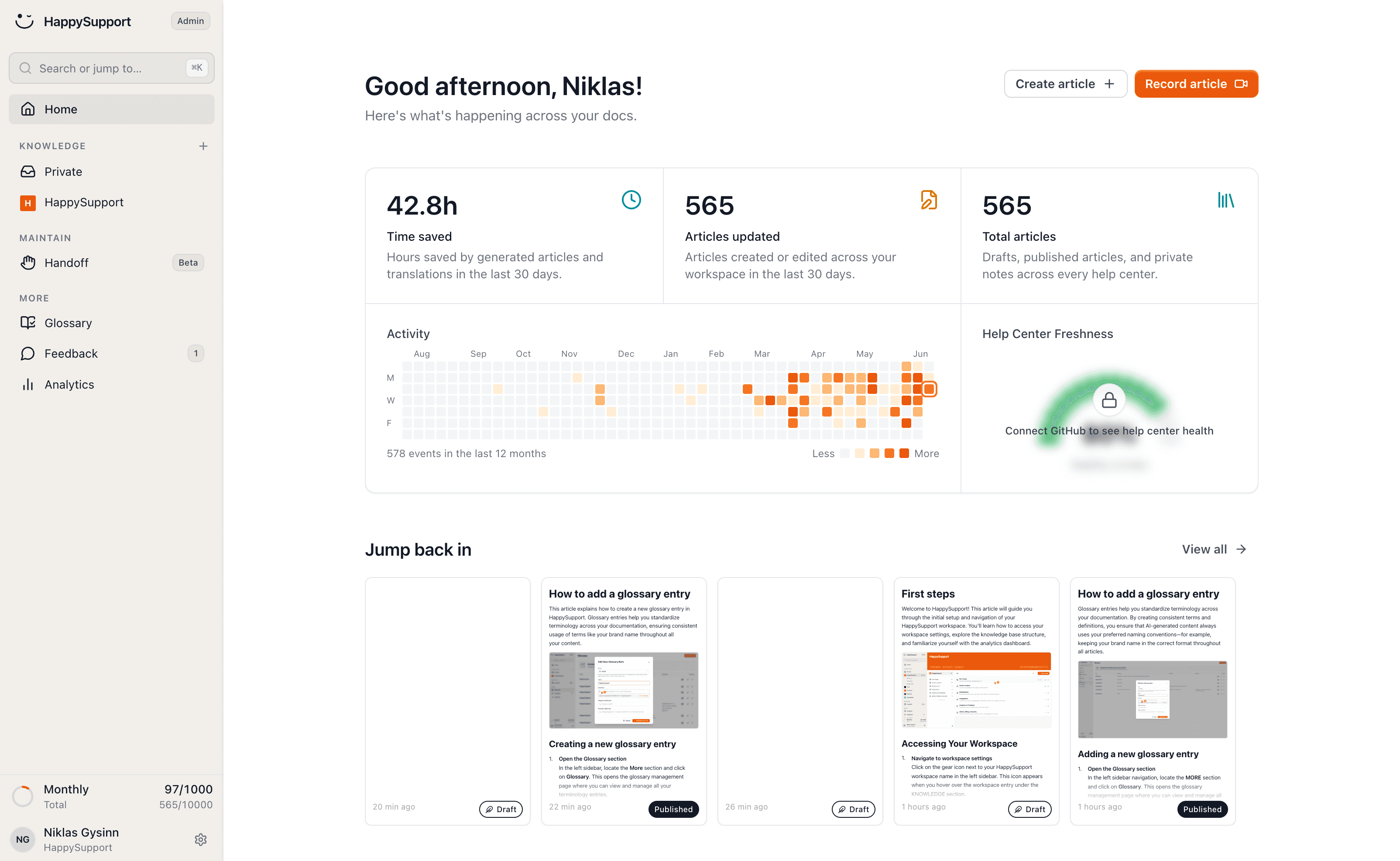
The AI-native option built around freshness. The Chrome extension records UI flows as DOM and CSS selectors instead of screenshots, so the system can detect when an underlying element changes. The HappyAgent Git handoff connects the knowledge base to the product code repository and proposes updates for articles whose source code has shifted. An AI chatbot for customer service that answers with citations, a ticket inbox and an in-app widget are included. From €129/month flat. Best for SaaS teams shipping weekly without a dedicated documentation team. Weakness: smaller integration catalog than Zendesk, fewer enterprise governance features. See how self-updating help centers work and GitHub Sync.
The freshness gap: why content quality beats model quality
Almost every AI knowledge base buying guide compares the same dimensions: features, integrations, AI capabilities, pricing. Almost none answer the question that determines whether the AI knowledge base will still work in six months: who keeps the articles current after launch.
This is the hidden cost most buyers find after the contract starts. The chatbot performs well in the first month. By month three, customers ask questions whose answers are in the articles, but the articles describe the old UI. By month six, the AI confidently cites screenshots that no longer match the product. The Consortium for Service Innovation's Knowledge-Centered Service methodology notes that the useful life of a typical support knowledge article is around six months.
The decay is structural. Help articles age fast for one reason: the product underneath them ships. The GitLab DevSecOps Report found that 65% of teams ship weekly or more frequently. Each release shifts UI, naming, or behavior in ways that quietly invalidate articles. If nobody is auditing 200 articles after every release, decay compounds. The math sits in our piece on the hidden cost of documentation decay.
Maintenance is the AI problem
The "AI-native" claim should mean the AI participates in maintenance, not just retrieval. Practically that requires three things current chatbot layers lack:
- A signal that the product changed. DOM and CSS selectors recorded at article creation time, compared against the live product, give the system a structural diff. Screenshots cannot do this. They are images.
- A signal that the code changed. Repository sync wires the knowledge base to the source. When relevant code is modified, articles that depend on it get flagged for review.
- A workflow to act on the signal. Flagging is useless without an owner. The strongest platforms route stale-article alerts to a defined owner with an SLA.
Without these three layers, "AI-native" is marketing.
Which platforms flag stale or duplicate articles before the AI answers wrong
Two different failure modes get treated as one problem, and they need different mechanisms.
Stale means the article was correct and the product moved. Duplicate means two or more articles answer the same question differently, which is worse for an AI than for a human: a human reading search results picks the newer one, while a retrieval layer may ground its answer in either, so the same question returns different answers on different days and nobody can reproduce the bad one.
What is actually available today, by mechanism rather than by marketing claim:
- Time-based review prompts. Guru is the clearest implementation: every card has a named Verifier and a 30, 60 or 90-day cadence, and the verification state travels with the card into the AI's answer. Zendesk Guide has content cues that flag articles on staleness signals and low ratings. This catches drift nobody reported, and its limit is that the clock knows nothing about your release calendar. A card verified Tuesday is treated as fresh even if the UI changed Wednesday.
- Engagement-based flags. Most platforms surface low helpfulness ratings, thin traffic, or failed searches. These are genuine signals and they are lagging ones: they fire after readers have already hit the bad article. Useful, never sufficient.
- Duplicate and gap detection. This is thinner across the market than vendors imply. Ask specifically whether the platform detects near-duplicate content across articles, or only exact-match. Semantic near-duplicates are the ones that poison AI grounding, and they are precisely what keyword-based checks miss. Where a platform has no answer here, the practical substitute is a scheduled content audit, which is a person and a spreadsheet.
- Product-change detection. The only mechanism that catches drift before a reader does, because it is triggered by the release rather than by a calendar or a complaint. It requires the article to store something structural about the product, DOM and CSS selectors rather than flat screenshots, plus a link to the repository so a code change can name the affected articles. This is what HappySupport is built around, and it is rare in the category.
The question to ask any vendor in a demo, which cuts through most of the AI messaging: when the product changes, does anything in your system know, and what specifically triggers it? If the answer is a review reminder, that is a calendar, not detection. If the answer is that low ratings surface the article, that is your customers doing the detection. Neither is wrong, and neither prevents the first wrong AI answer.
Practical sequencing that holds regardless of platform: deduplicate before you connect the AI, not after. Grounding a retrieval layer on a corpus with contradictions is the single most common cause of confidently wrong answers at launch, and it is the cheapest problem to fix beforehand. The help center content audit checklist covers the pass, and LLM knowledge base freshness scoring covers how to score what you find.
How to choose AI knowledge base software
Three questions matter more than any feature checklist.
Who maintains the content?
If you have a documentation team, traditional AI knowledge base software (Zendesk, Document360, Guru) works. If you do not, the maintenance overhead falls on someone (often the support lead) and they will lose. Tools that detect staleness automatically are the only realistic option for lean teams.
How often does your product change?
Monthly or slower releases let screenshot-based knowledge bases keep up with manual effort. Weekly or daily releases require DOM/CSS or code-linked architectures. Cadence is the technical-fit question.
What deflection target are you actually optimizing for?
30% deflection sounds great until you ask what the other 70% looks like. If the AI is deflecting easy queries and escalating angry confused customers because the articles are wrong, you have made support quality worse, not better. Real deflection requires real article quality. Knowledge base accuracy is the biggest predictor of AI agent quality, full stop.
AI knowledge base pricing
Pricing falls into four patterns: per-user (Slite, Guru, Notion), per-seat helpdesk (Zendesk, Help Scout, Freshdesk), per-resolution (Intercom Fin), and flat platform fees (Document360, HappySupport). The pattern that fits depends on team size and ticket volume more than feature preference.
| Tool | Starting price | Pricing model | Best for |
|---|---|---|---|
| Document360 | ~$199/month (quote-based since mid-2026) | Per project | Doc-first teams |
| Guru | $25/seat/mo annual, 10-seat minimum | Per-user with a floor | Internal KB |
| Zendesk | $19/agent/mo | Per-seat + AI add-on | Enterprise |
| Intercom Fin | $29/seat + $0.99/res | Hybrid | PLG SaaS |
| Help Scout | $25/user/mo | Per-user + per-resolution AI | SMB |
| Notion | $18/user/mo (Business) | Per-user | Internal wiki |
| Confluence | $6.05/user/mo | Per-user | Atlassian shops |
| HappySupport | from €129/month (flat) | Flat platform | Self-updating |
The hidden cost is not in the table. It is the labor cost of keeping articles current. A 200-article knowledge base with weekly product releases costs roughly 8 to 12 hours a week of writer time to maintain, which at a $60/hour fully loaded rate is $25,000 to $37,000 a year. That is what a maintenance-native platform replaces.
Pricing tiers for AI support agents, with knowledge base training and analytics
The table above prices the knowledge base. This one prices the AI agent that answers from it, which is billed separately almost everywhere and is the number that actually moves with traffic. Checked against vendor pages and vendor documentation in August 2026.
| Platform | How the AI is priced | Trains on your knowledge base | AI analytics included |
|---|---|---|---|
| Intercom Fin | $0.99 per resolution, 50-resolution monthly minimum | Yes, from Articles plus external sources you connect | Yes: resolution rate, citations per answer, conversation deflection |
| Zendesk AI agents | Advanced AI add-on at $50 per agent per month, on top of the Suite seat | Yes, from Guide articles | Yes, plus Explore on upper Suite tiers for cross-channel reporting |
| Help Scout AI Answers | $0.75 per resolution, on top of seats at $25, $50 or $65 per user per month | Yes, from Docs | Yes, resolution-level reporting |
| Guru | Bundled into the seat price, with usage limits | Yes, from verified cards only | Yes, usage signals plus verification state |
| Confluence Rovo | Bundled into every paid plan, 25 credits per user per month on Standard | Yes, and across Jira and connected tools | Yes, at the Atlassian admin level |
| Document360 Ask Eddy | Paid add-on on top of a quote-based subscription | Yes | Yes, search and answer analytics |
| HappySupport | Included in the flat platform fee | Yes, with freshness state as a retrieval signal | Yes, including failed queries and stale-article flags |
Three patterns, and the one you pick determines your risk more than your price:
- Per resolution (Intercom at $0.99, Help Scout at $0.75). The vendor is paid when the AI succeeds, which is the best-aligned model available and the one that makes forecasting hardest. Cost scales with traffic, not headcount, so a good month on the marketing site is a bigger AI bill. Model this at 3x your current volume before committing. Help Scout gives new accounts a three-month free trial of AI Answers, which is the cheapest way to get a real number.
- Per seat add-on (Zendesk at $50 per agent per month). Predictable, and expensive in a way that has nothing to do with whether the AI works. Twenty agents is $1,000 a month whether the AI resolves 10 conversations or 10,000. Good for budgeting, bad for value alignment.
- Bundled (Guru, Confluence Rovo, Document360's add-on aside, HappySupport). No usage line at all, usually with soft limits or credits behind it. Cheapest to reason about; check what happens when you exceed the limit, because "rate-limited" and "billed" are very different outcomes at 9am on a Monday.
What none of these tiers price, and the reason two teams on identical plans get different results: the AI is trained on your articles, so its accuracy ceiling is set by your content and not by the tier you bought. An agent grounded in 200 current articles outperforms the same agent grounded in 200 articles where 60 are stale, at the same price. There is no tier that fixes that, which is what the next section is about.
Implementation timeline
Implementation typically takes 1 to 2 weeks for small teams (under 50 articles, single product) and 4 to 8 weeks for larger organizations (300+ articles, multiple products, multilingual). The variable that drives the timeline is content readiness, not platform complexity.
Three things to set up on day one: audit existing articles before connecting the AI, track failed queries from week one, and decide who owns freshness. The piece on who owns documentation covers the trade-offs between PM, support, and dedicated technical writer ownership. Pages with original analytics data and citations are 4.1x more likely to be cited by AI search systems (Superprompt research, 2025), which makes good knowledge base analytics also good AI distribution.
The HappySupport approach
Every other tool on this list assumes a human will keep articles current. HappySupport assumes the opposite. The HappyRecorder Chrome extension captures workflows as DOM and CSS selectors at the moment an article is written. When a developer ships a UI change later, the system compares saved selectors against the live product and flags every article that no longer matches. The Git handoff reads commits and pull requests in the product repository to update docs when code changes: it links each change to the affected knowledge base articles and surfaces what needs review before customers ever hit a stale page. The result is an AI knowledge base that stays accurate at the speed your product ships, not the speed your documentation team can audit. For SaaS teams shipping weekly without a dedicated writer, this changes the math entirely. See how self-updating help centers work and the cost model behind documentation decay.
 Book a demo